Retrieve Shopify Customer Account API Access Token
Applicable to : Shopify Plus stores using New Customer Accounts with Shopify Single Sign-On (SSO) already configured.
Feature Description
miniOrange enables your Shopify store to exchange a successful SSO login for a Shopify Customer Account API access token, so your storefront or backend can call the Customer Account API on behalf of that logged-in customer building on our broader Shopify Single Sign-On app, which connects Plus and non-Plus stores to various identity providers. Once configured, every successful SSO login can be exchanged for a short-lived, single-use token and turned into a full Customer Account API session, giving you programmatic access to customer data without a second login ideal for headless storefronts, Hydrogen builds, and backend workflows like syncing loyalty points, pulling order history, or personalizing content right after authentication.
Step 1: Get Your Customer Account API Client ID
-
In the Shopify admin, install the Headless or Hydrogen sales channel.
-
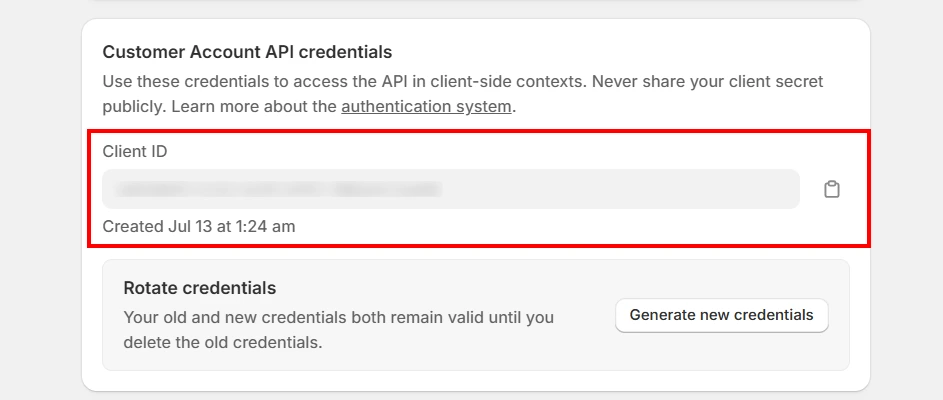
Open the channel and navigate to Your Storefront > Customer Account API > Application Setup.
-
Copy the Client ID.
-
Under Callback URI(s), add the following URL:
https://{your-store}.myshopify.com/apps/sso/moas/broker/login/caa/callback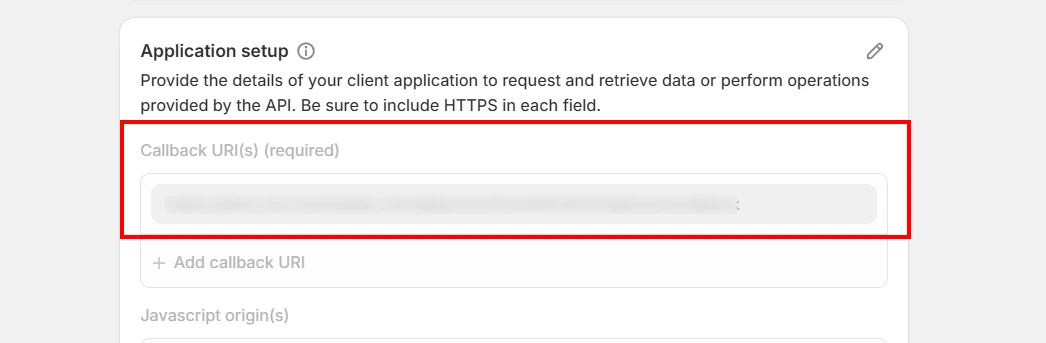
Step 2: Configure the miniOrange App
-
Open the miniOrange SSO app and navigate to to your Identity Provider.
-
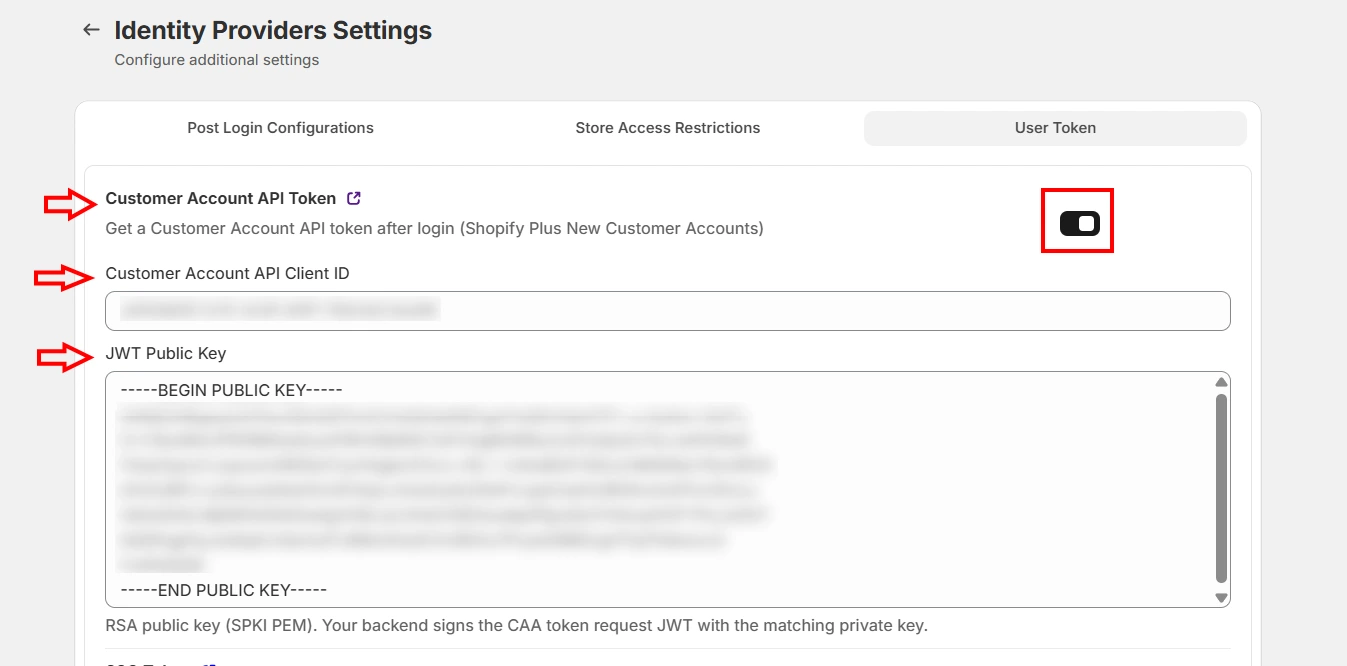
Navigate to Additional Settings > User Token and enable the Customer Account API Token.
-
Enter the Client ID copied in Step 1.
-
Paste your RSA Public Key into the Public Key field. Keep the corresponding Private Key securely on your backend.
-
Click Save.
Step 3: Get the Customer Account API Token
-
Have the customer log in using your normal SSO flow.
-
After a successful login, the browser is redirected back to your storefront with a one-time caaTokenId in the URL:
https://{your-store}.myshopify.com/pages/contact?caaTokenId=abc123... -
Send the caaTokenId to your backend. Your backend must create a short-lived JWT signed with your RSA Private Key.
JWT Header
{
  "alg": "RS256",
  "typ": "JWT"
}
JWT Payload (necessary fields)
{ "caaTokenId": "<caaTokenId>", "iss": "your-store.myshopify.com", "exp": <current time + 60 seconds> } -
Send the JWT to the token endpoint using the Authorization header:
GET https://{your-store}.myshopify.com/moas/broker/login/caa/token Authorization: Bearer <your signed JWT> -
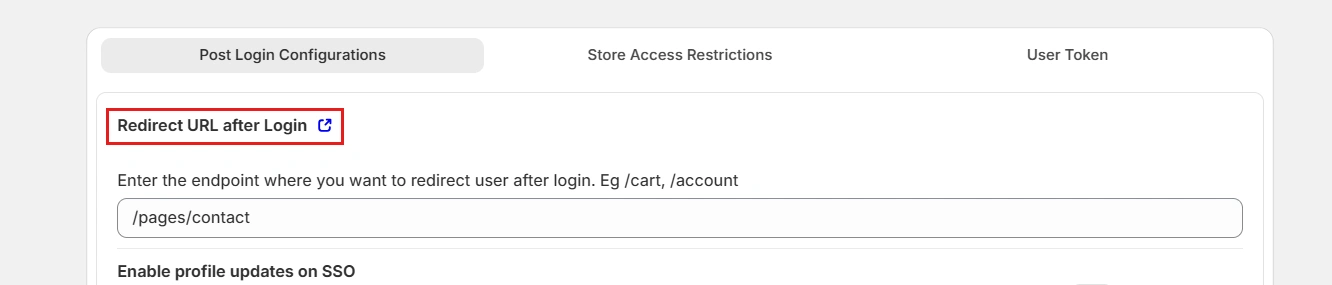
After a successful login, the user is redirected to the configured Redirect URL after Login. The caaTokenId is automatically appended to the redirect URL as a query parameter.
-
The endpoint returns the Customer Account API token:
{
  "access_token": "...",
  "token_type": "Bearer",
  "expires_in": 3600,
  "refresh_token": "..."
}
Field Description caaTokenId Single-use, expires in 30 minutes access_token Used to call the Customer Account API, expires in 1 hour refresh_token Store securely on your backend to obtain new access tokens Note: The caaTokenId is single-use and expires in 30 minutes. Exchange it for a Customer Account API token immediately after login.
Step 4: Use the Customer Account API Token
- Use the returned access_token to call the Shopify Customer Account API on behalf of the logged-in customer.
- Store the refresh_token securely on your backend and use it when required to obtain a new access token.
Contact us at shopifysupport@xecurify.com if you are facing any issue in adding this feature on your Shopify customer account.