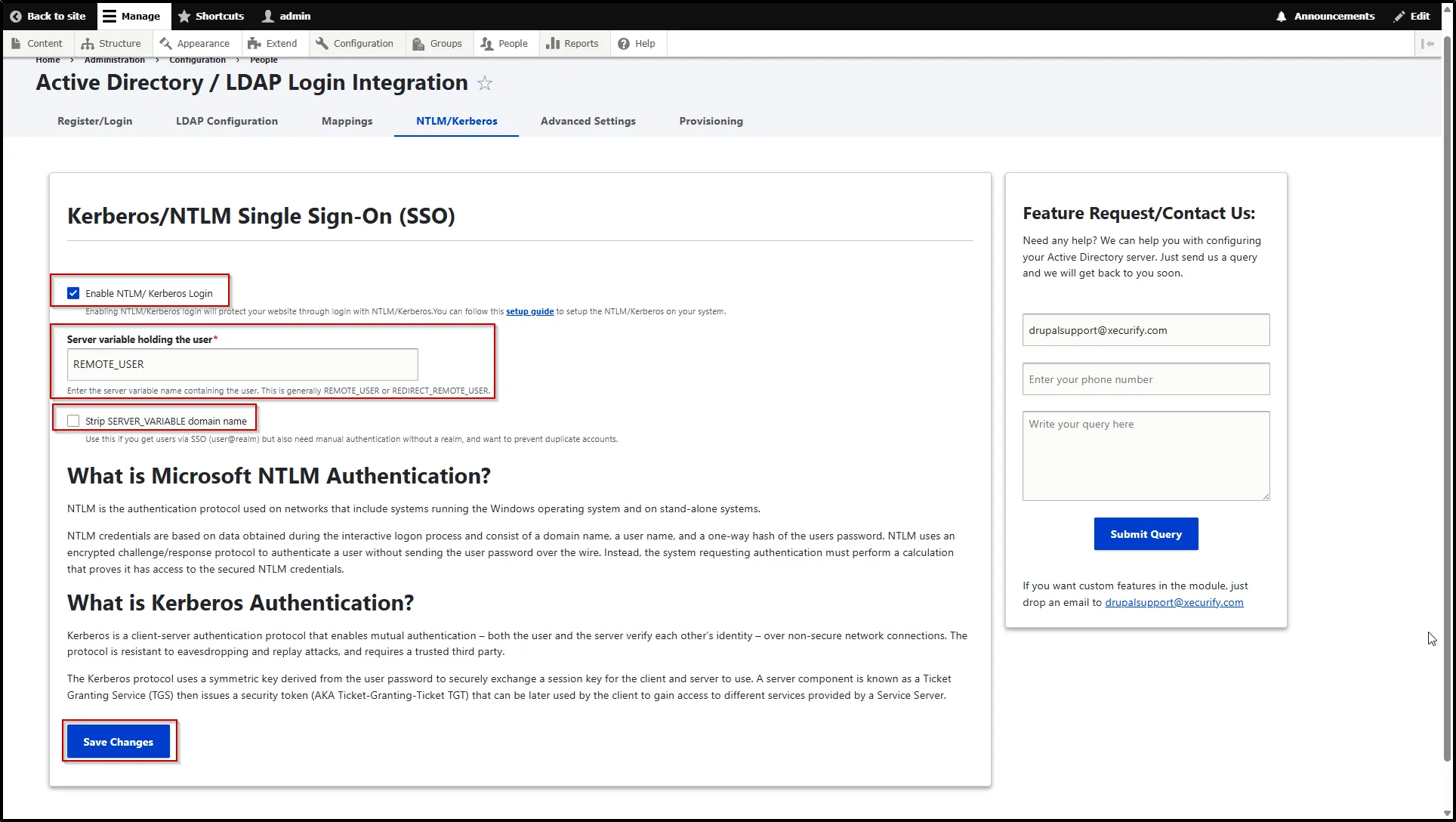
Kerberos/NTLM Single Sign-On (SSO)
NTLM: NTLM (NT LAN Manager) is an authentication protocol used in Microsoft Windows environments, including domain-based and standalone systems. It uses a challenge-response mechanism, where credentials are derived from the user’s login information (username, domain, and a hashed password).
Instead of sending the password over the network, NTLM transmits a one-way hash, making it more secure than plaintext authentication, but still considered less secure than modern protocols.
Kerberos: Kerberos is a secure client-server authentication protocol that provides mutual authentication, meaning both the client and the server verify each other’s identity.
It operates over insecure networks and is designed to resist: Eavesdropping and Replay attacks
Kerberos relies on a trusted third party called the Key Distribution Center (KDC) to issue time-based authentication tickets.
Configure Kerberos/NTLM Single Sign-On
- To configure this feature, navigate to the NTLM / Kerberos tab.
- In this tab, select the Enable NTLM/ Kerberos Login cehck box. This is mandatory step.
- Enter the server variable name that contains the user information in the Server variable holding the user text field. This is typically REMOTE_USER or REDIRECT_REMOTE_USER.
- Check Strip SERVER_VARIABLE domain name to prevent duplicate accounts when users log in via SSO (e.g., user@realm) and also through manual authentication without a realm.
- Click the Save Changes button.