Create & Setup Connection
Feature Description
Start a new connection, and choose which supplier feeds your store. Name the connection and enter that supplier’s authentication details.
Setup Instructions
-
In Shopify Admin, go to Apps and open the Inventory Sync application.

-
Click Create Connection.

-
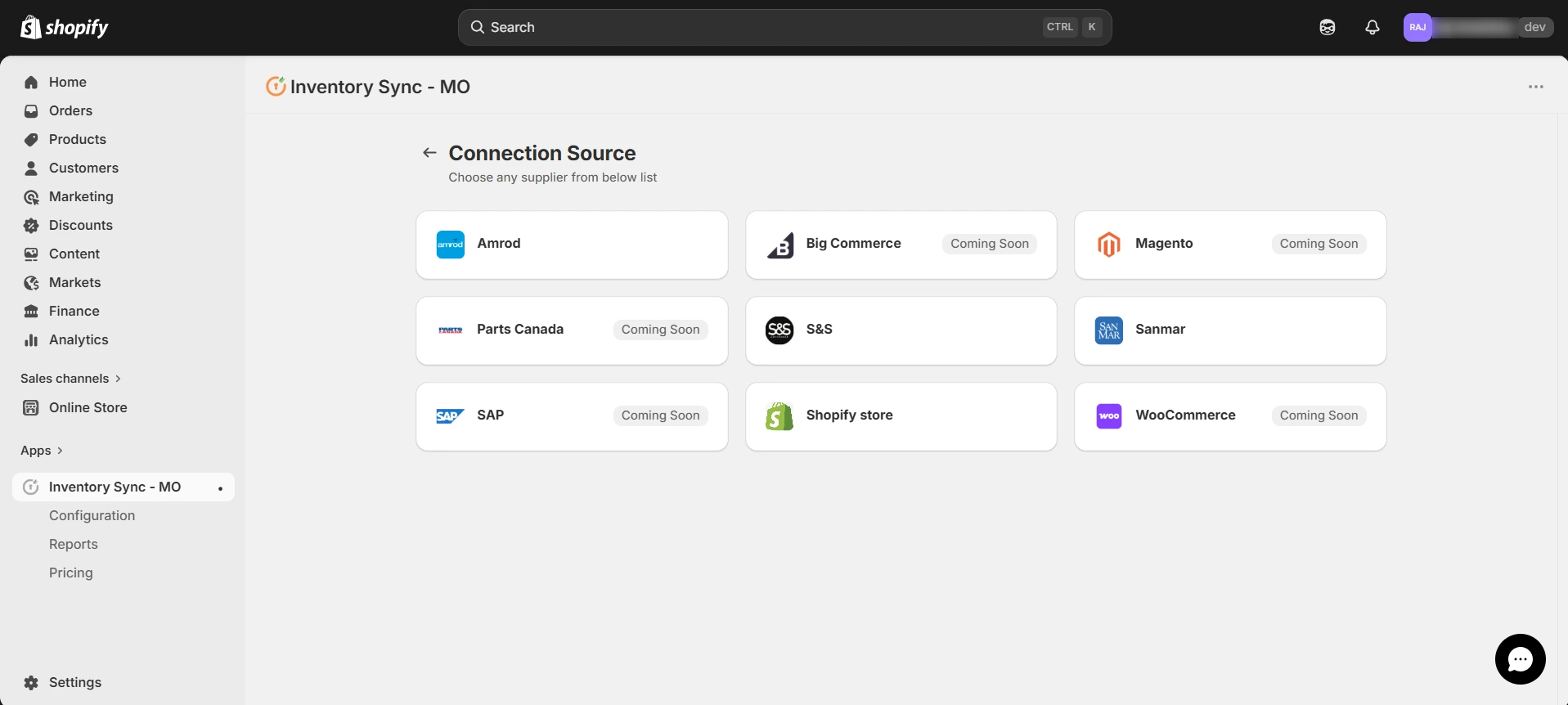
Select your supplier from the list.
-
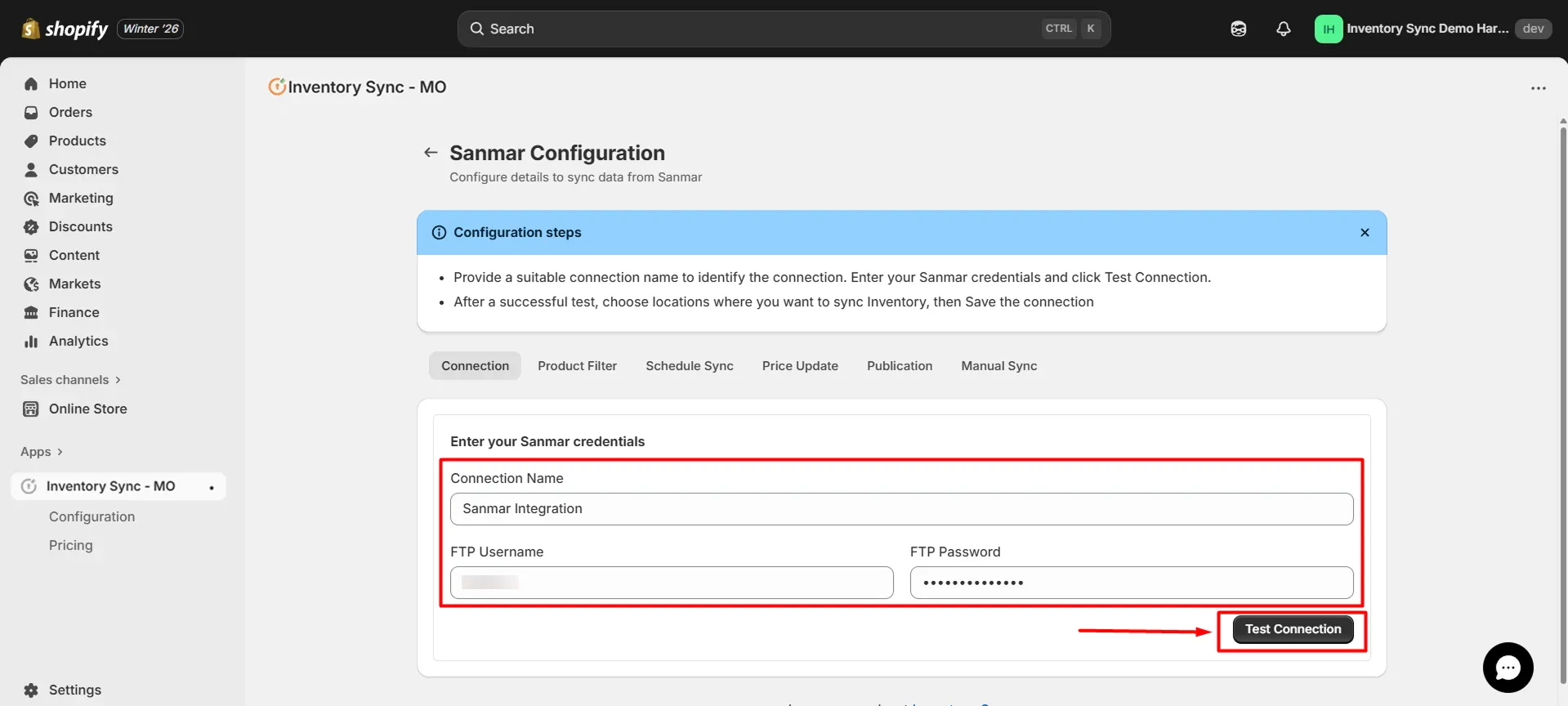
Enter a Connection Name to identify this in the app.
-
Enter your FTP Username and FTP Password.
-
Click Test Connection.