Space Data Security Tab
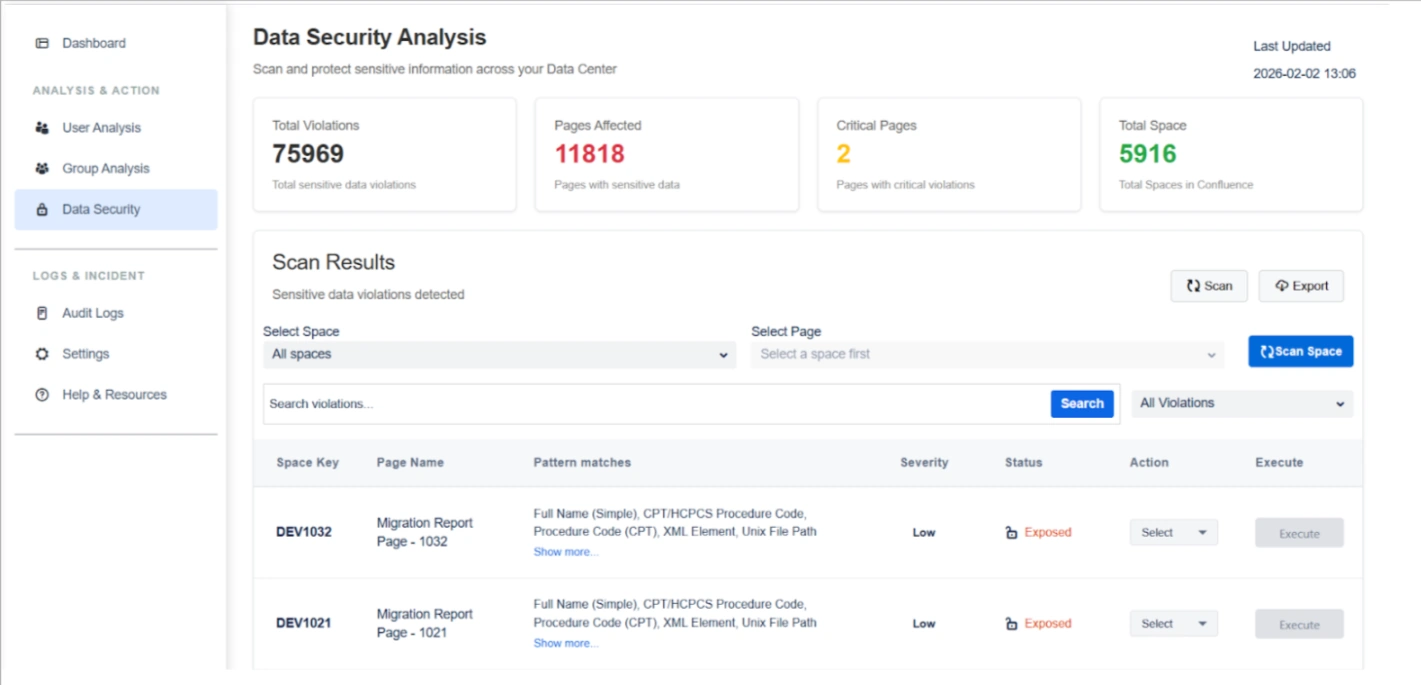
The Space Data Security tab serves as a critical checkpoint for identifying, reviewing, and remediating sensitive data across Confluence spaces before transitioning to the Cloud. By utilizing over 100+ predefined and configurable regex patterns, administrators can perform deep scans of pages, page content, and historical versions to ensure confidential and regulated information is secured.
Core Scanning Capability
The scanner uses 100+ predefined and configurable regex patterns to detect sensitive data across:
- All spaces
- Page content and page comment
- Page history (older versions)
- Structured and unstructured text
Violations are detected per space and per page, giving complete visibility into data exposure.
Listed below are the steps and settings required to secure your space data:
1. Scan Insights & Analysis
The top dashboard widgets provide an immediate assessment of your data risk footprint:
- Total Violations: Displays the cumulative count of sensitive data matches detected across the entire system.
- Pages Affected: Shows the number of individual pages containing at least one sensitive data violation to help prioritize remediation.
- Critical Pages: Highlights pages containing high-severity violations, such as passports or health identifiers, requiring immediate attention.
- Total Spaces: Indicates the total number of spaces scanned to validate full coverage of your Confluence instance.
2. Violation Review & Visibility
Before taking action, you can investigate specific findings to ensure accuracy:
Pattern Match Identification : View the specific types of sensitive data detected on each page, such as:
- Personal identifiers
- Financial data
- Government IDs
- Health-related information
- Network or infrastructure data
"Show More" Detailed View: Clicking "Show more" opens a detailed popup listing every detected violation pattern on a page for full transparency.
Actions: For each page, admins can choose an action:
- View Violation
- Delete sensitive data
- Encrypt sensitive data
The selected action determines the operation executed on the page.
View Violation Action: Utilize the "View Violation" action to see sensitive data in its original context, which helps validate findings and prevents accidental data loss.
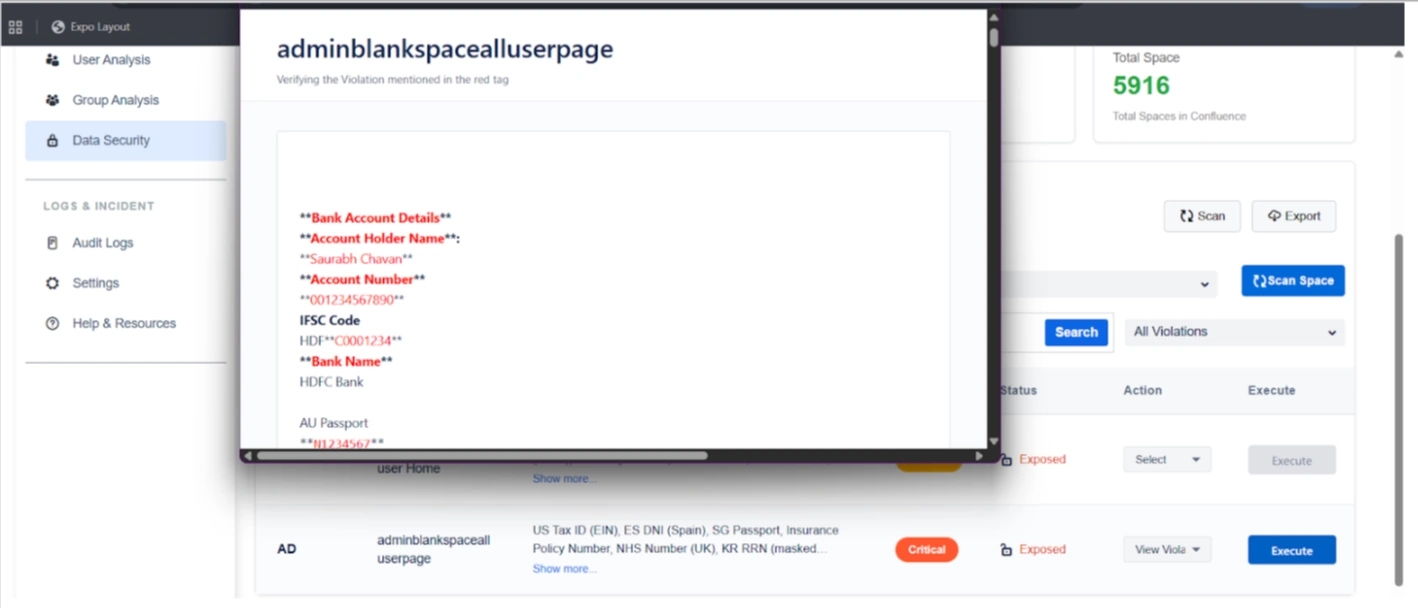
Execute Action: Once an action is selected, clicking Execute triggers the operation on:
- The current page comment
- Page history (older versions), if applicable
This ensures sensitive data is fully remediated and not retained in historical versions.
3. Remediation Actions
Once violations are confirmed, you can execute targeted operations on page content, page comment, and page history:
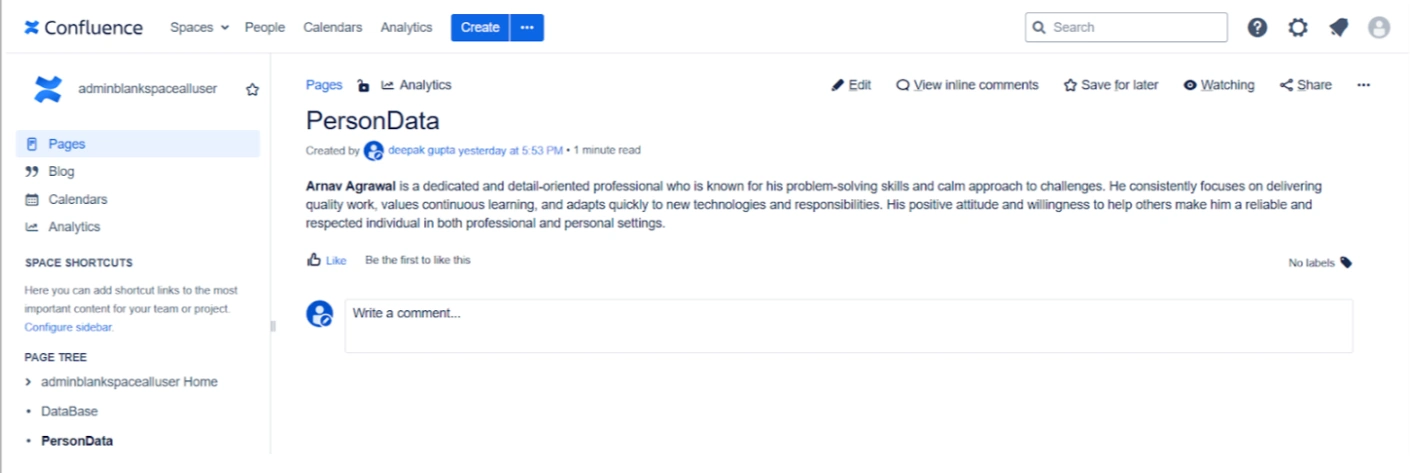
Encrypt Sensitive Data: Securely encrypts data based on your enabled regex rules. This is ideal for hiding confidential information from migration vendors while allowing for later decryption in the Cloud.
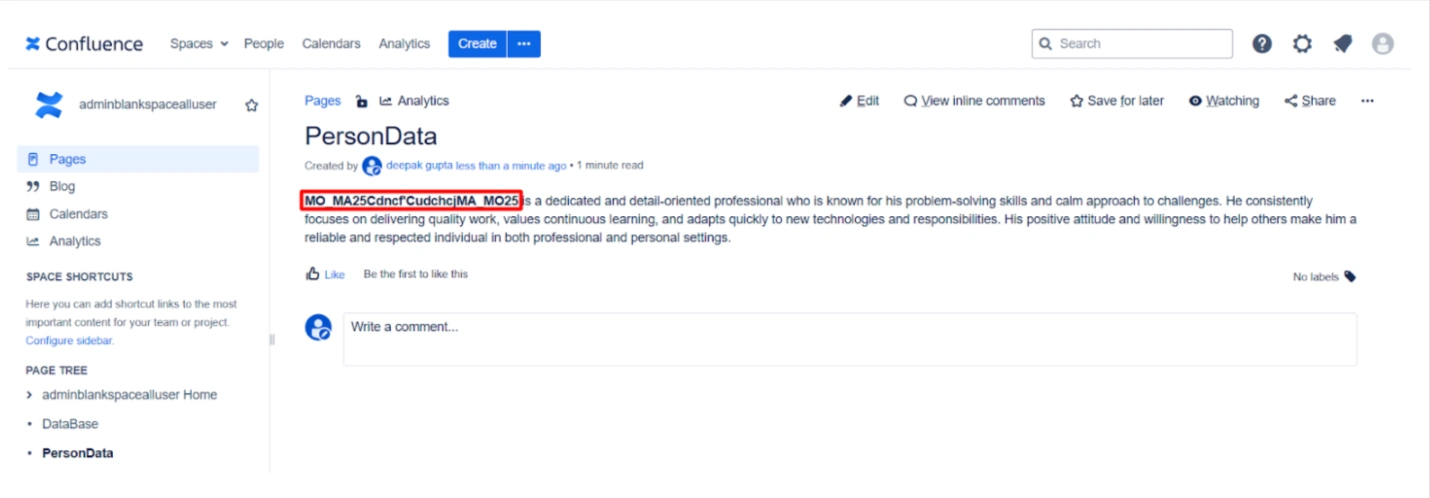
Delete Sensitive Data: Permanently removes identified sensitive strings from pages and historical versions to eliminate risk entirely.
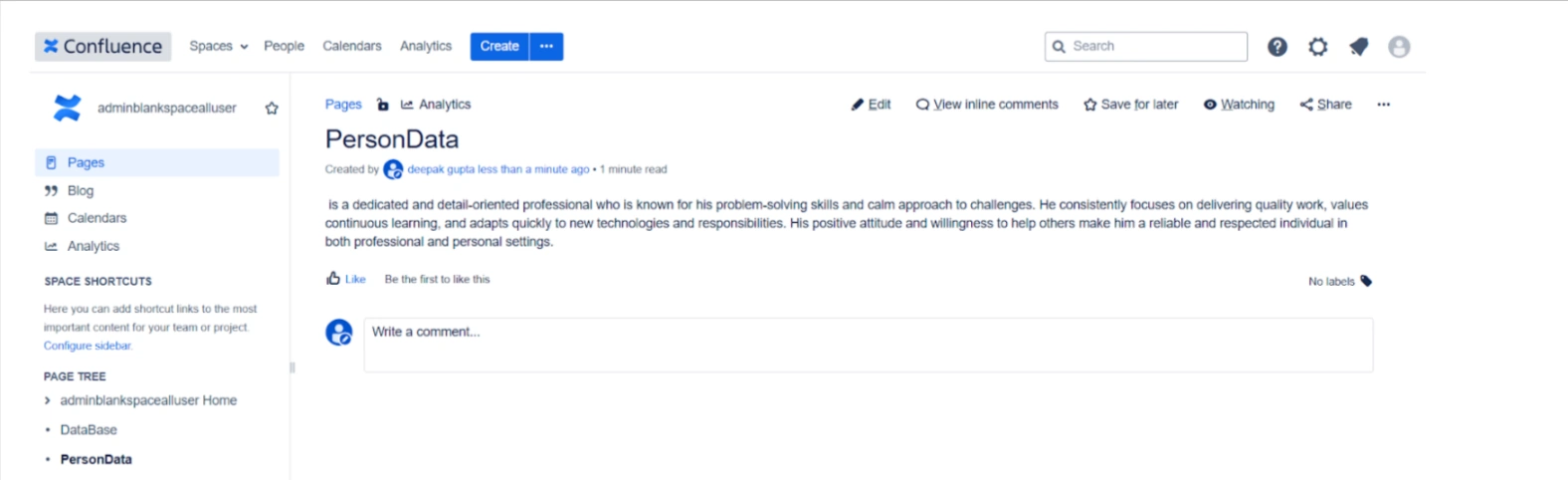
Encryption for Secure Migration & Third-Party Access
Encrypt Sensitive Data
Sensitive information can be encrypted before migration or before granting third-party access.
Key use cases:
- Hide confidential data from migration vendors
- Protect sensitive content during migration execution
- Maintain compliance during audits or external reviews
After migration, the Cloud add-on can decrypt the data, restoring original content securely.
Key Migration Use Cases
Pre-Migration Cleanup
Remove unnecessary or risky content such as:
- Product details
- Internal notes
- Personal user data
- Legacy or outdated sensitive information
Secure Third-Party Assistance
Allow migration partners to work on data without exposing sensitive information, using encryption as a safety layer.
Use Case
Scenario: A company is hiring an external vendor to assist with their migration. To protect their intellectual property and employee PII, the admin runs a scan and identifies Critical Pages containing sensitive data. They use the Encrypt Sensitive Data action to mask this information. The vendor can now move the data securely without seeing private content, and the company will decrypt it once the migration is finished using the Cloud add-on.