OTP Login Button Customization
Applies to : All Shopify Plans
Feature Description
Customize the OTP Login Button to match your store's branding and design. Modify the button's text, color, size, and style to create a seamless and visually consistent user experience while maintaining a secure and intuitive login process.
Setup Instructions
-
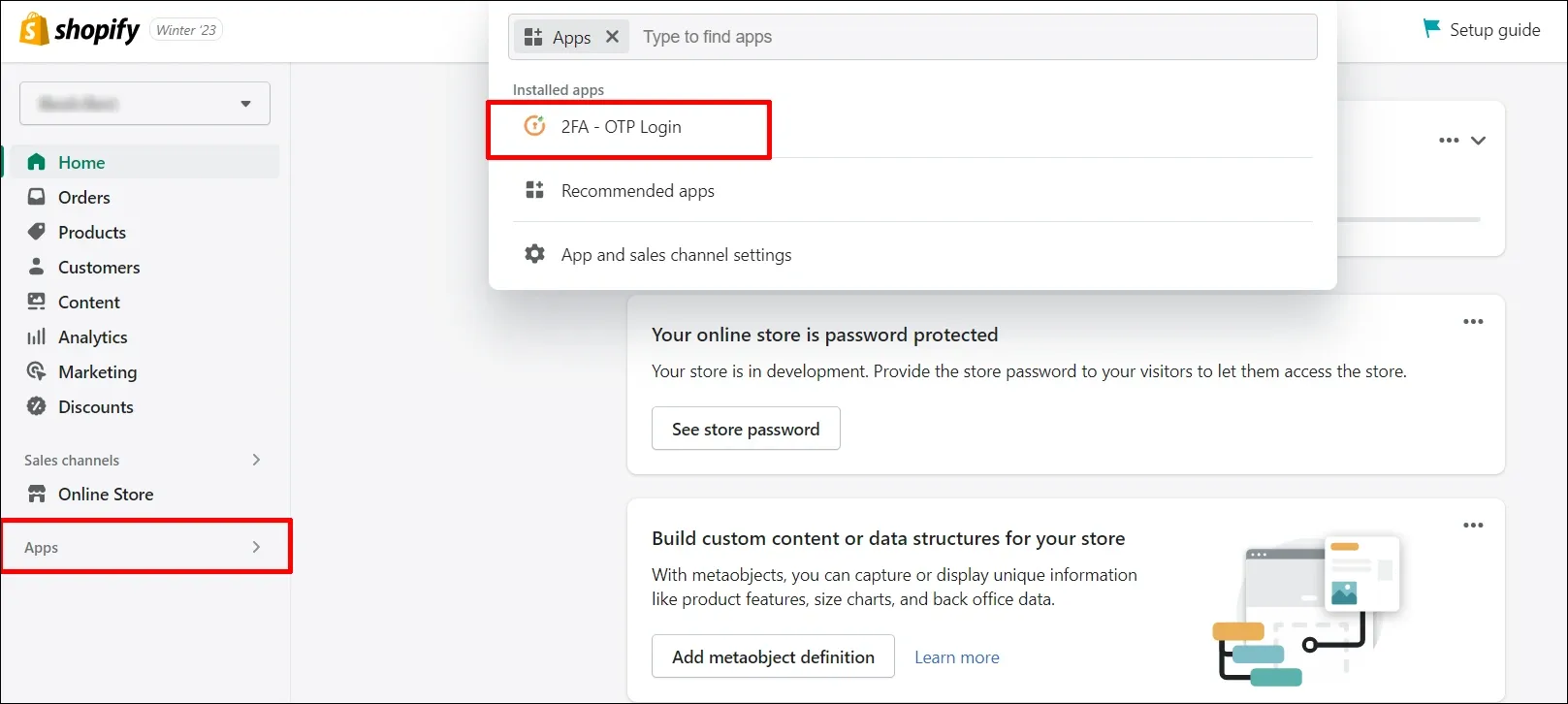
Navigate to the Apps section and then click on the miniOrange OTP Login/Register application
-
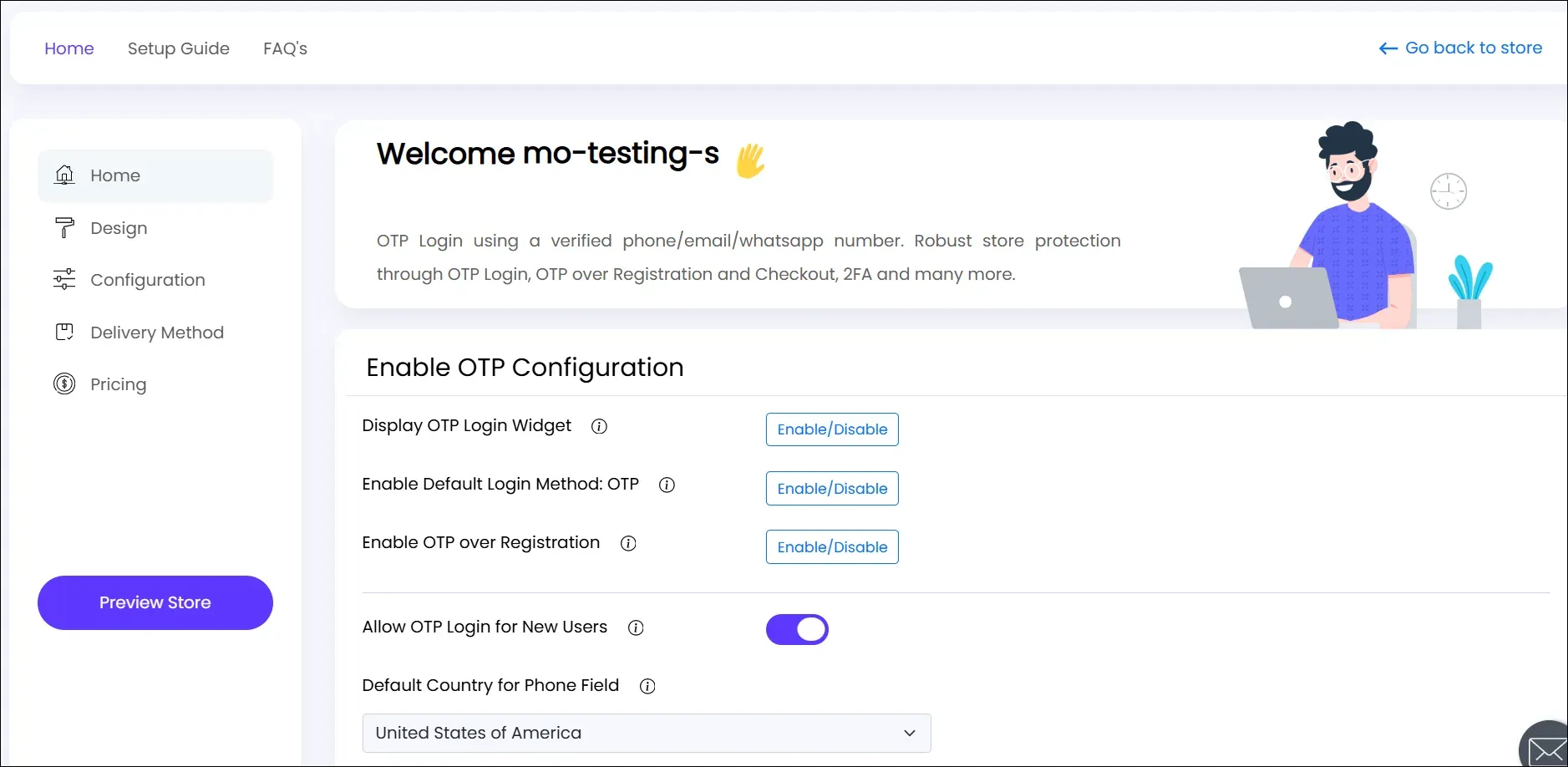
You will be navigated to the application dashboard.
-
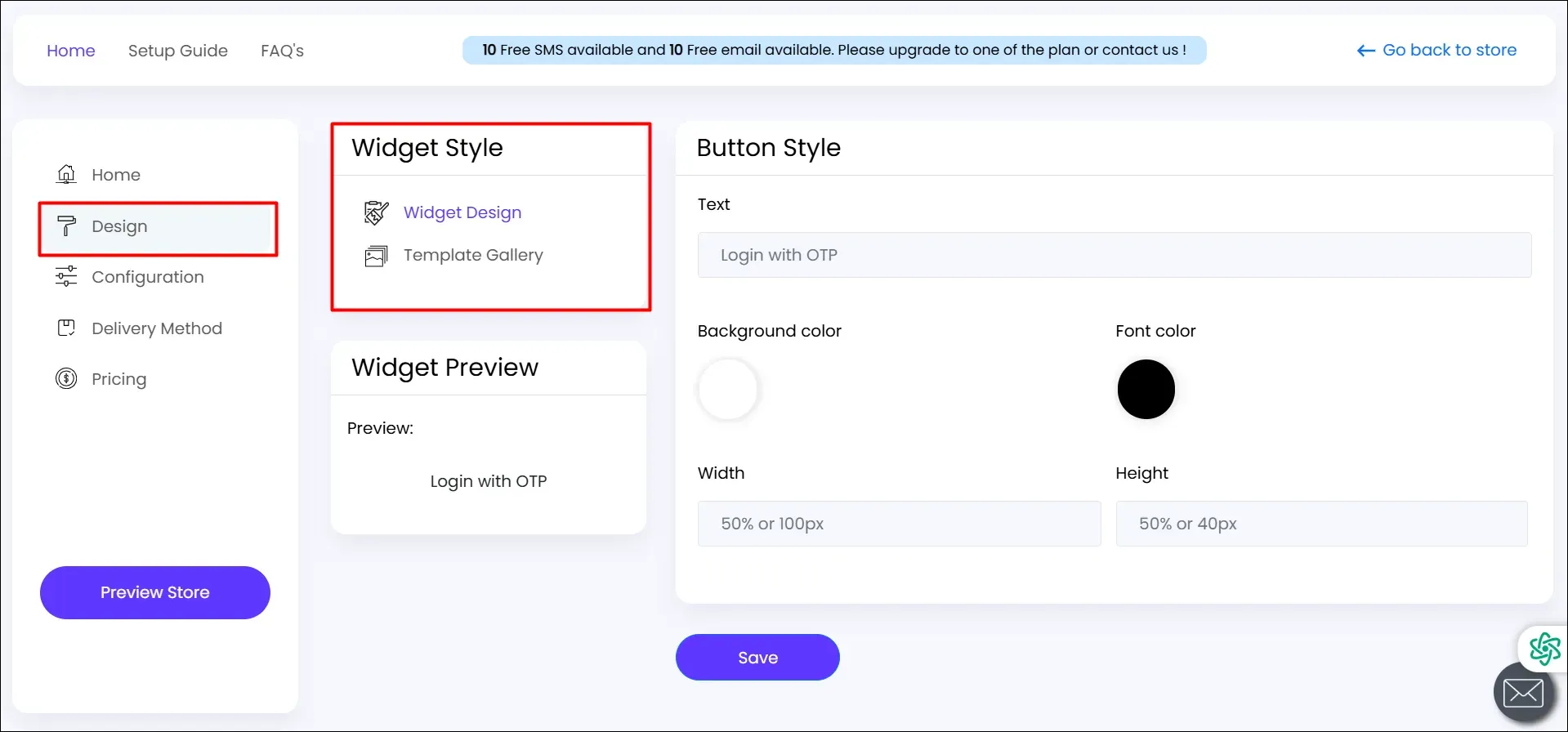
Navigate to the Design >> Widget Design section in the left navigation menu and enable this.
-
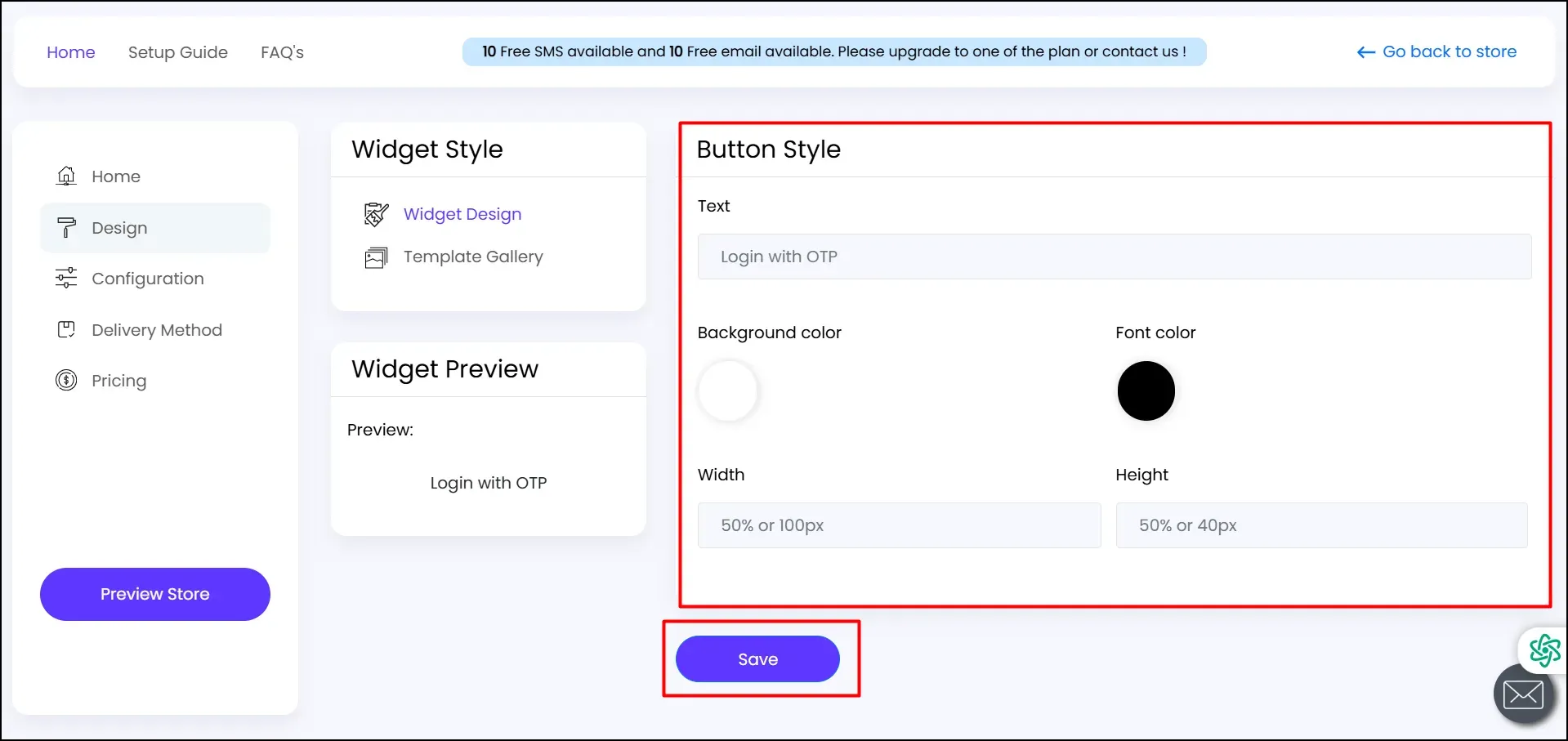
Design your button (Text, Width, Height, Font color, Background color). Click on Save.
-
Click on Save.
If you need any help or have any questions, feel free to contact us at shopifysupport@xecurify.com.