Dashboard Tab
The Dashboard Tab provides a single-pane overview of user activity, license usage, and system recommendations. It helps administrators monitor user health, spot inactive accounts, and quickly jump to common user-management features.
Listed below are the settings and features available in this tab:
Configuration Status
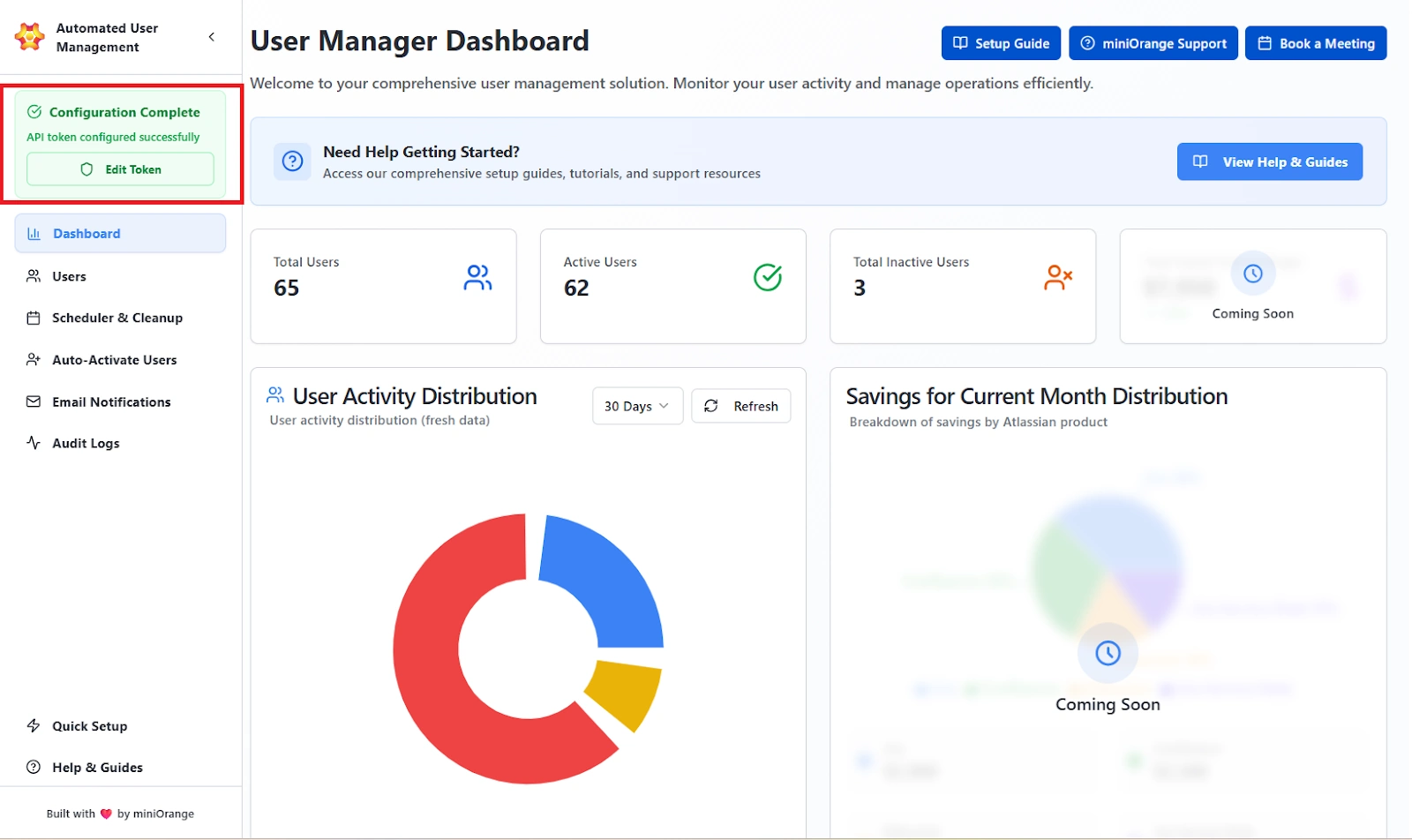
After the setup of the Automated User Management app, once the credentials are validated, the dashboard displays:
Configuration Complete – API token configured successfully
This signifies:
- Both the API Token and API Key are valid.
- The connection between Jira Cloud and the app is active.
- Automation and scheduled tasks are ready to execute.
If invalid credentials are provided, an error message will appear prompting re-entry of valid details.
Configuration & API Setup
This feature allows administrators to authorize the app using Atlassian’s API credentials, ensuring all automated operations (like user management, group modification, and reporting) run through verified, secure, and permission-controlled channels.
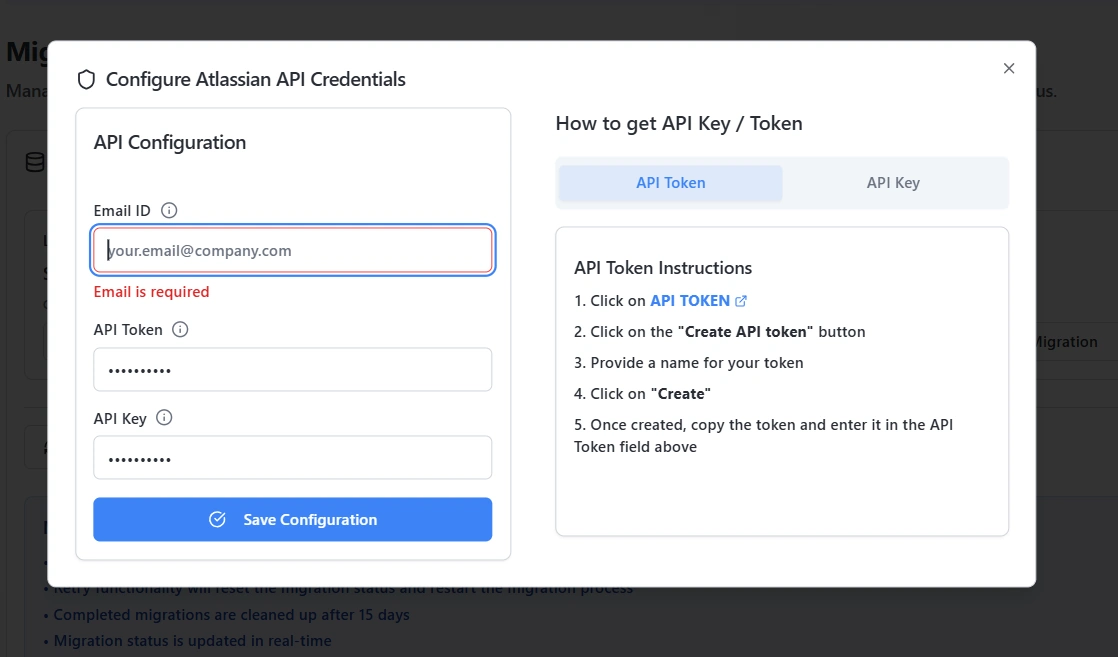
The Configure Atlassian API Credentials dialog contains:
- Email ID: Displays the admin email ID that was used to authenticate with Atlassian.
- API Token: Represents the personal authentication token used for user-specific API actions.
- API Key: Represents the organization-level authentication key that allows broader access for automation and reporting.
- Save Configuration: Verifies and saves the credentials to complete setup.
Statistic Cards
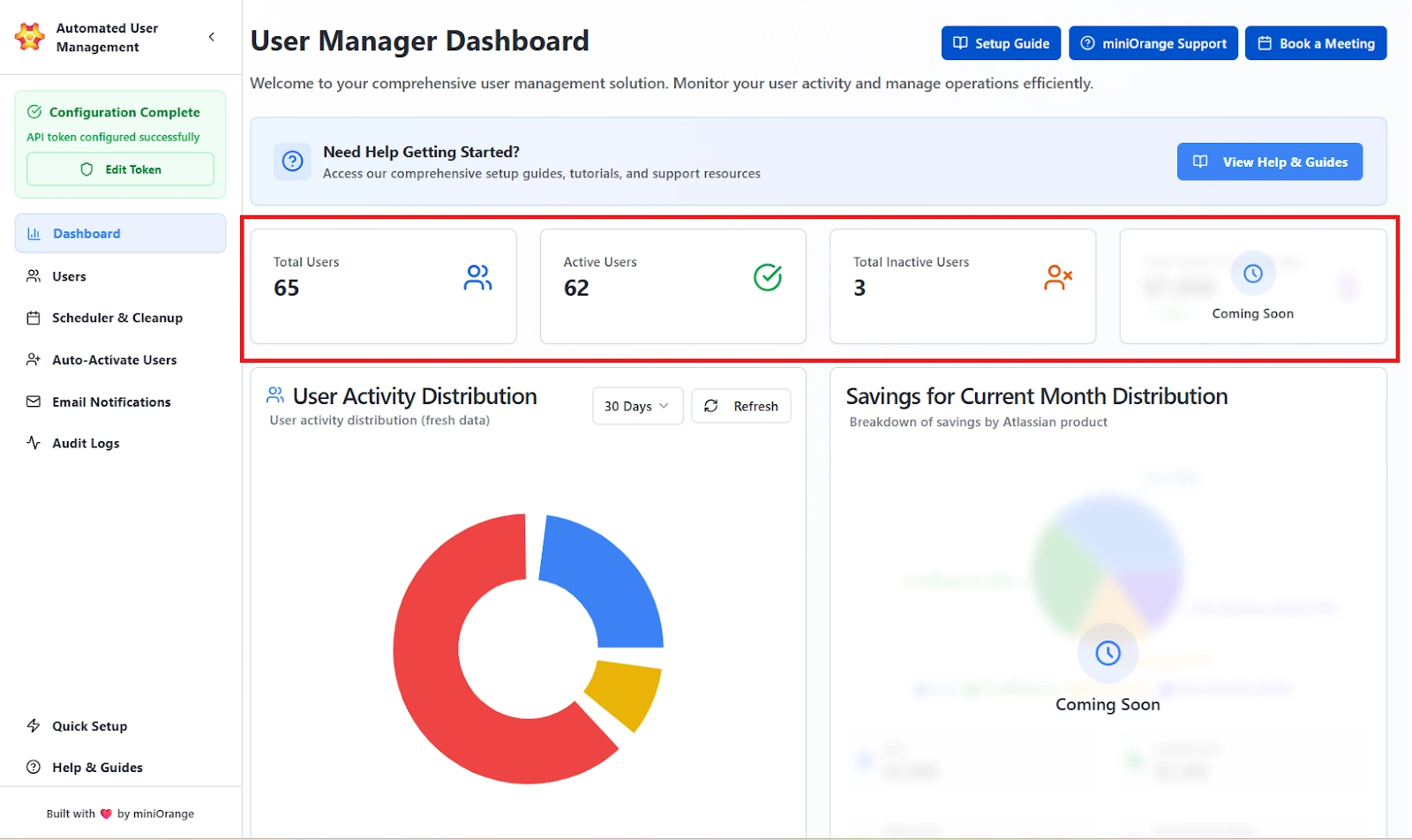
The Statistic Cards section gives top-level counts and trends.
Cards Displayed
- Total Users: The complete count of all users managed by the app. This includes active, inactive, and deactivated accounts.
- Active Users: Users who have logged into Jira within the selected time range. This metric reflects actual activity, not just license allocation.
- Inactive Users: Users who currently hold a license but have not logged in within the selected time range, along with users who have been suspended or deactivated. This helps identify accounts that may qualify for cleanup.
- Savings for Current Month: Placeholder (Coming Soon) for cost-savings summary.
Analytics Charts
Analytics charts visualize user engagement and planned savings.
This section is divided into two charts:
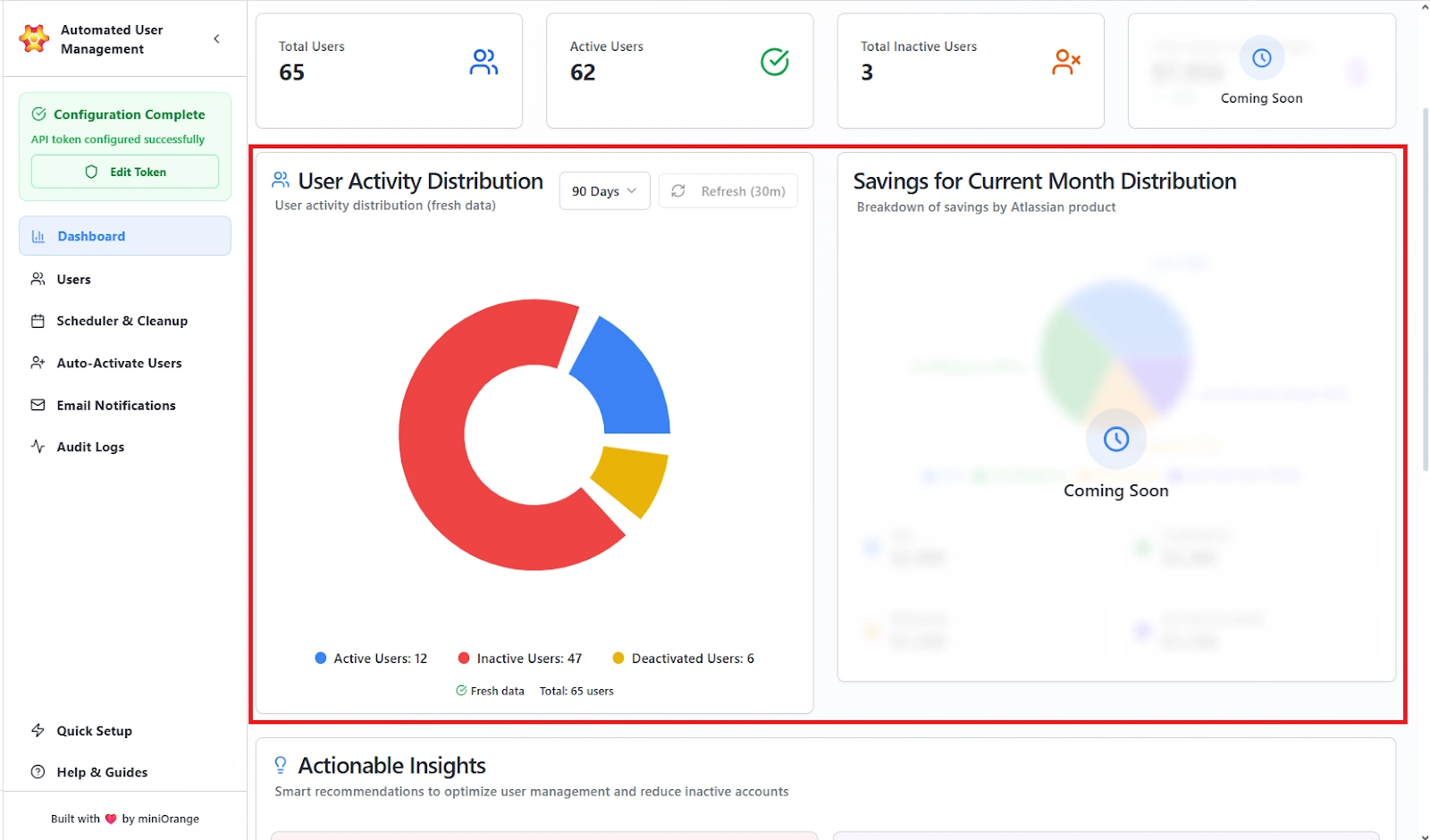
User Activity Distribution
- Pie chart showing distribution of user activity.
- Active users are those who have recently logged in.
- Inactive users are those who have licenses but have not logged in recently.
- Deactivated users are those who do not have a license.
- Time range selector (for example: 30 Days).
- Refresh button to pull latest data from Atlassian APIs.
Savings for Current Month Distribution (Coming Soon)
- Pie chart showing estimated savings by product (Jira, Confluence, Bitbucket, JSM).
Actionable Insights
The Actionable Insights area lists smart recommendations the system generates to reduce inactive accounts and cost.
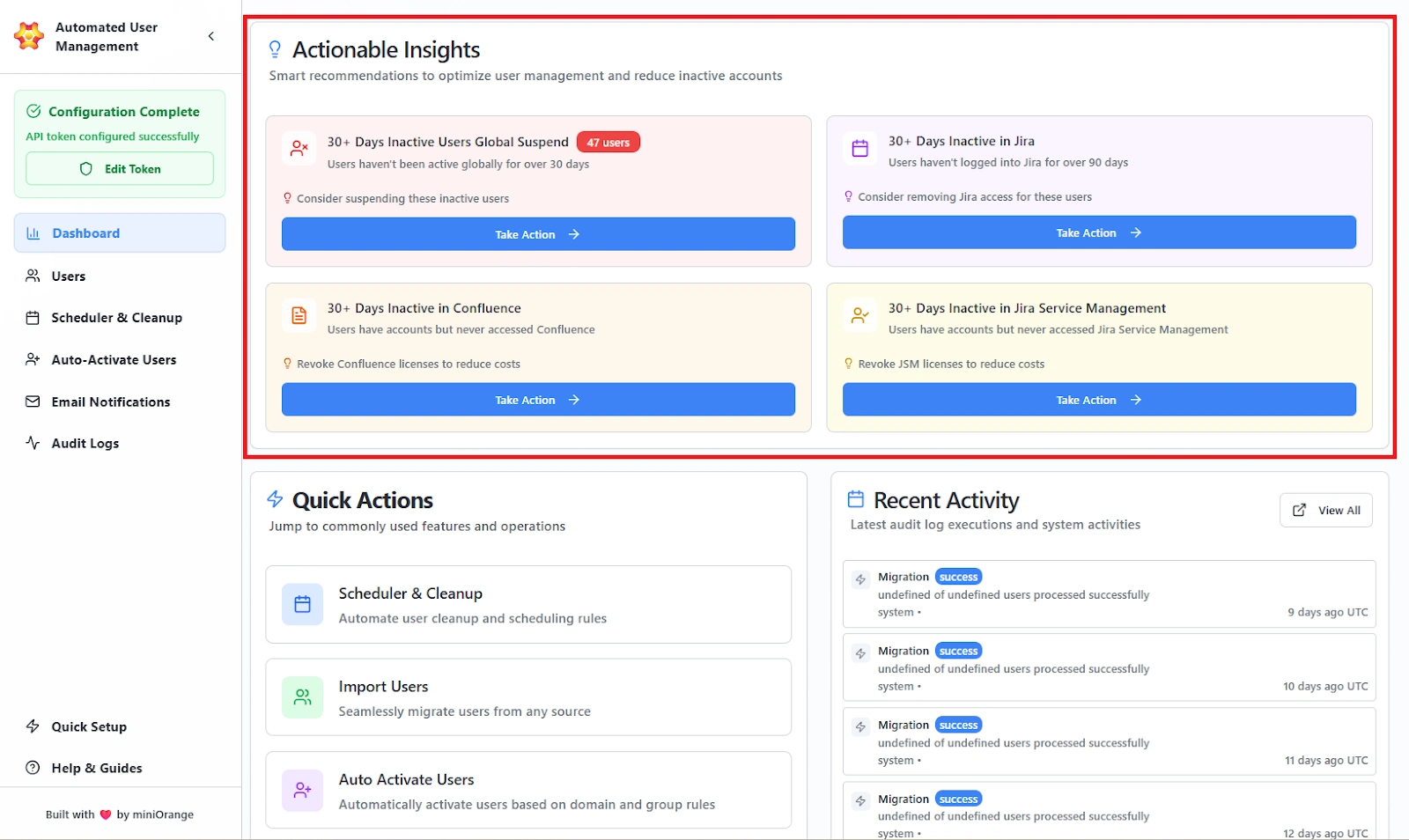
Insight Cards (each card shows a condition and recommended next step)
- 30+ Days Inactive in Jira: Users who haven’t logged into Jira for 30+ days.
- 30+ Days Inactive in Confluence: Users who have not accessed Confluence in the past 30 days or more.
- 30+ Days Inactive Users Globally Suspended: Accounts that haven’t accessed any licensed product in the past 30 days.
- 30+ Days Inactive in Jira Service Management: Users who have not logged in to JSM in the past 30 days.
Card Content
- Short description of the issue.
- Recommendation (for example, “Consider removing Jira access for these users”).
- Highlighted count badge or status (when available).
Actions Available
- Take Action button on each card, to create a new rule with pre-applied filters to remediate the insight.
Quick Actions
Quick Actions provide one-click navigation to frequently used features so admins can act fast.
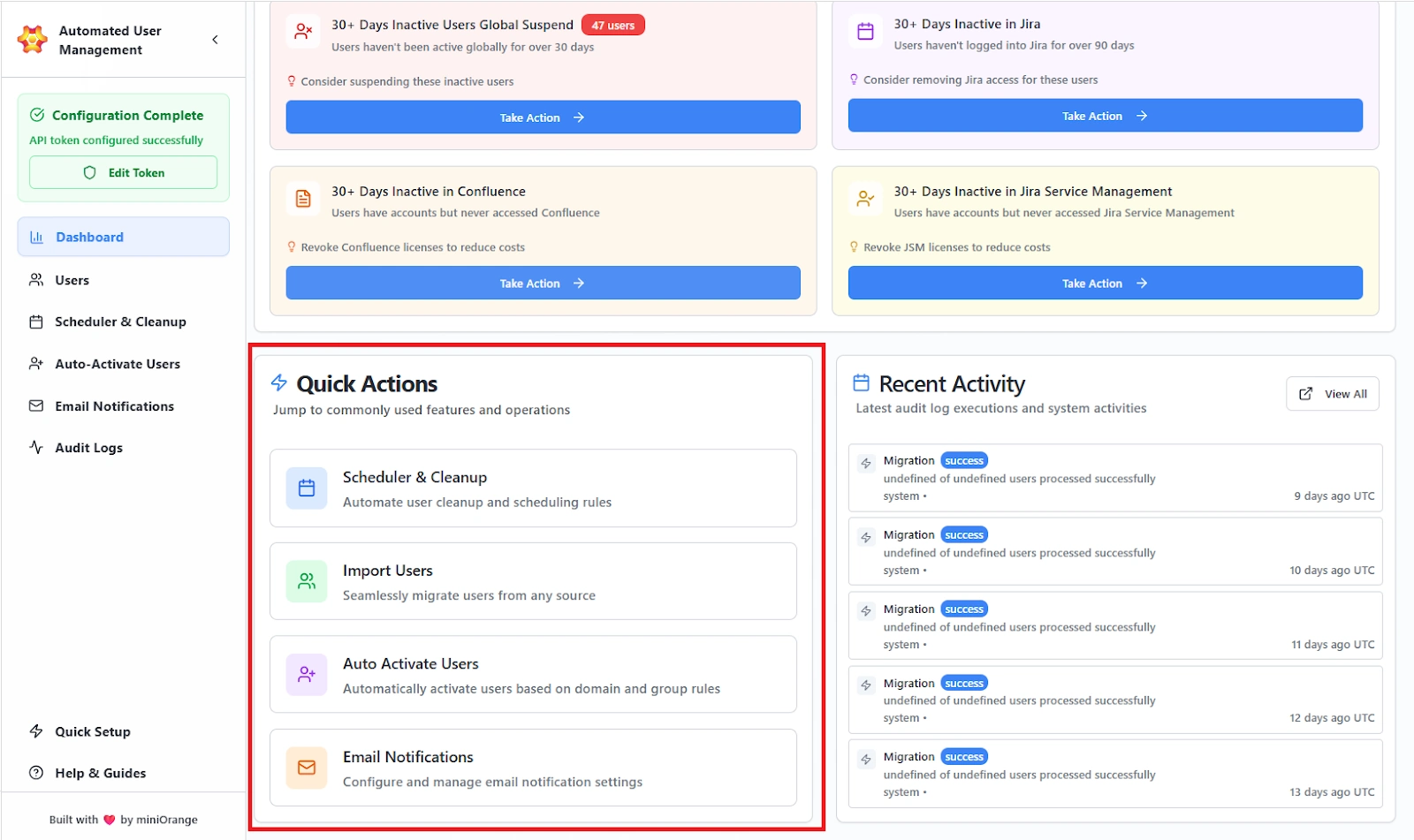
Features provided:
Action Tiles (each tile links directly to the module)
- Scheduler & Cleanup: Configure cleanup rules and schedules.
- Import Users: Open bulk import workflow to import users via importing a CSV file.
- Auto Activate Users: Configure domain/group based auto-activation rules.
- Email Notifications: Manage notification templates and preview/test emails.
Recent Activity
The Recent Activity panel lists the latest system operations and job executions for traceability.
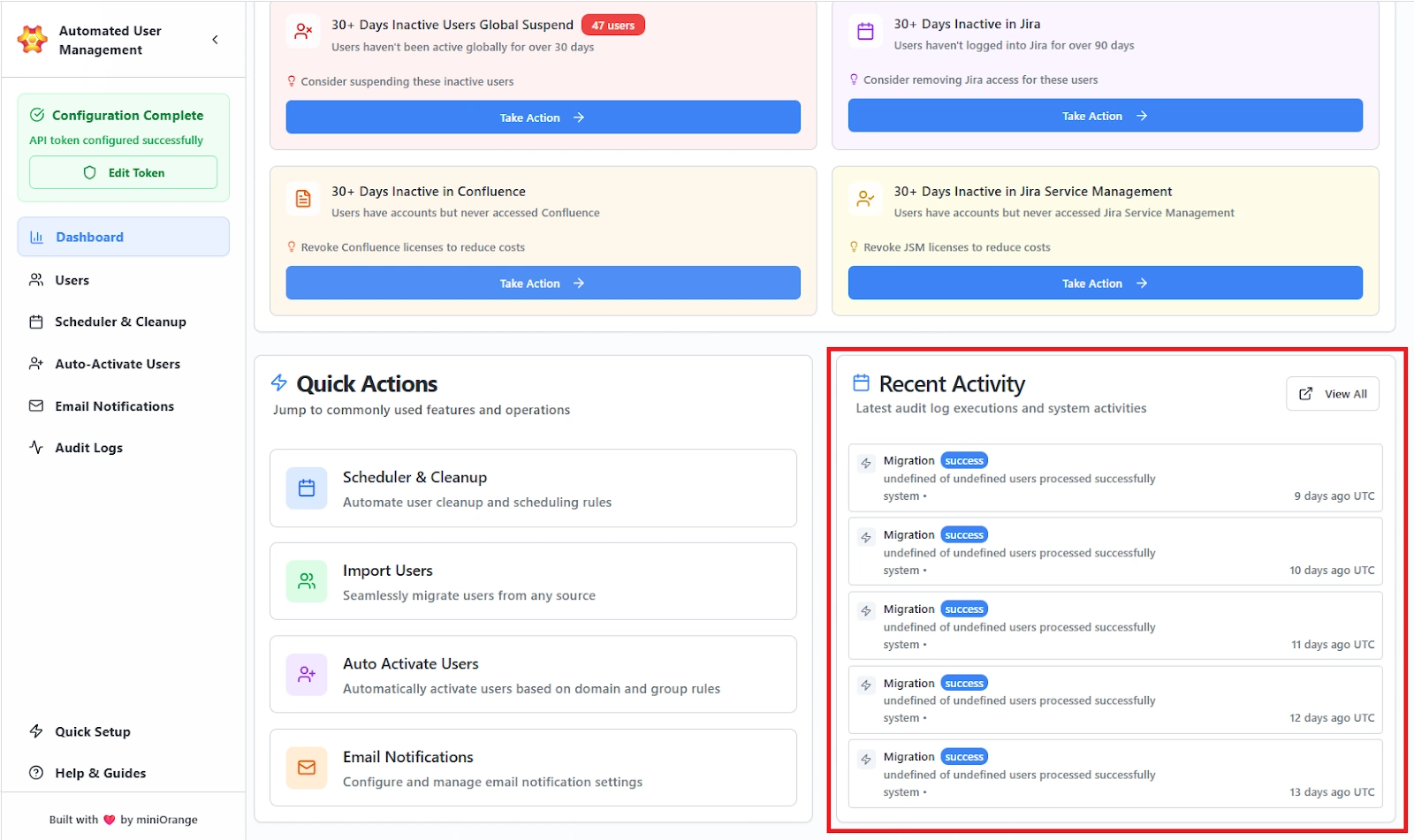
Features provided:
List Items include:
- Action Type (e.g., Migration, Jira Access Removal Scheduler)
- Status Badge (e.g., success, failure)
- Summary (brief note such as “35 of 50 users processed successfully”)
- Timestamp in UTC
View All button to open the full Audit Logs with advanced filtering and export. Helps in quick verification that scheduled rules and imports ran successfully and to spot failures early.
Use Case Scenario
You want to identify users who have been inactive for more than 30 days across Jira and Confluence so you can plan license cleanup and reduce unnecessary costs.
How the Dashboard enables this
- You open the Dashboard and instantly see real-time activity metrics, including active and inactive user counts.
- The Actionable Insights section highlights inactivity patterns, such as “30+ Days Inactive in Jira” or “30+ Days Inactive in Confluence.”
- You select Take Action on the relevant card.
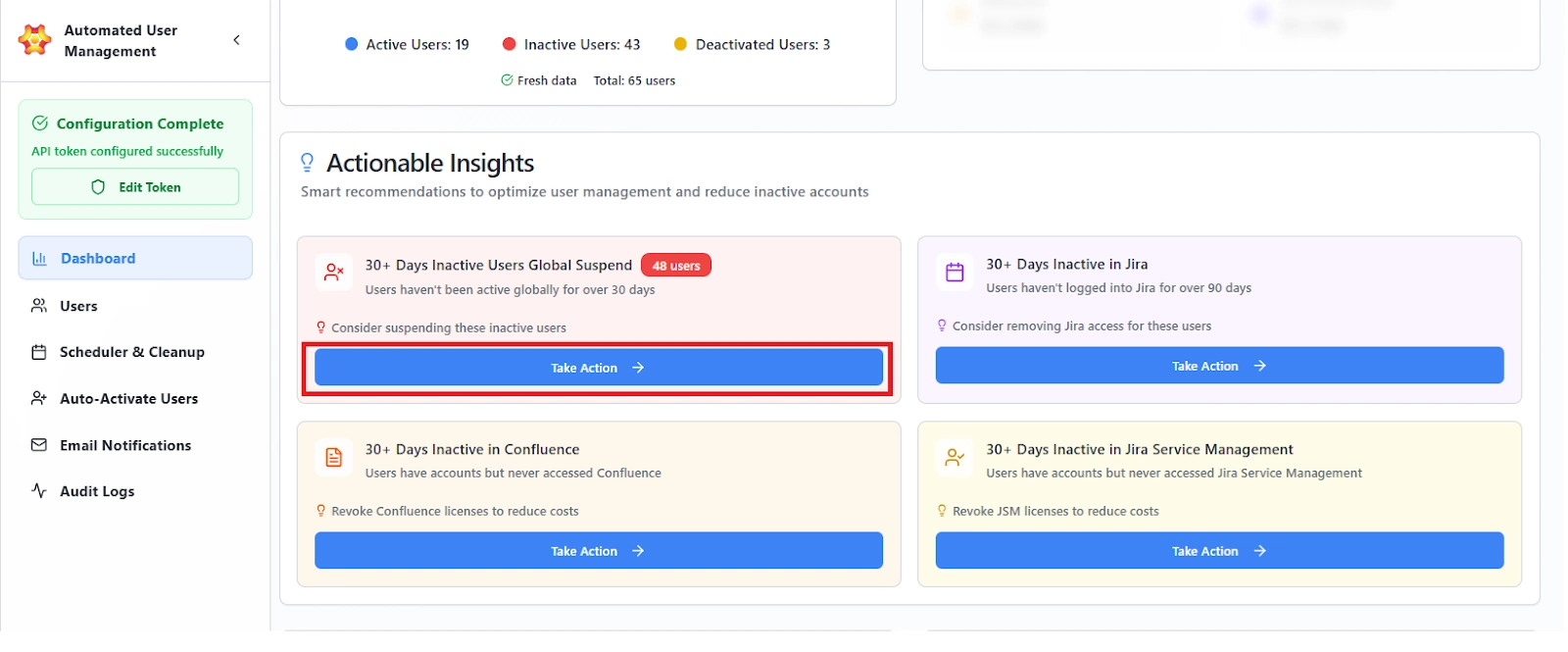
- The system opens a new Cleanup Rule with all filters already applied: inactivity threshold, product type, and user selection.
- You review and confirm the rule, and the job is now scheduled or executed with no manual user hunting.
Benefits
- Eliminates manual cross-checking across multiple products and user lists.
- Reduces decision-making time by providing data-driven recommendations.
- Enables admins to move from insight to remediation in one click.
- Ensures cleanup actions are consistent, rule-based, and auditable.