Email Notifications
The Email Notifications tab allows administrators to configure automated email alerts related to user deactivation, product access removal, or other automated user management events.
These notifications ensure that users are informed in advance before their accounts are modified or deactivated, improving transparency and compliance.
All email notifications configured will be sent from “noreply@miniorange.com”.
Email Templates Overview
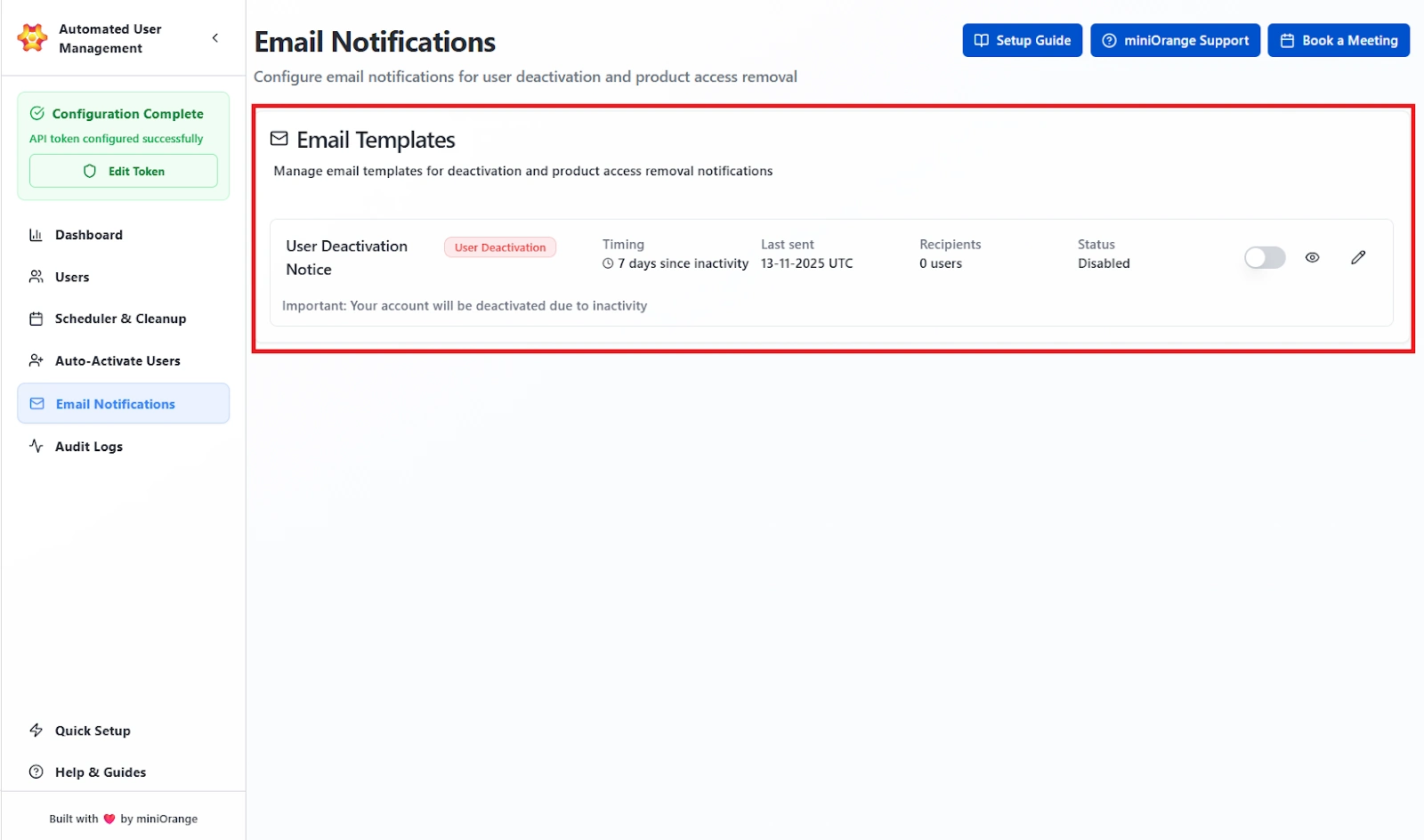
The Email Templates section lists all available notification templates and their details at a glance. The admins will find a list of all configured email templates in this section. The following details are shown in each section:
Template Name
Shows the exact purpose of the email template, such as “User Deactivation Notice” or “Access Removal Warning.” The name must clearly reflect what the email communicates.
Timing
Displays the number of days of user login inactivity after which the email will be sent. Example: “7 days since inactivity” means the email goes out seven days after the user last logged in.
Last Sent
Shows the most recent date and time (UTC) when this template was successfully triggered and delivered to users.
Recipients
Shows the number of users who received this template the last time it was triggered. This confirms the email was actually used and who it reached.
Status Toggle
Turns the template on or off.
- Enabled: The system will send this email when the rule conditions are met.
- Disabled: The template will not be sent under any circumstances.
Available Actions
View
Opens a preview of the template with sample values inserted, so you can confirm the layout and placeholders.
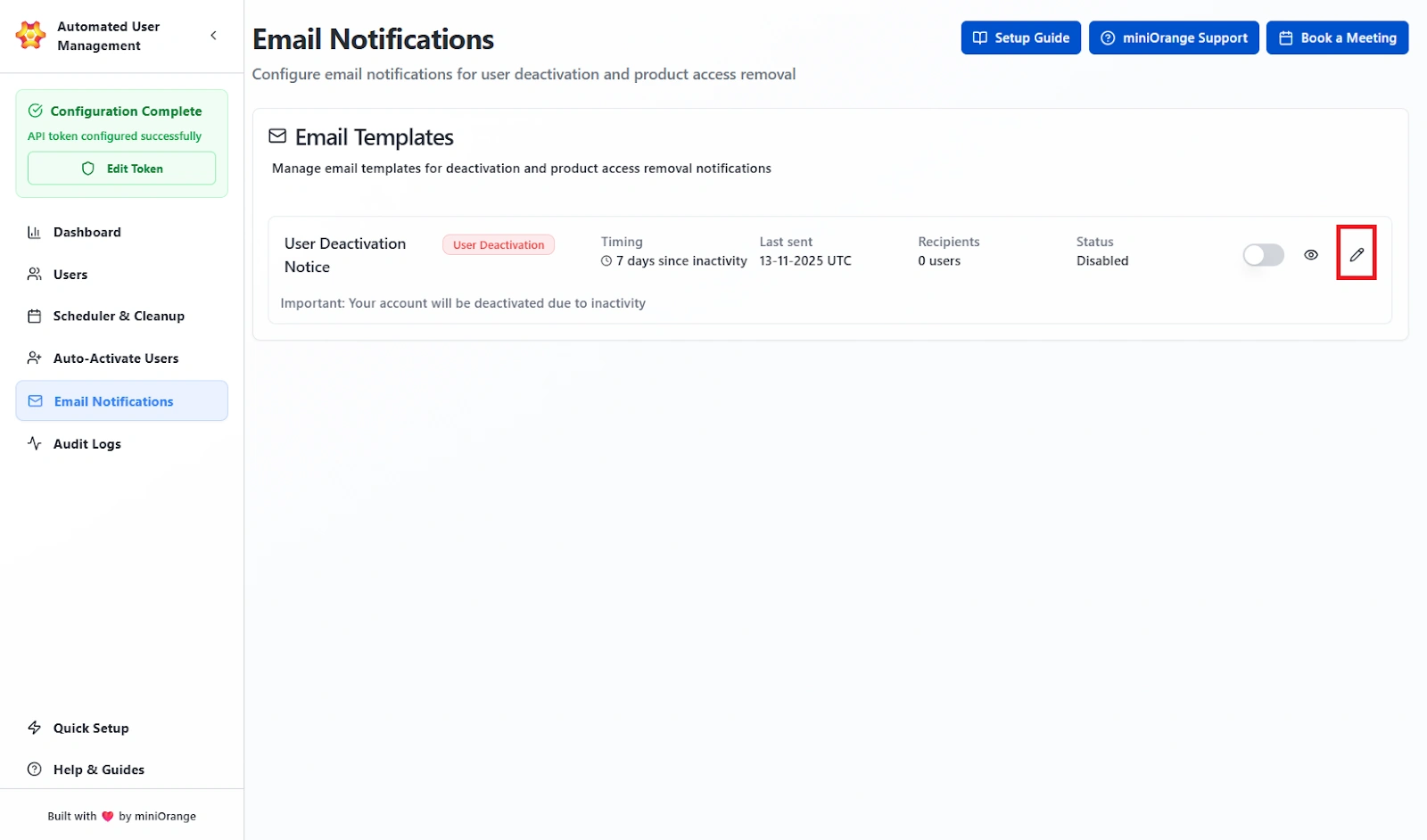
Edit
Opens the full edit form where you can change the subject, body content, placeholders, and timing.
Creating or Editing an Email Template
Click Edit to open the configuration form. This interface allows administrators to define the content, timing, and format of an email notification.
Dynamic placeholders can be used in both the Subject and Body to insert user-specific data automatically.
Here are the field settings included that can be configured in the template:
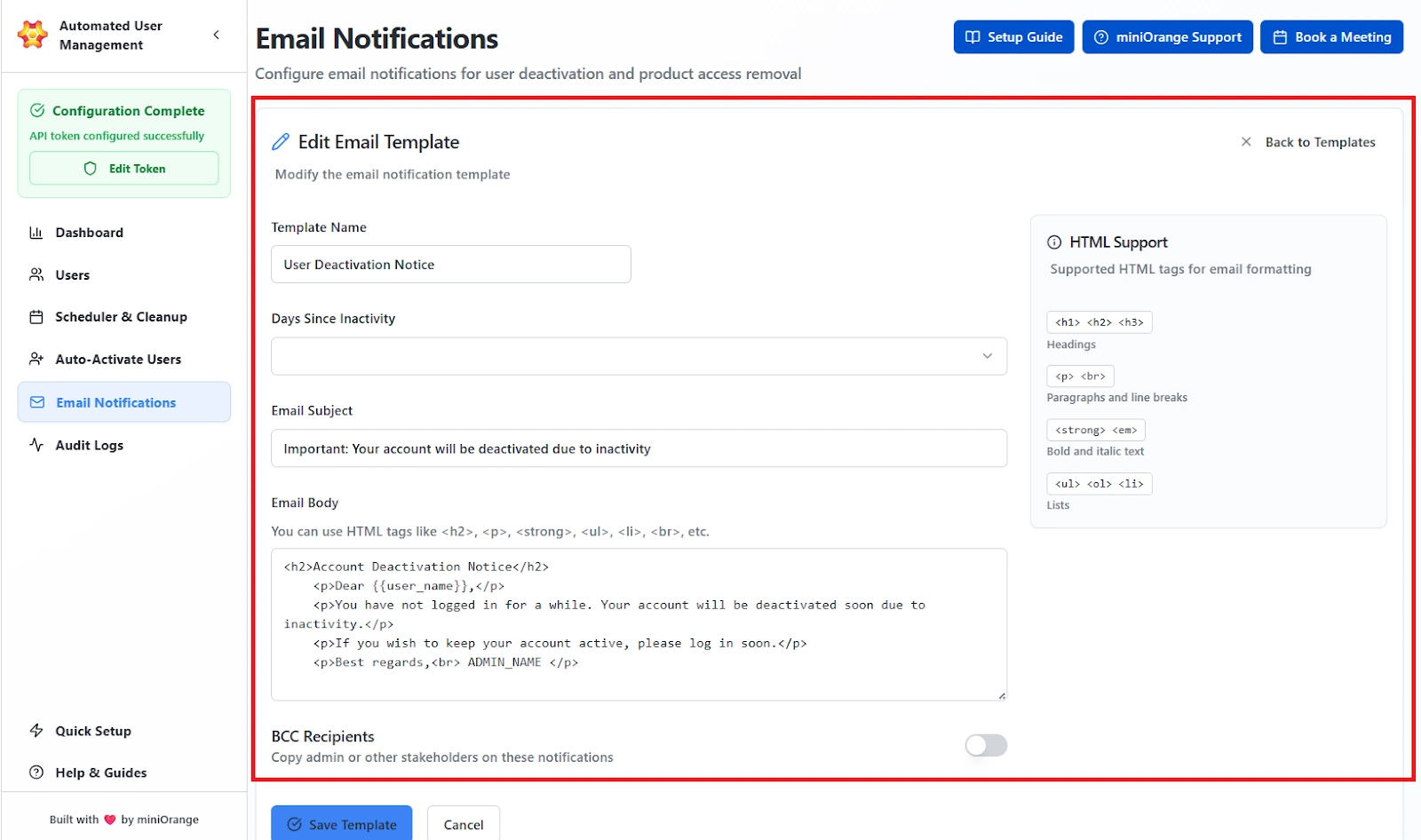
- Template Name: The internal name used to identify the template. Example: User Deactivation Notice.
- Days Since Inactivity: Defines how many days of inactivity should trigger the notification (e.g., 7 days).
- Email Subject: Subject line of the notification email. Example: Important: Your account will be deactivated due to inactivity.
- Email Body: The main message content of the notification. Supports HTML formatting for styling.
- BCC Recipients: Optionally add admin or manager addresses to receive copies of outgoing notifications.
Supported HTML Tags
| Tag | Function |
|---|---|
<h1>, <h2>, <h3> |
Headings |
<p>, <br> |
Paragraphs and line breaks |
<strong>, <em> |
Bold and italic text |
<ul>, <ol>, <li> |
Lists |
Previewing and Managing Templates
After saving, templates can be reviewed directly from the Email Templates list.
The preview feature opens a pop-up window showing:
- The Subject line.
- The Rendered Email Content with sample data populated for placeholders (e.g., Dear John Doe).
- The Dynamic Variables Notice at the bottom, indicating placeholders replaced with mock values.
Use Case Scenario
You need users to receive a warning 7 days before their Jira access is removed because they’ve been inactive.
How it works
Create or edit an email template and set:
- Days Since Inactivity: 23 (because the cleanup rule triggers at 30 days)
- Subject: “Your Jira access will be removed soon”
- Body: Add placeholders such as username, inactivity days, or last login date so each email is personalized
Enable the template. When the cleanup rule runs, the system automatically sends the notification exactly 7 days before the user reaches the 30-day inactivity threshold.
Benefit
Users and managers get advance notice, preventing surprise lockouts and reducing support tickets. It keeps the cleanup process transparent and aligned with compliance requirements since every notification is timestamped and traceable.