Authorization
If you want to connect a token API for your Product data API, follow the below steps:
1. In the Authorization tab, select the Custom authorization type.
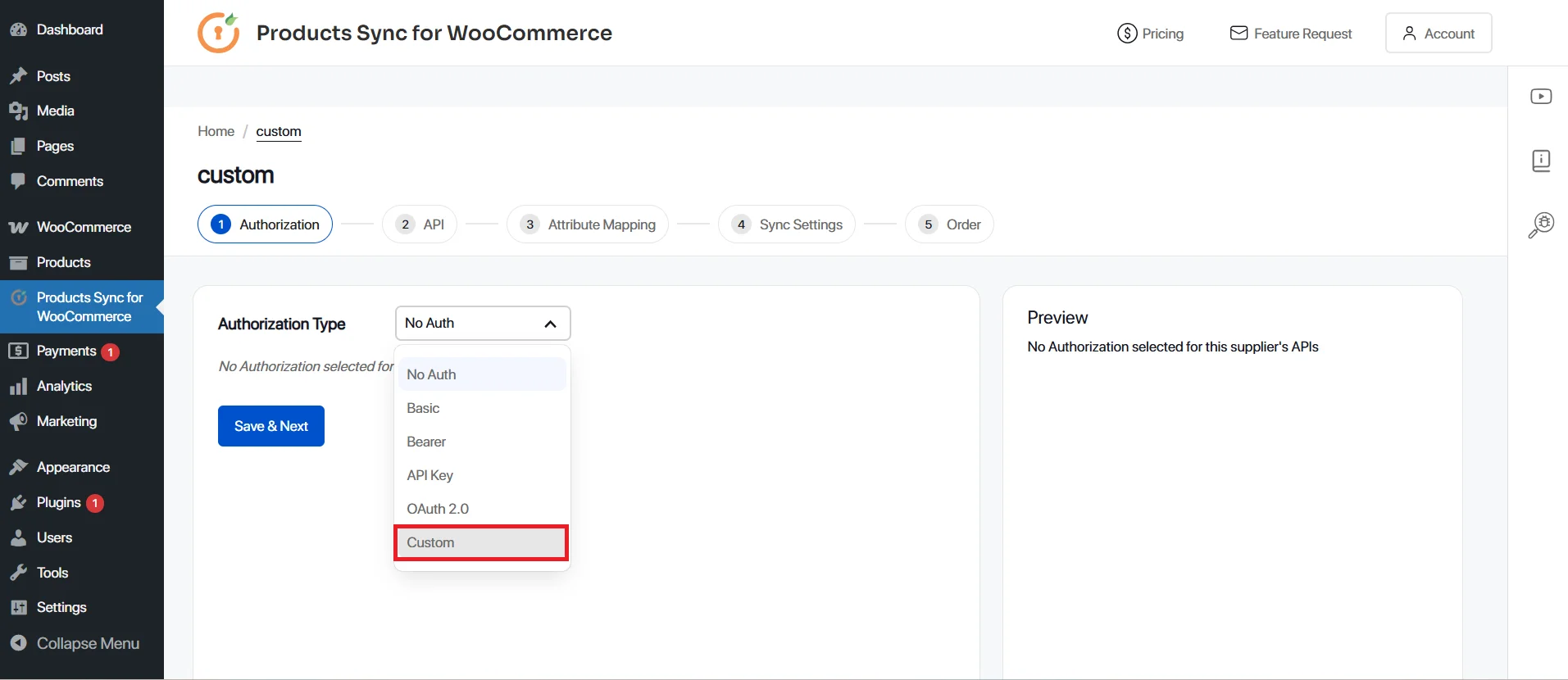
2. You will see two tabs, Request Settings and Response Settings.
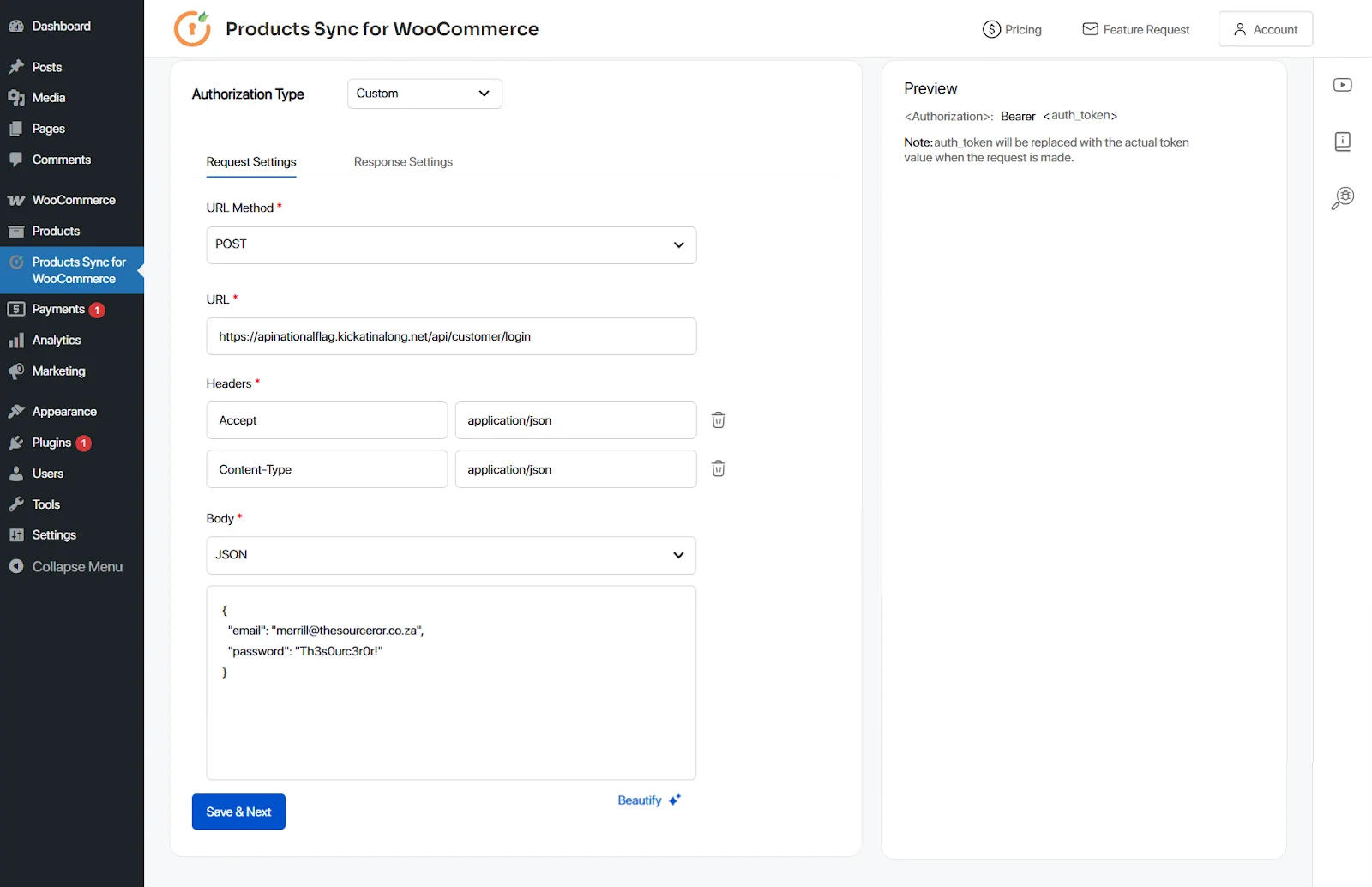
a. In the Request Settings, fill in the below details:
- URL Method
- URL
- Required Headers
- Required Body
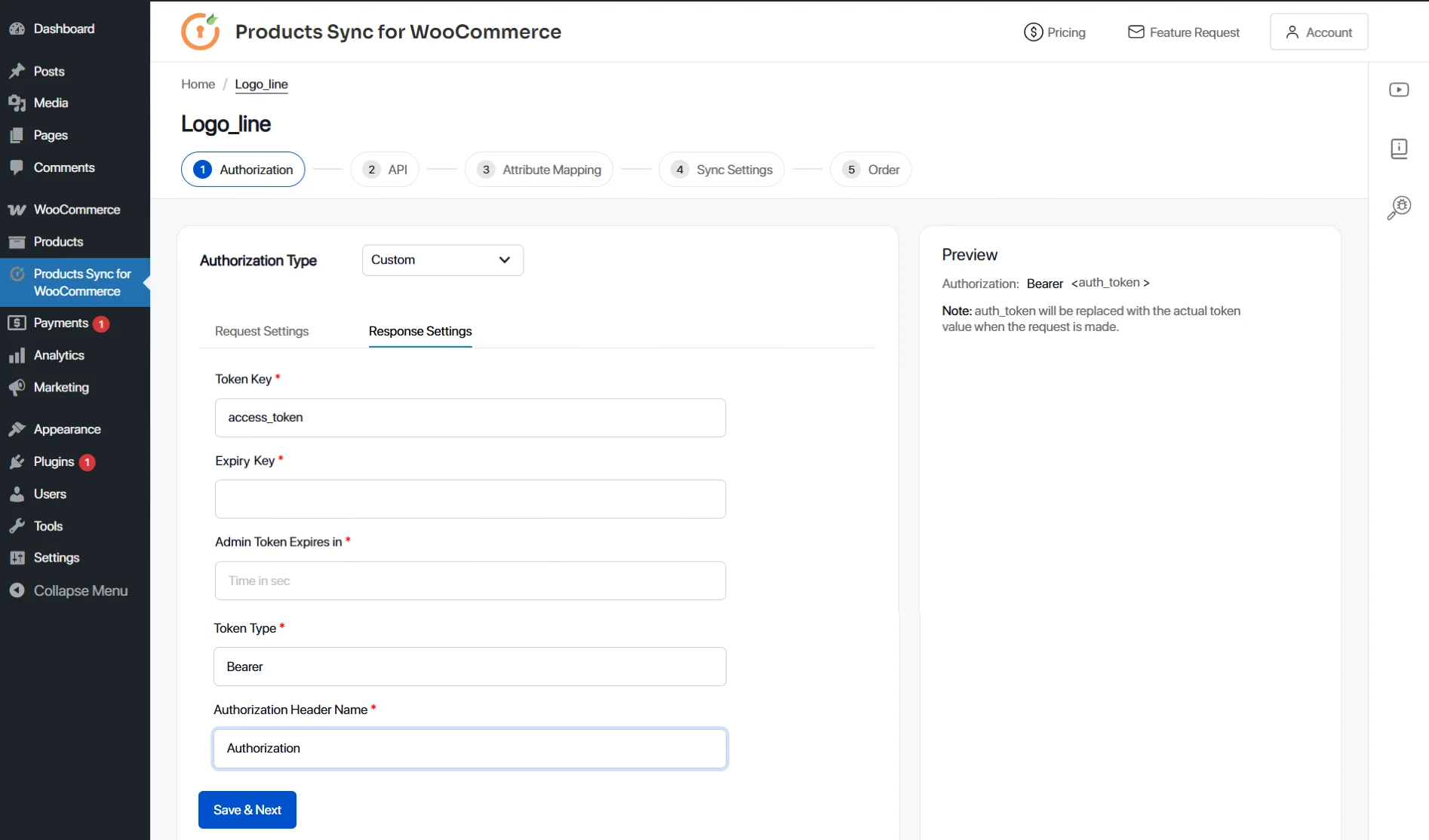
b. In the Response Settings, fill in the details below:
- Token Key (This is the key/attribute in API in which the token is coming in API response)
- Expiry Key (If the API response also contains a key/attribute which contains the token expiry)
- Admin Token Expires in (If the token is set to expire after a certain time, you can put that time here in seconds)
- Token Type
- Authorization Header Name (Key name of header in which the token needs to be sent in the API call)
Then, click Save & Next and Next to proceed with authorization.