Pricing Margin
To add a margin to the price coming from the API, you can easily configure it through the Attribute Mapping tab. By enabling the Price Margin Config option, you can define the margin type and amount based on your specific needs. Whether you want to apply a constant value to all products or adjust the price dynamically based on the incoming API price, the setup allows you to choose the appropriate operator and margin. Once configured, simply save the settings and initiate the sync to see the updated prices reflected across your products.
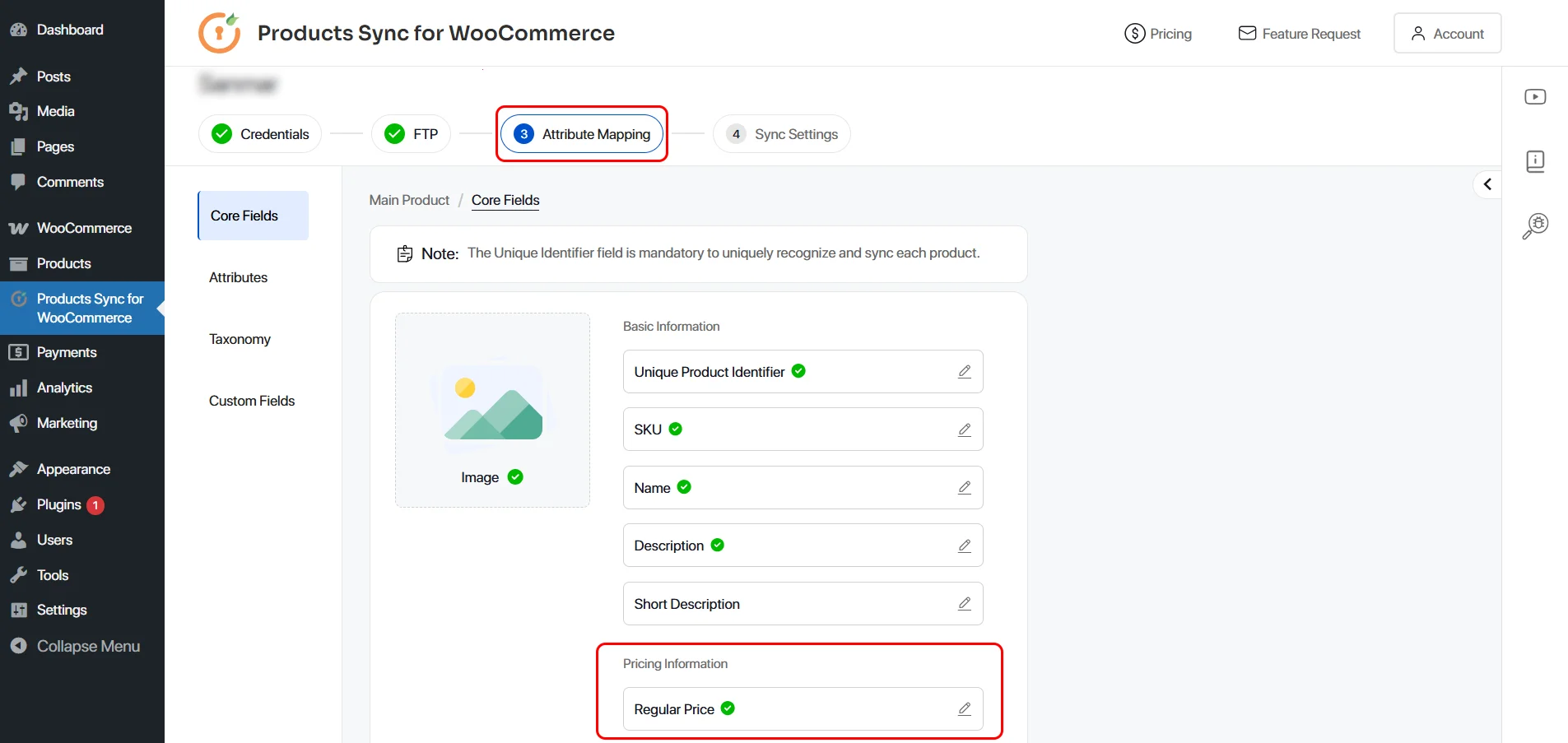
1. Go to Attribute Mapping tab and click on the Price mapping field.
2. Enable the Price Margin Config option. Based on your requirement, you can choose the operator and margin amount. Click on Save button and start the sync to see the updated price.
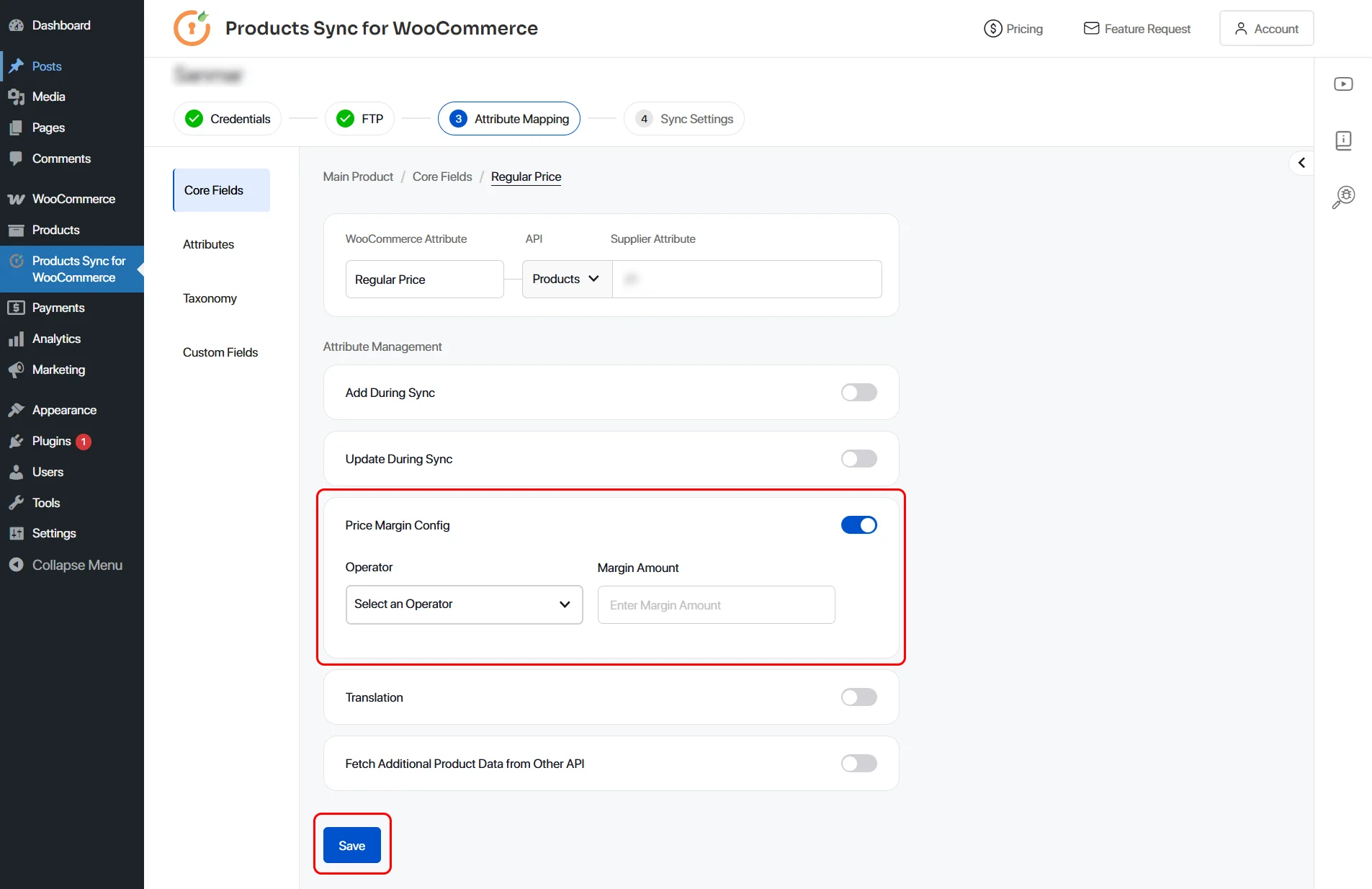
Note: You can choose
- "+ or - operator : if you want to add or minus a constant amount to all the products, say $10".
- " * or / operator : if you want margin based on incoming price in API. If you want to add 20%, you need to select ** operator and in margin, write 1.20 which will add 20% on API price.