Edit Default Attribute Mapping
1. You can Edit your supplier connection and go to Attribute Mapping tab.
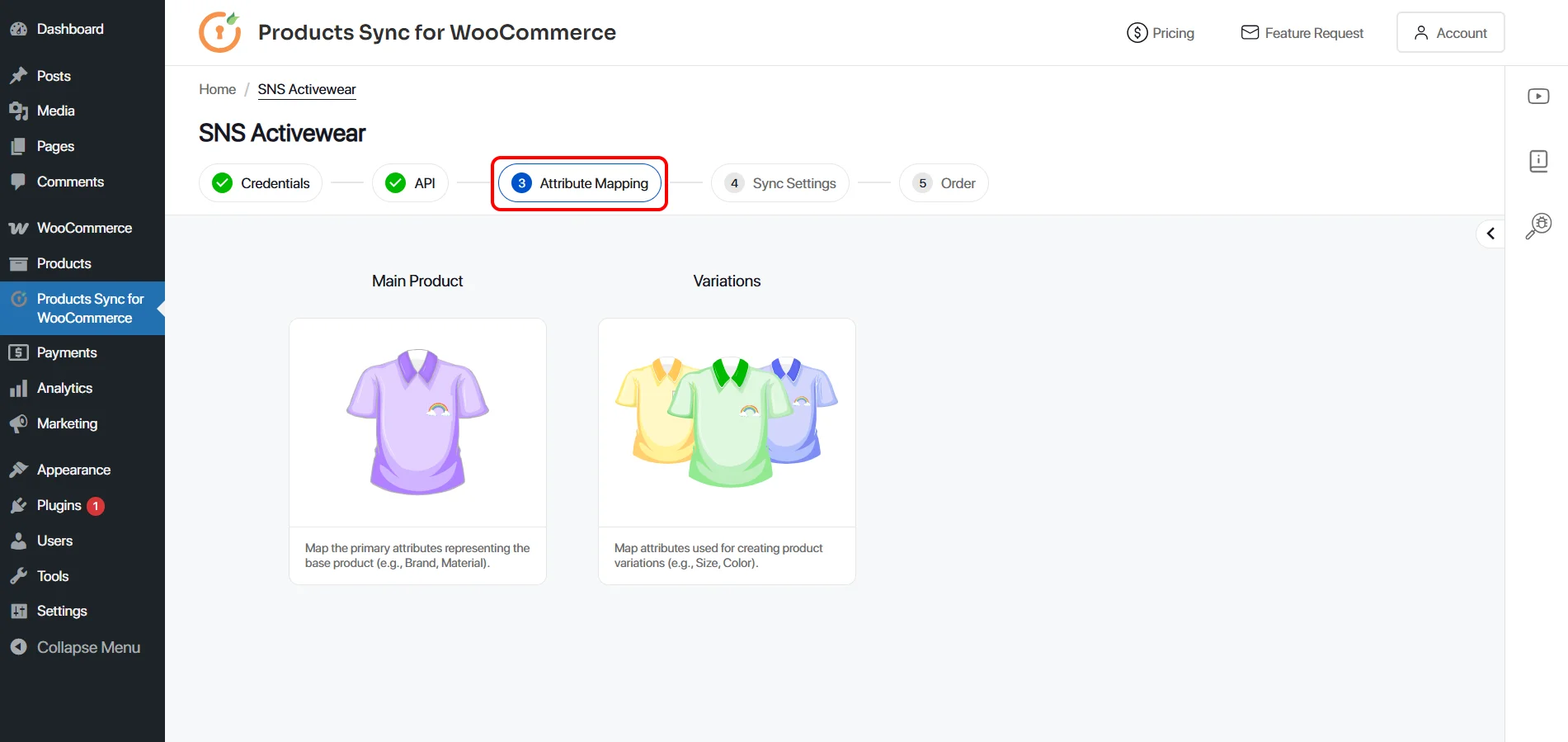
2. Select Product type for which you want to update the Attributes.
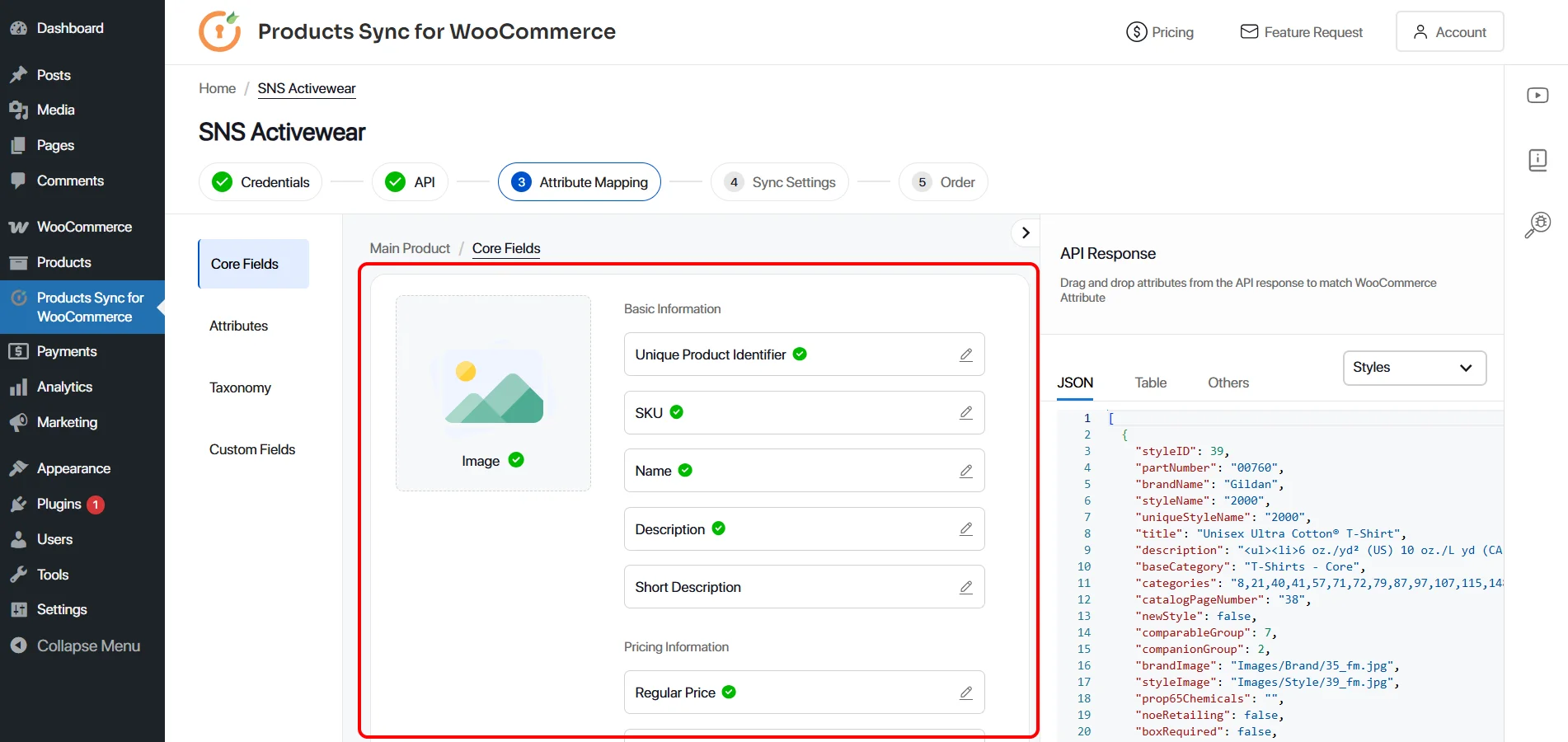
The green tick marks the attributes that are mapped. You can edit them or add missing attributes in respective fields.
3. You need to choose the API name and the attributes from that API response and add them in the required field. Example: we are using description from Styles endpoint.
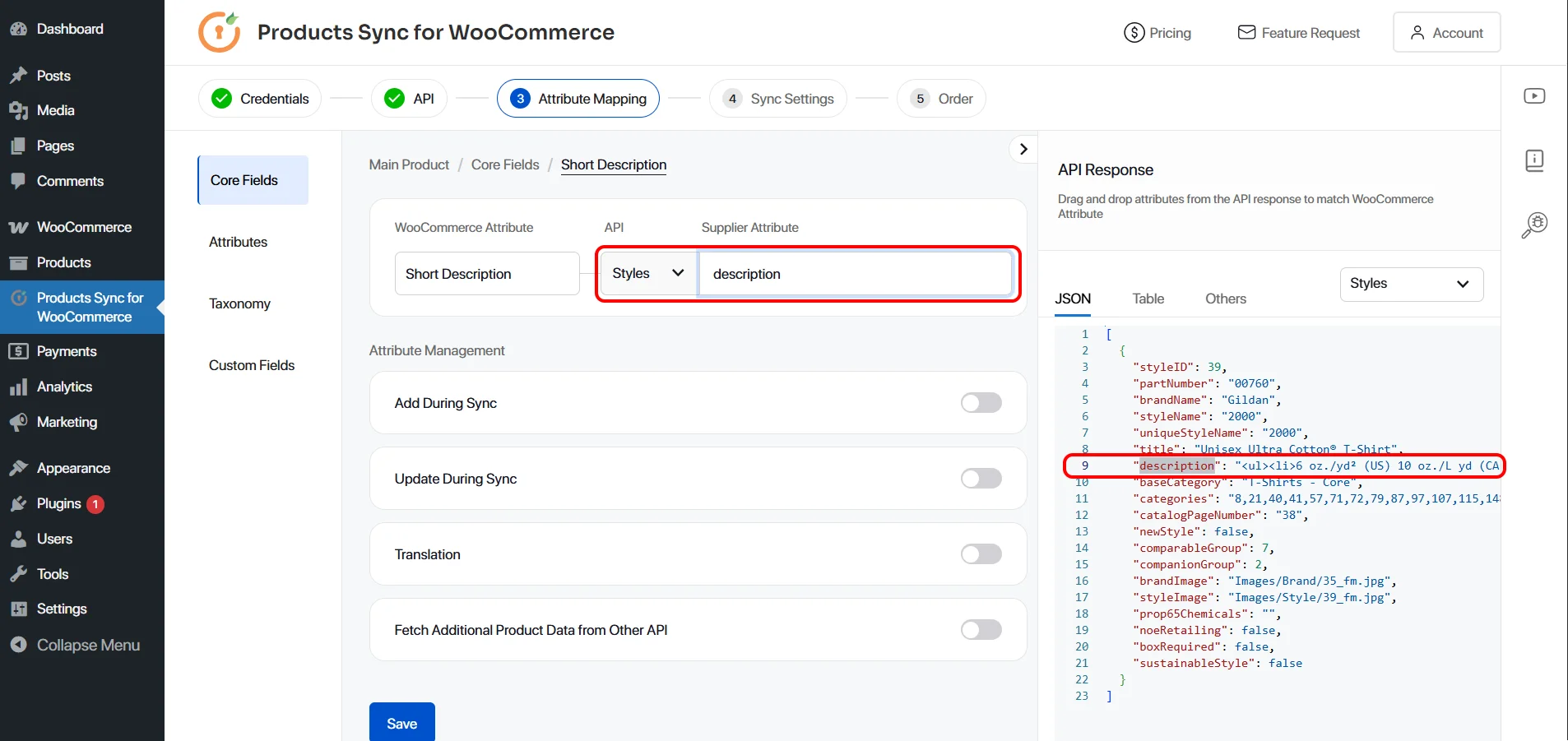
4. Click on Save button at the bottom to save the configuration.
To learn more about attribute mapping and nested API response, please click here.