Custom Attribute Mapping
Custom Attribute Mapping allows you to extend user profiles with additional information that is not included by default in the SAML Response user attributes. This feature is particularly useful for identity providers that need to provide custom user data to client applications, such as department codes, employee IDs, or custom roles.
Why This Feature Matters
Custom attribute mapping allows client applications to receive additional user-specific data directly from the identity server, enabling richer user experiences and better access control without modifying the default attribute set.
Where to Use It
Use custom attribute and role mapping wherever Service Providers require user data beyond the defaults — for example:
- LMS platforms that need department or group attributes.
- CRMs and helpdesks that map WordPress roles to internal roles.
- Applications requiring employee IDs or custom identifiers.
How It Works
During SSO, WordPress reads the configured custom attributes and roles for the authenticating user and includes them in the SAML Response sent to the Service Provider, which then consumes these values for access control and personalization.
Quick Steps
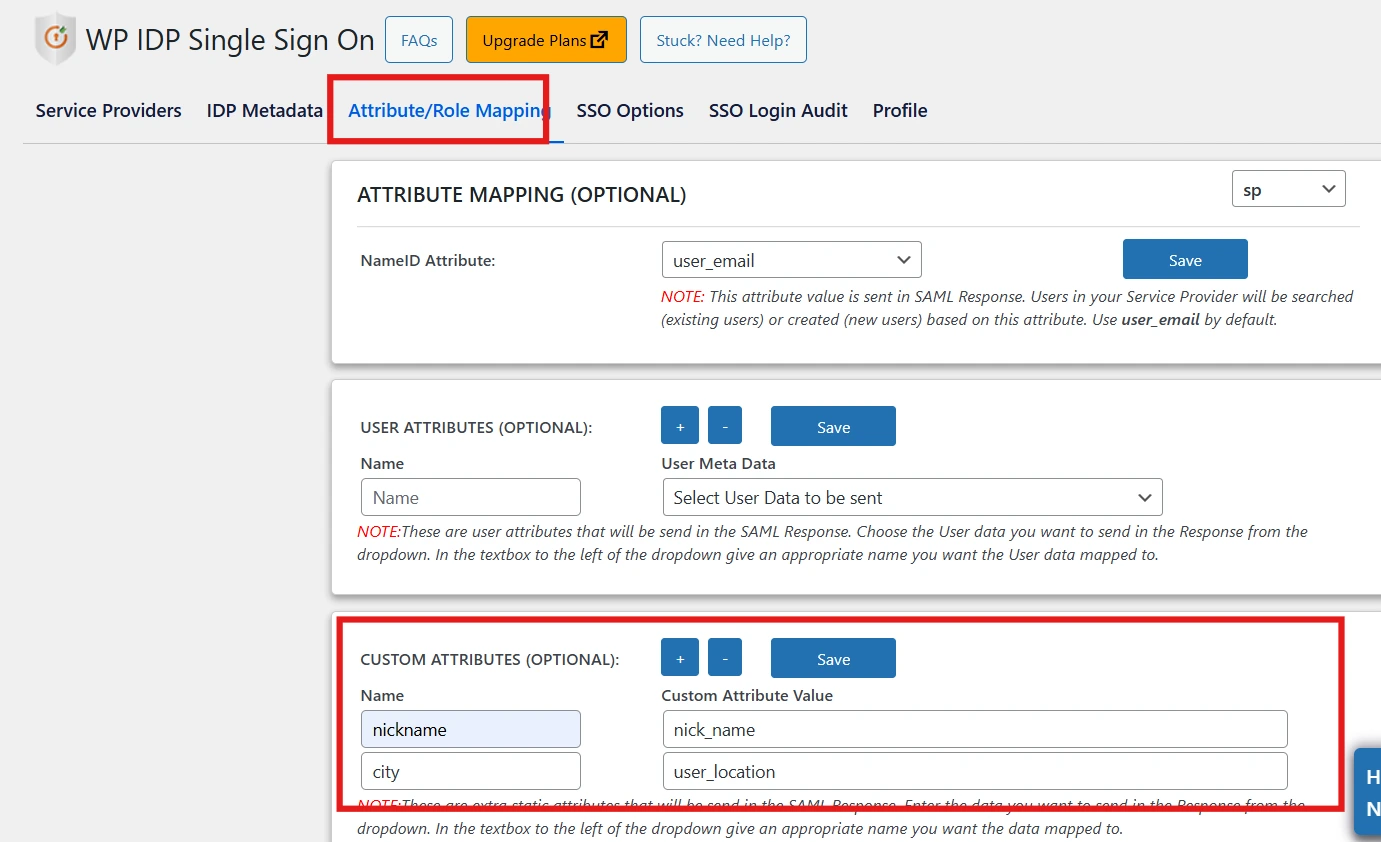
Steps to map custom attributes in the miniOrange SAML IDP plugin for WordPress:
- Navigate to the IDP Single Sign-On plugin for WP in your WordPress dashboard.
- Click on the Attribute/Role Mapping tab.
- Scroll down to the Custom Attributes section.
- Enter the Custom Attribute Name and Custom Attribute Value in their respective fields.
- Click Save to store your custom attribute mapping.
Benefits
- Richer user profiles passed to Service Providers.
- Better, attribute-driven access control.
- No changes required to default attributes.
For more information, visit the SAML IDP for WordPress page.