What Is RelayState?
RelayState preserves application context across the SAML flow.
It is commonly used to:
-
Redirect users back to the original page
-
Maintain session context
-
Support deep linking
Why This Feature Matters
RelayState ensures users return to exactly where they intended to go after authentication, removing friction and preserving deep links important for a smooth SSO experience across portals and LMS platforms.
Where to Use It
Use RelayState wherever users start from a specific protected resource, such as:
- Deep-linked dashboard or report pages.
- Bookmarked SP resources behind SSO.
- LMS course or lesson links.
How It Works
- The SP sends RelayState with the AuthnRequest.
- WordPress stores the value securely.
- RelayState is returned unmodified in the SAML Response.
- The user lands exactly where they started.
Quick Steps
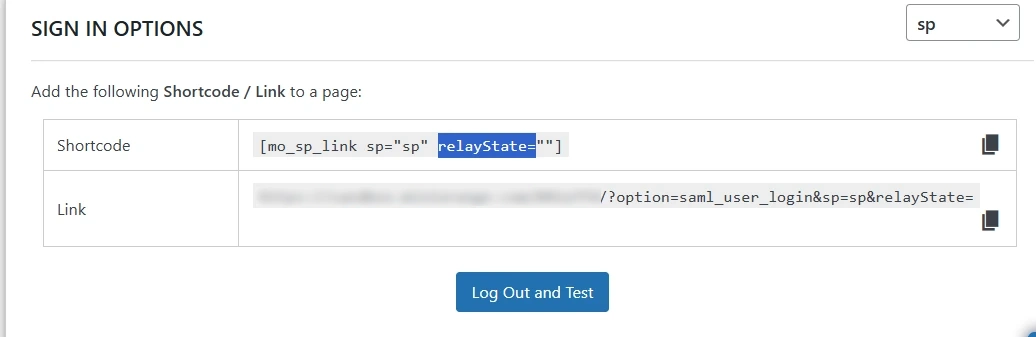
- RelayState is handled automatically during the SAML flow; ensure the SP is configured to send the RelayState parameter.
- Optionally set a RelayState value in the shortcode (see Widget/Shortcode feature) to control the post-login destination.
Example Use Case
- A user clicks “Login” on a protected dashboard page.
- After authentication, the user is redirected back to that dashboard.
Benefits
- Seamless return to the originally requested page.
- Preserves deep links and session context.
- Improves overall SSO user experience.
For more information, visit the SAML IDP for WordPress page.