Custom Login Page
This feature allows organizations to replace the default WordPress login experience with a custom-branded login page while preserving SAML authentication functionality.
How It Works
When a custom login page is configured, users visiting the custom login URL are presented with the branded page; on submitting credentials they are authenticated through the standard SAML flow and redirected to the requested Service Provider.
Key Capabilities
- Custom login URLs
- White-label branding
- Seamless SAML redirection
- Improved user experience
Quick Steps
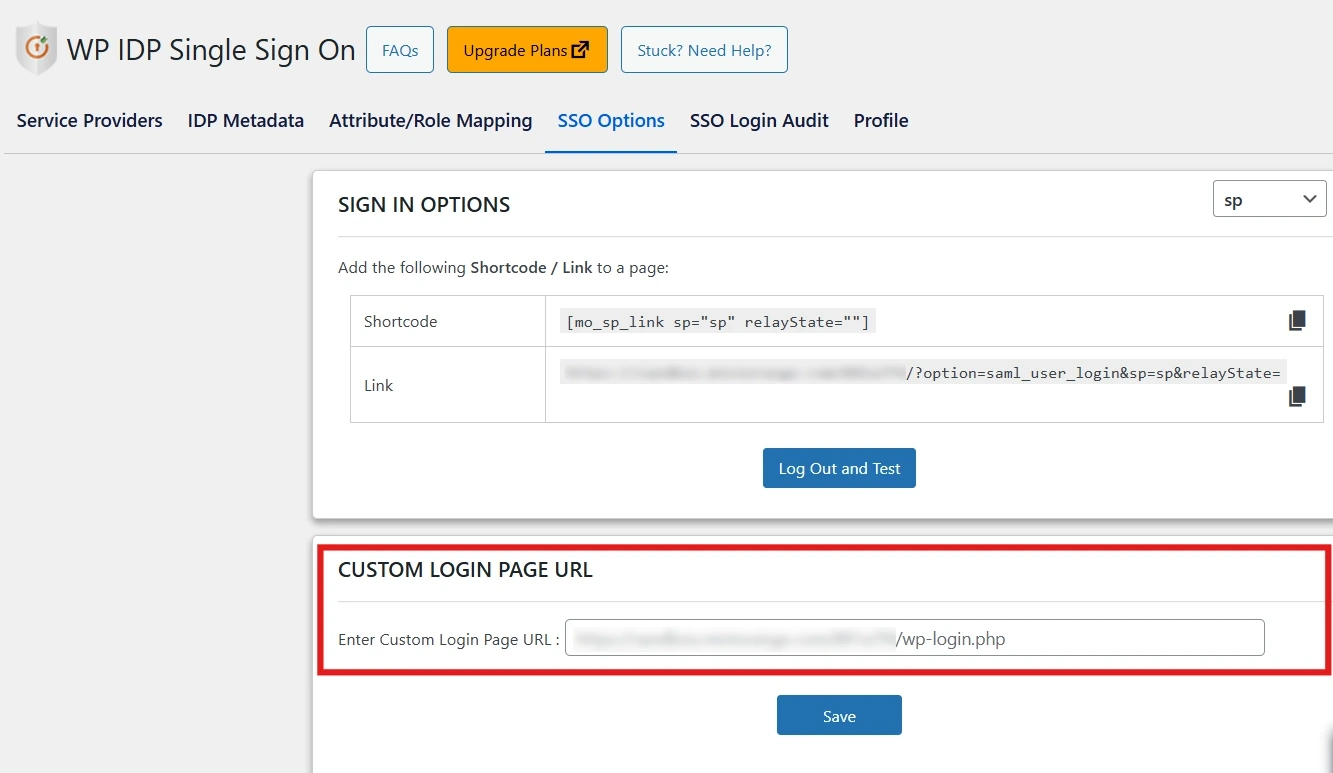
- Navigate to the SSO Options tab.
- Locate the Custom Login Page URL field and enter your custom login page URL.
Benefits
- Consistent, branded login experience.
- Better user experience and trust.
- Compatible with white-label and headless setups.
For more information, visit the SAML IDP for WordPress page.