Allow End Users to Register Their Company
Feature Description
This feature lets end users register their company through a dedicated B2B Company Registration form on your storefront. Merchants collect business details and control access via registration and approval workflows. After a user submits a request with company name and email domains (multiple domains per company are supported), the store admin can review it from the app—helping avoid duplicate companies while enabling self-serve onboarding for authorized B2B organizations.
Setup Instructions
-
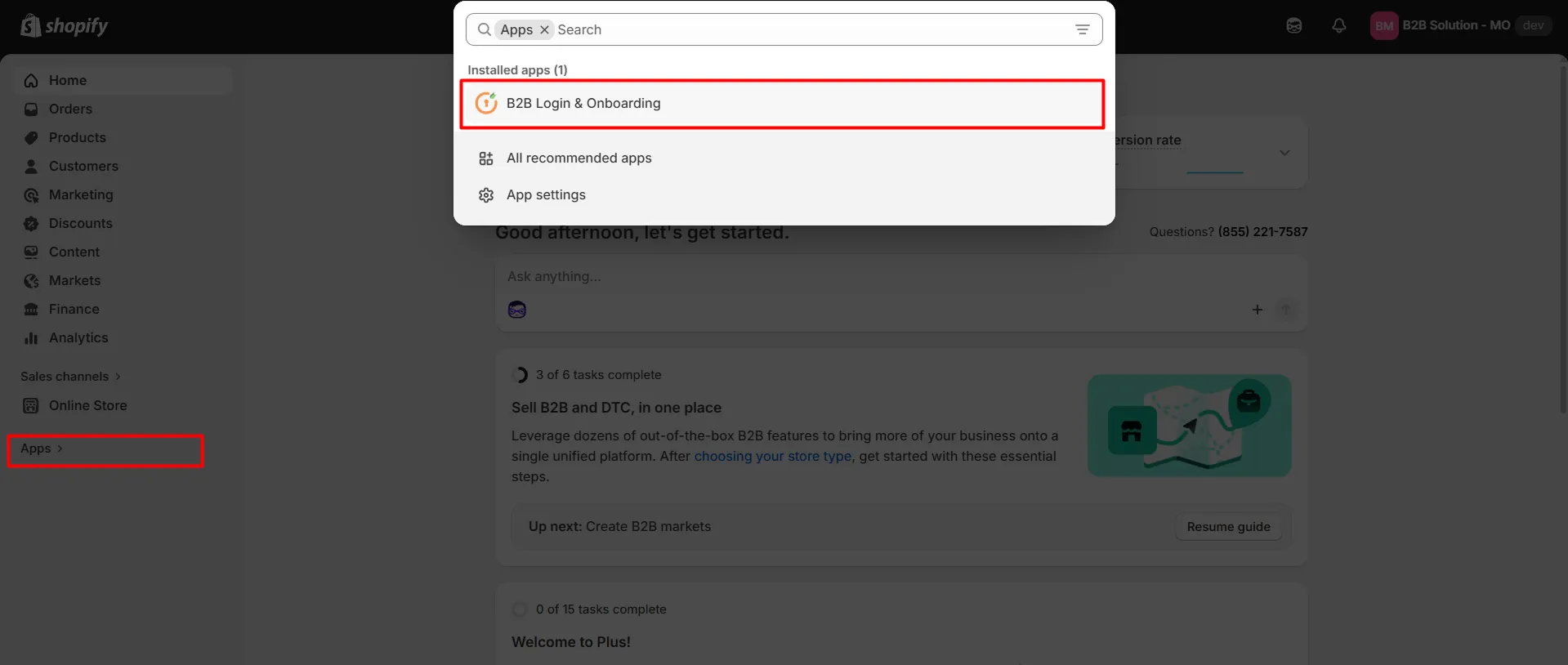
Go to your Shopify store and navigate to the App section, then open the Customer Accounts Login application.
-
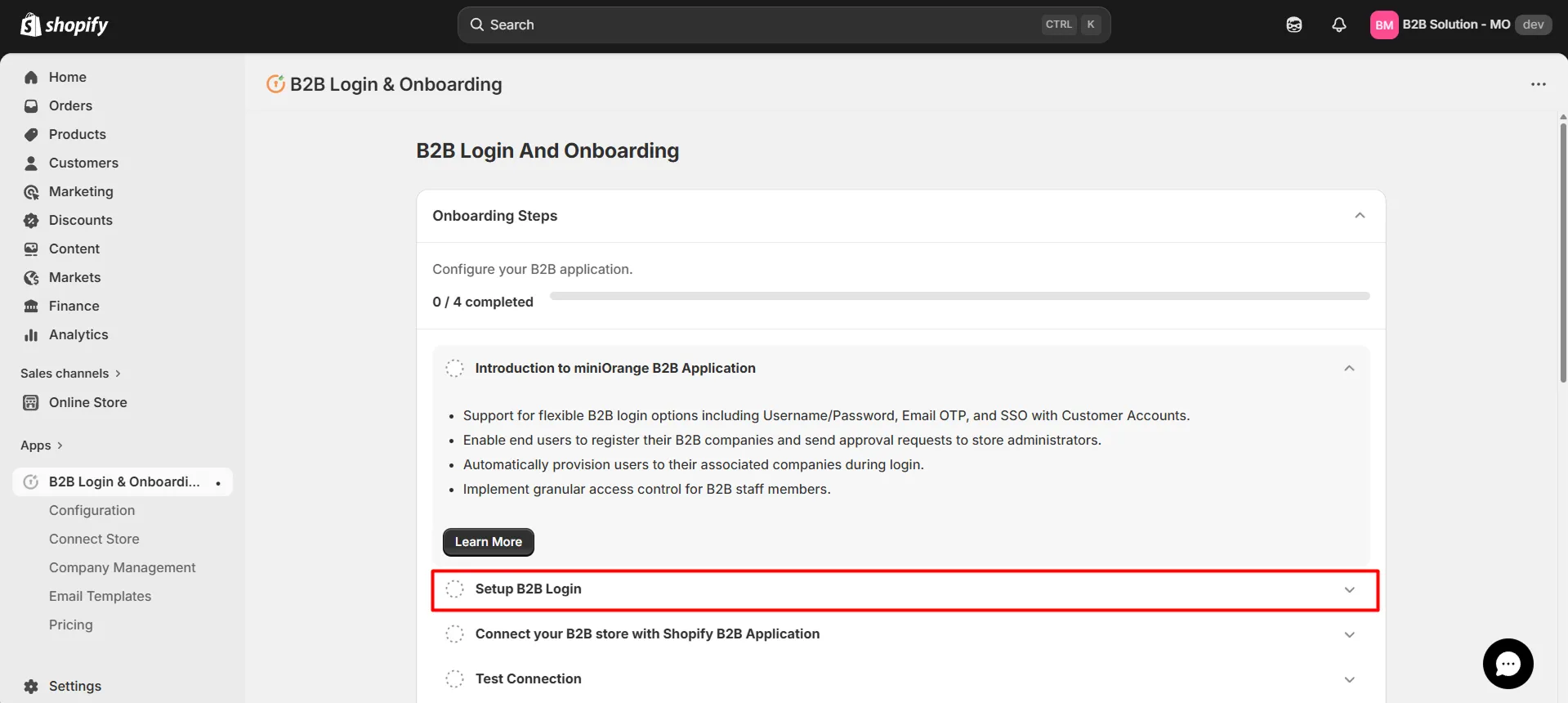
Click the Setup B2B Login tab.
-
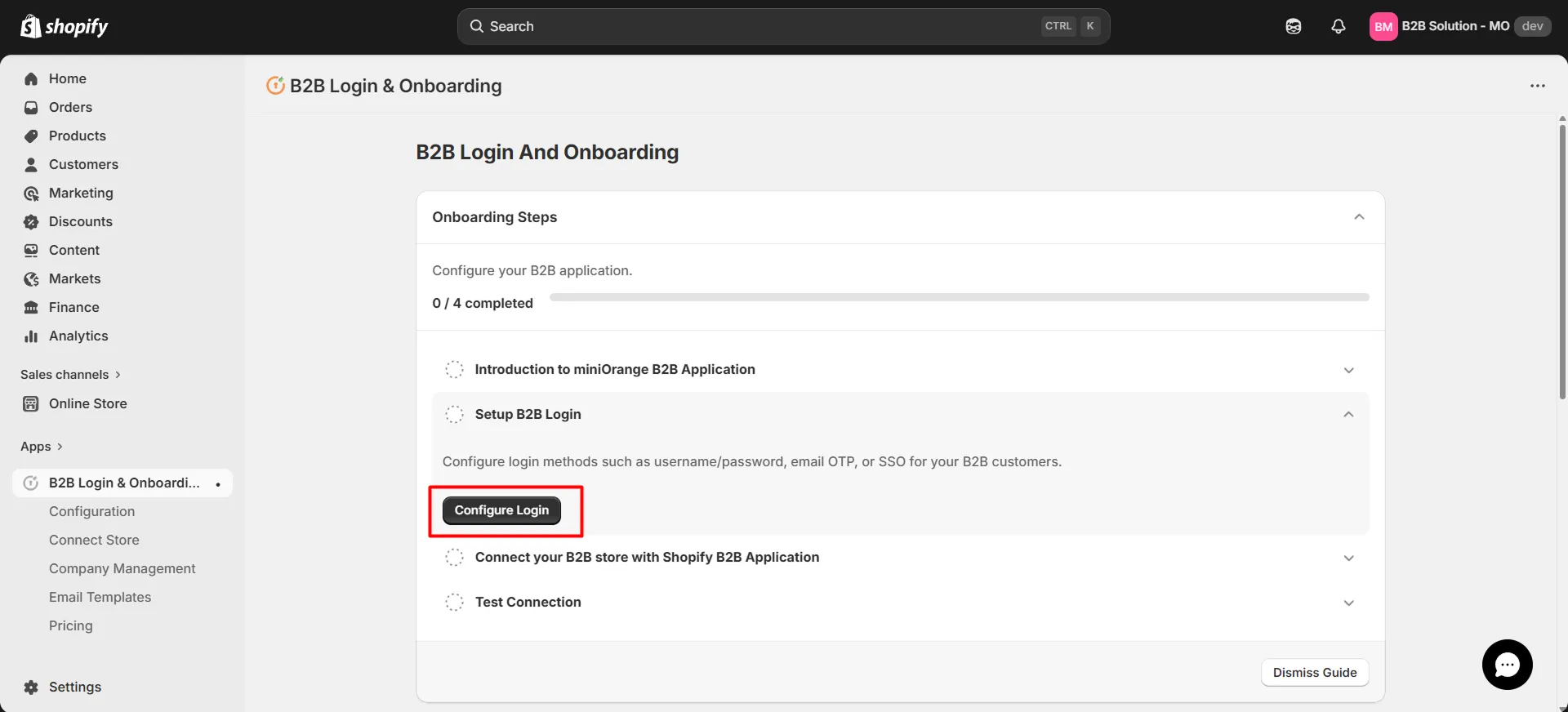
Click the Configure Login button.
-
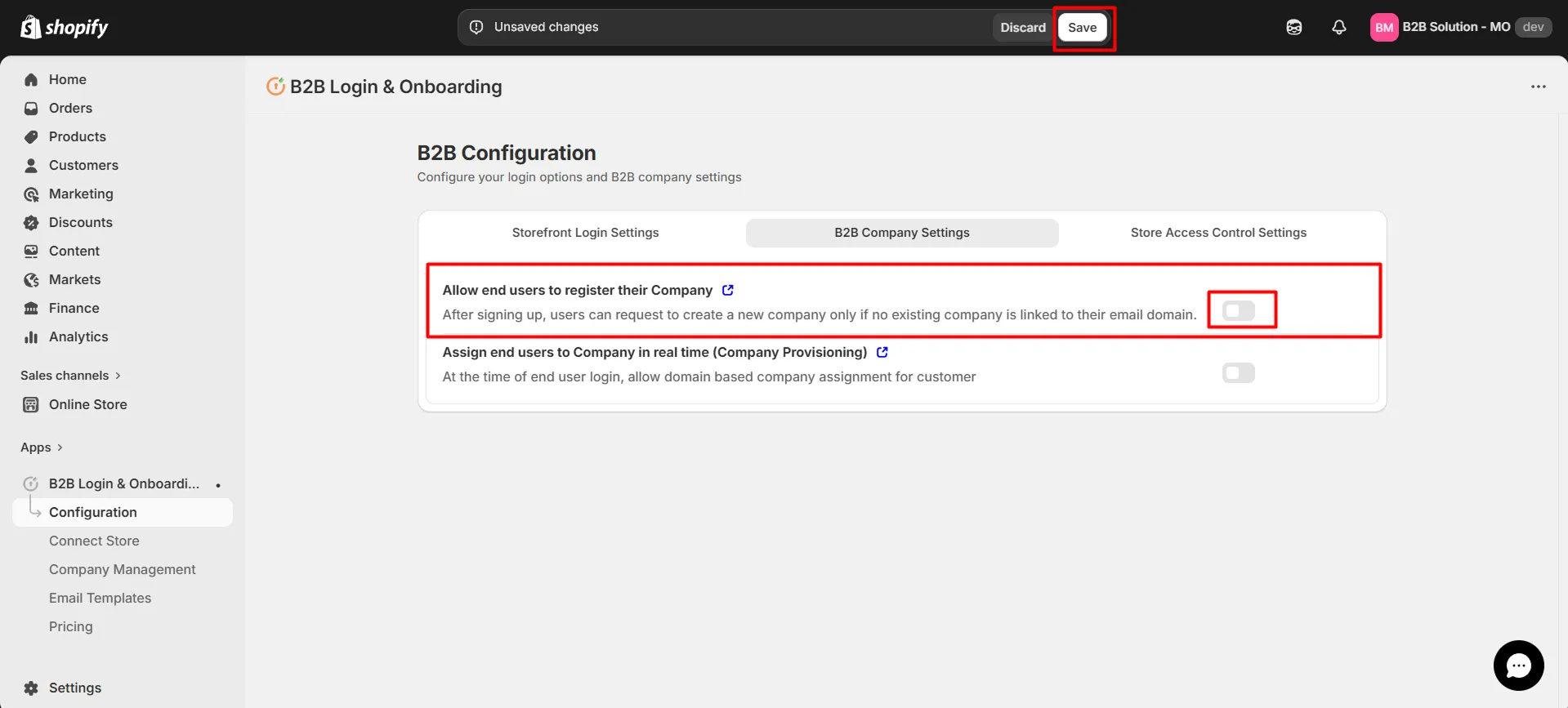
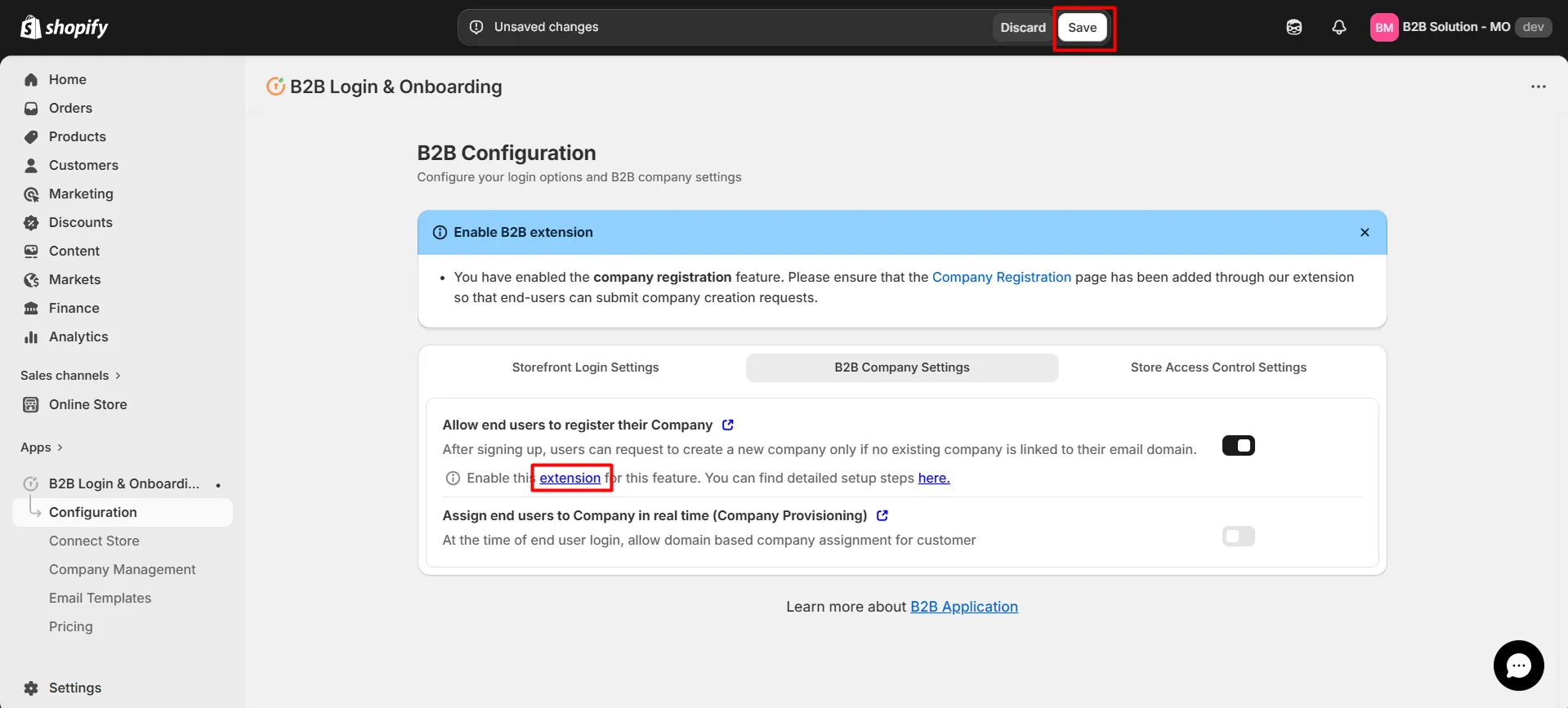
Open the B2B Company Settings tab and enable Allow End Users to Register Their Company so users can register their company within your Shopify Plus store.
-
After enabling the toggle, click Save.
-
A confirmation message “B2B configurations saved” will appear.
-
To use this feature, enable the corresponding extension. Click the highlighted extension link to proceed.
-
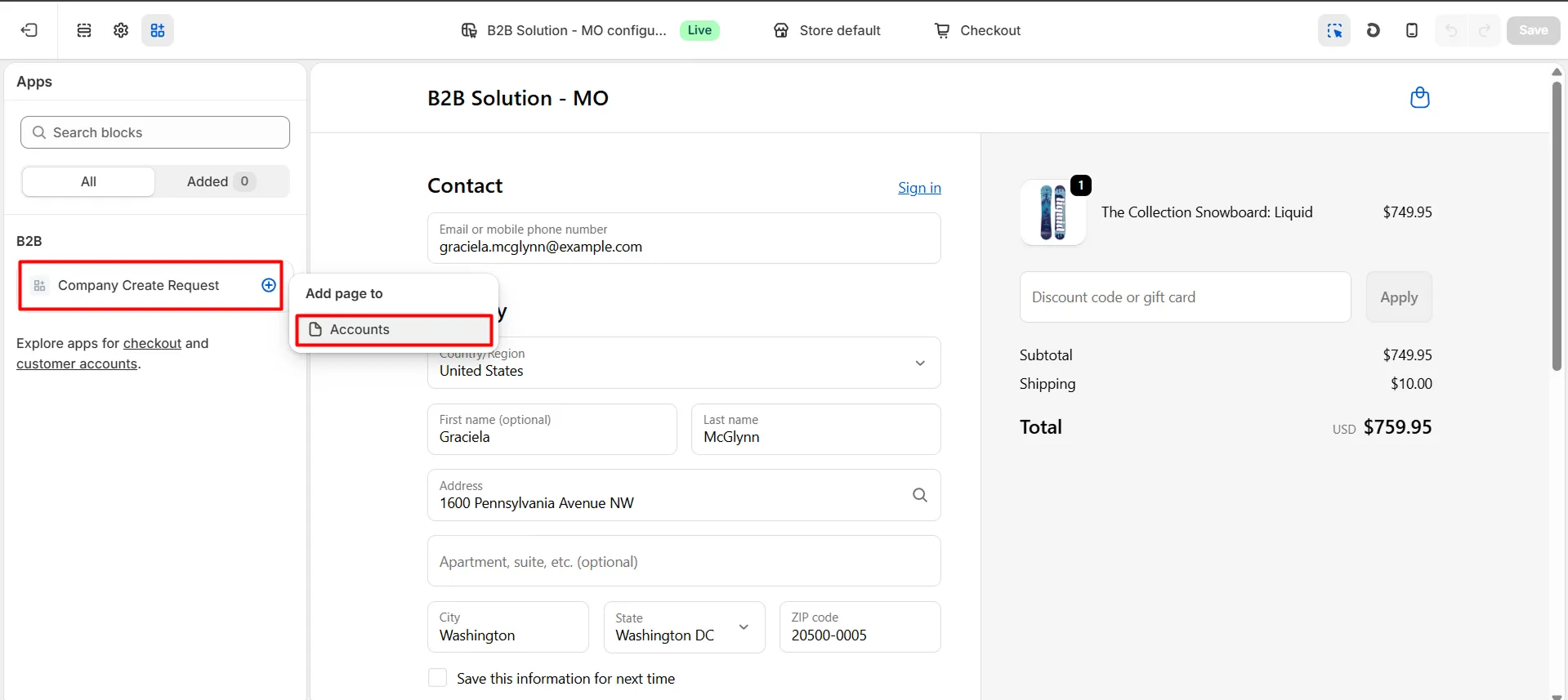
Click the plus (+) icon next to the company request block to add it to the Accounts page.
-
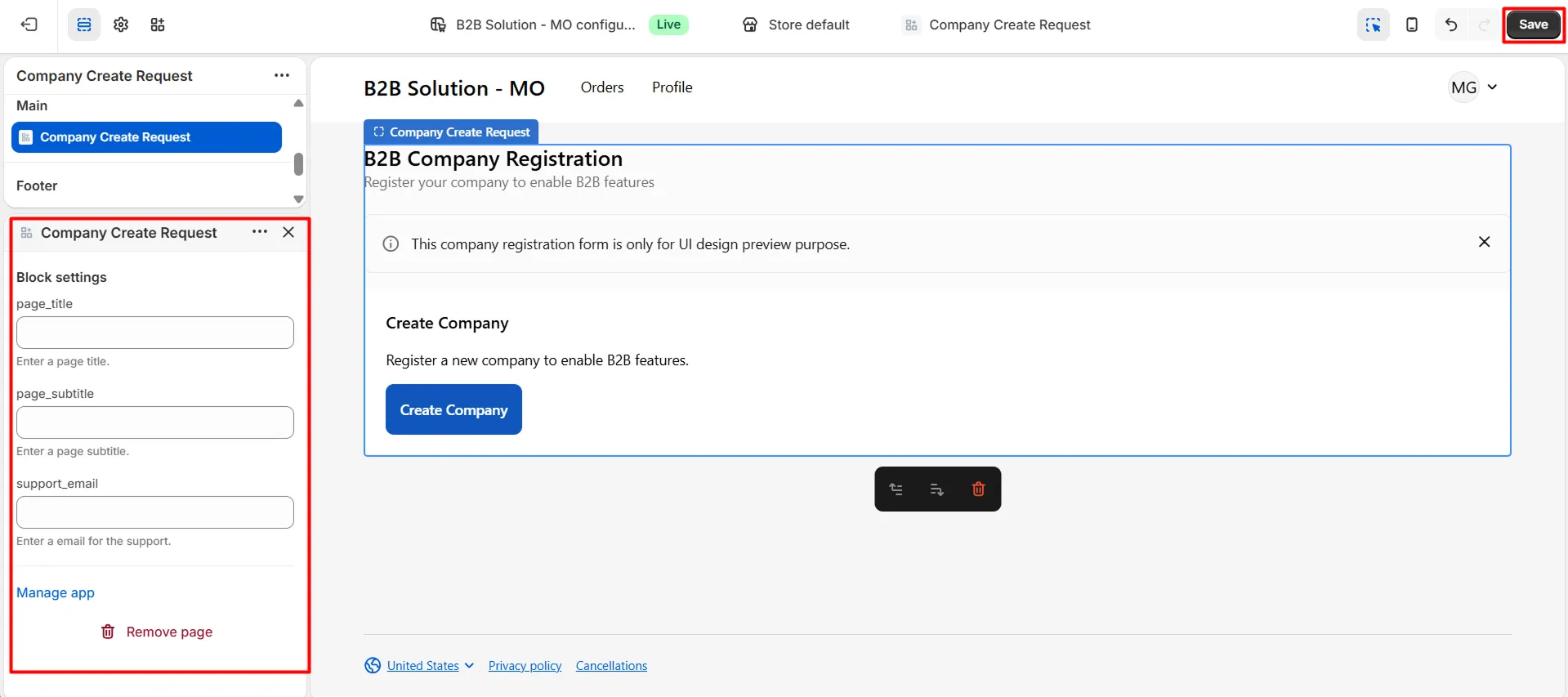
Optionally set Page Title and Page Description as needed.
-
Click Save in the upper-right corner of the theme editor.
-
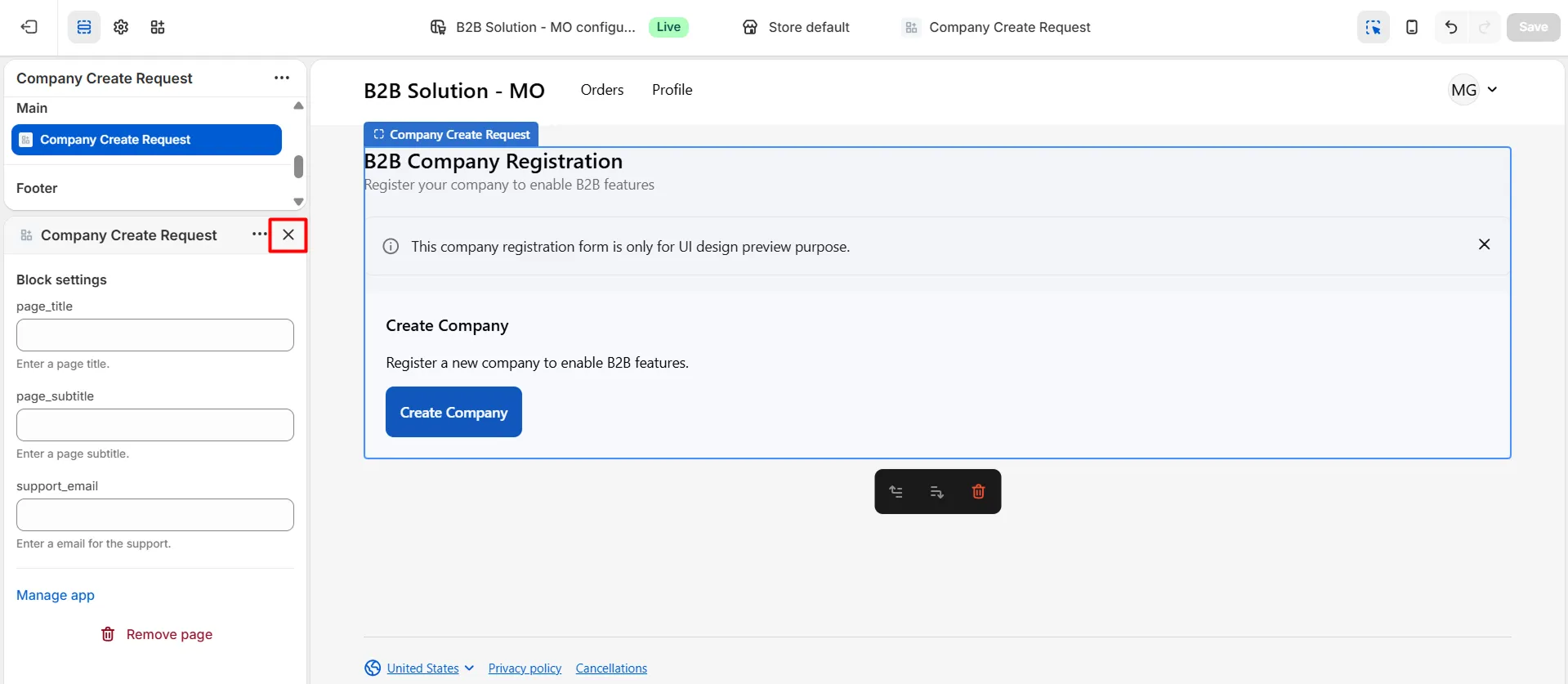
Click the “X” icon to close the theme editor.
-
To surface the page on the storefront, add it to the navigation menu with Add to Menu.
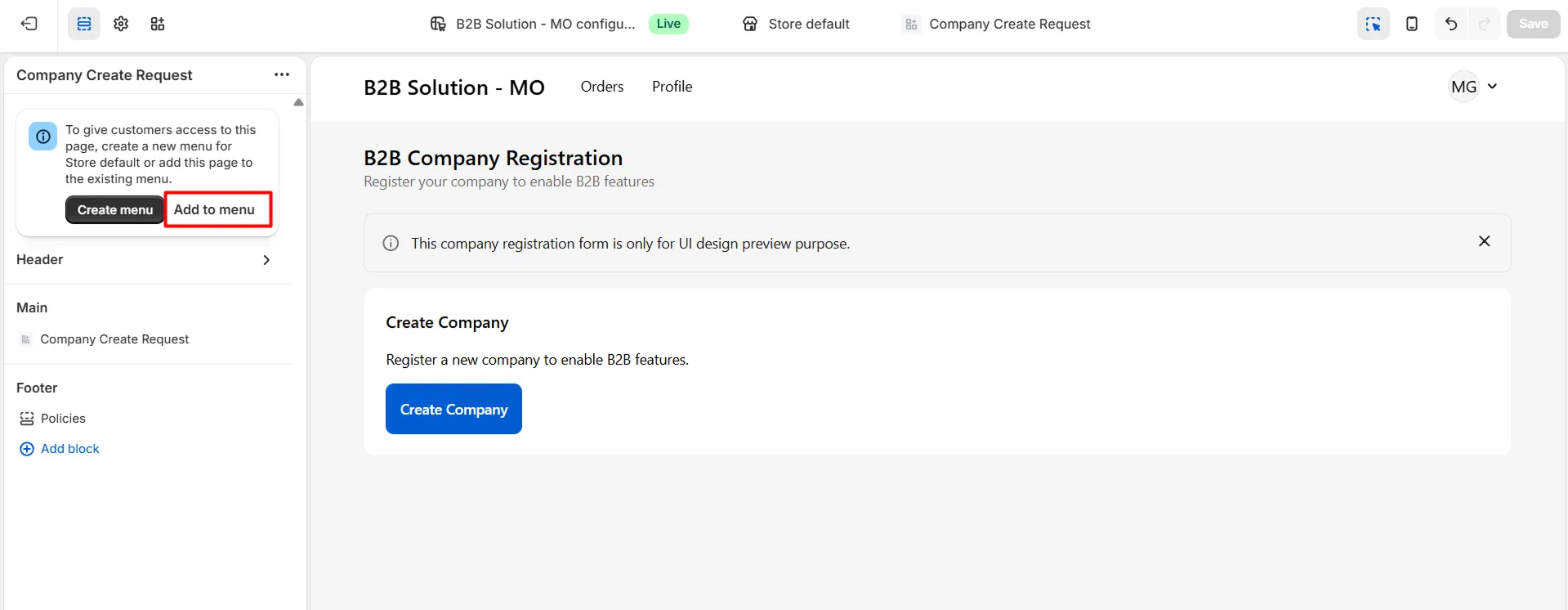
-
Set the label for Create Company Request and click Save.
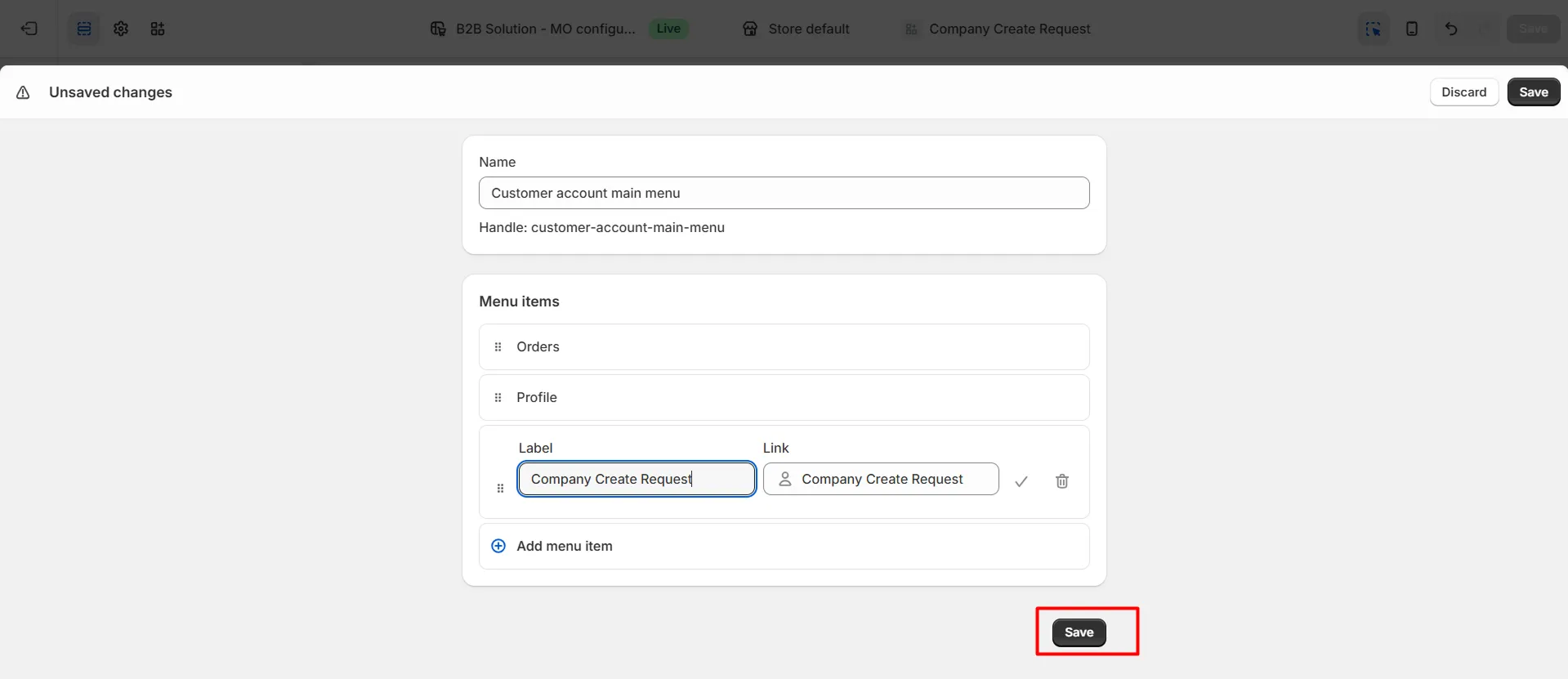
-
After saving, customers will see Company Create Request in the menu and the B2B Company Registration form on the storefront.
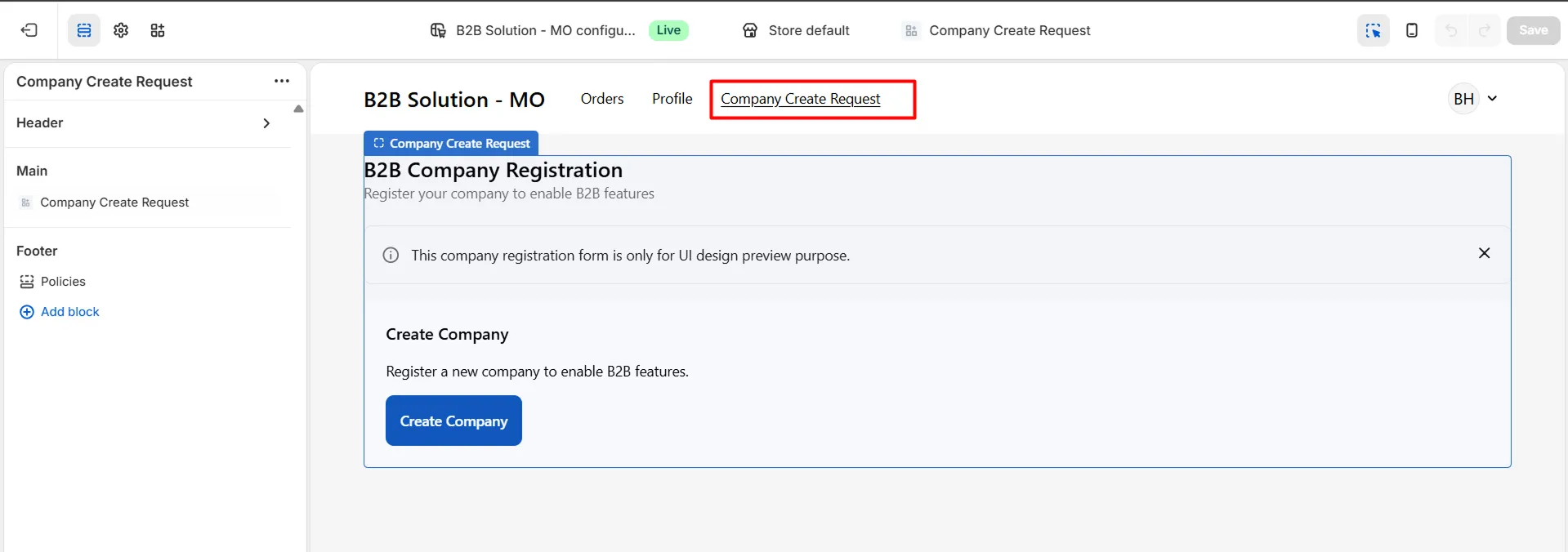
-
Log in to your online store and click the User icon.
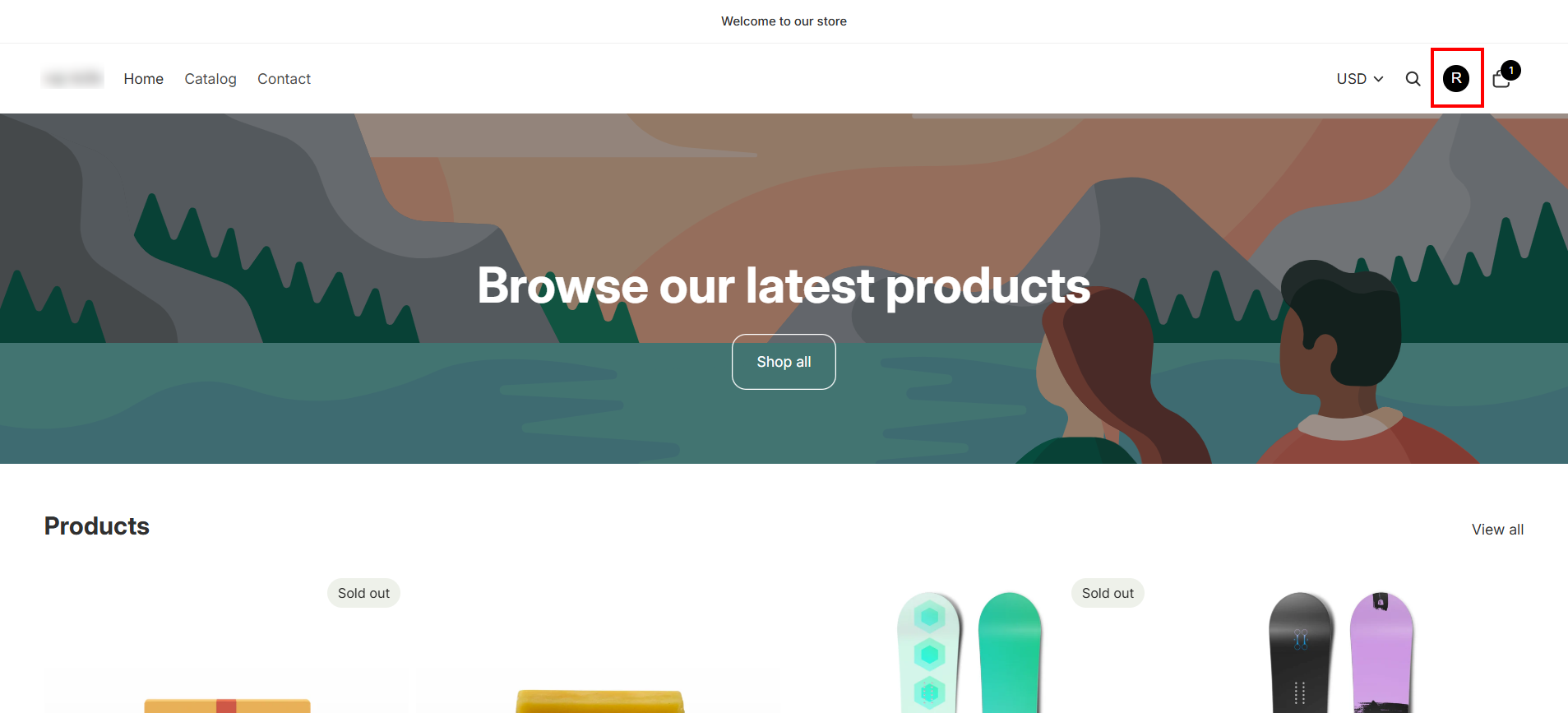
-
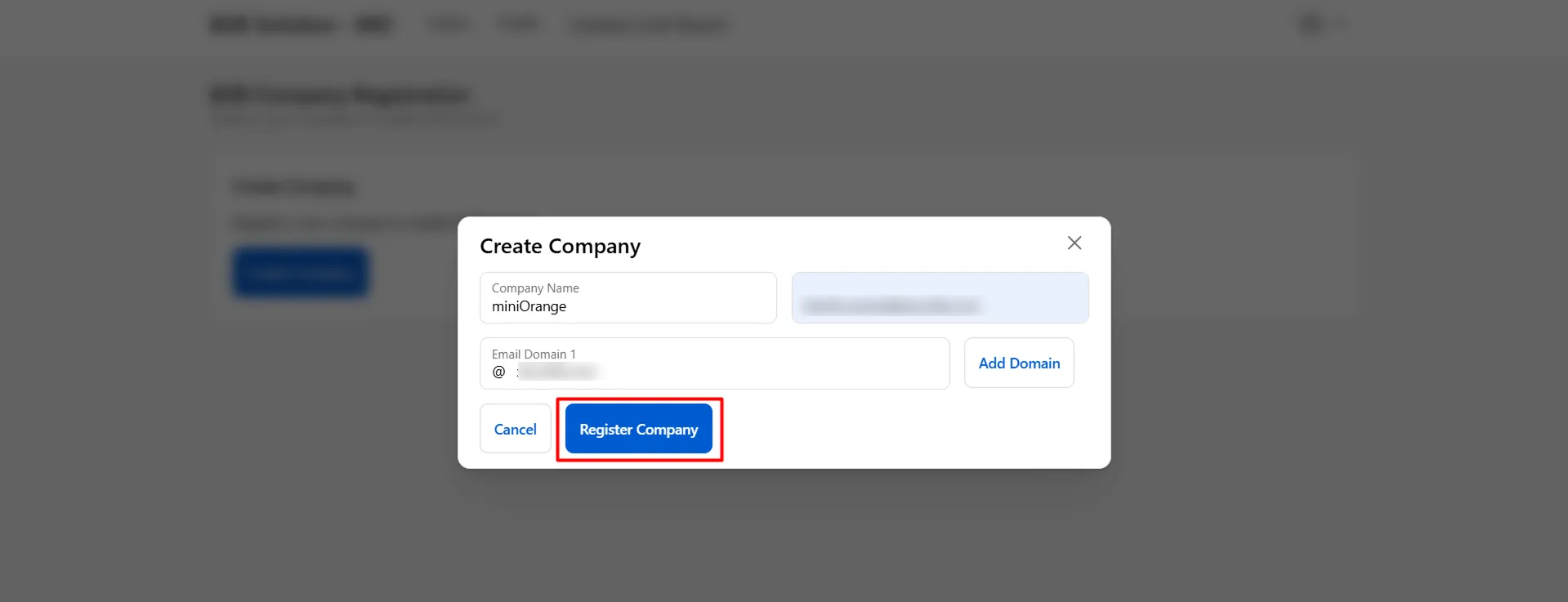
End users can register through the B2B Company Registration form: enter company name and associated email domain(s) (multiple domains per company are allowed).
-
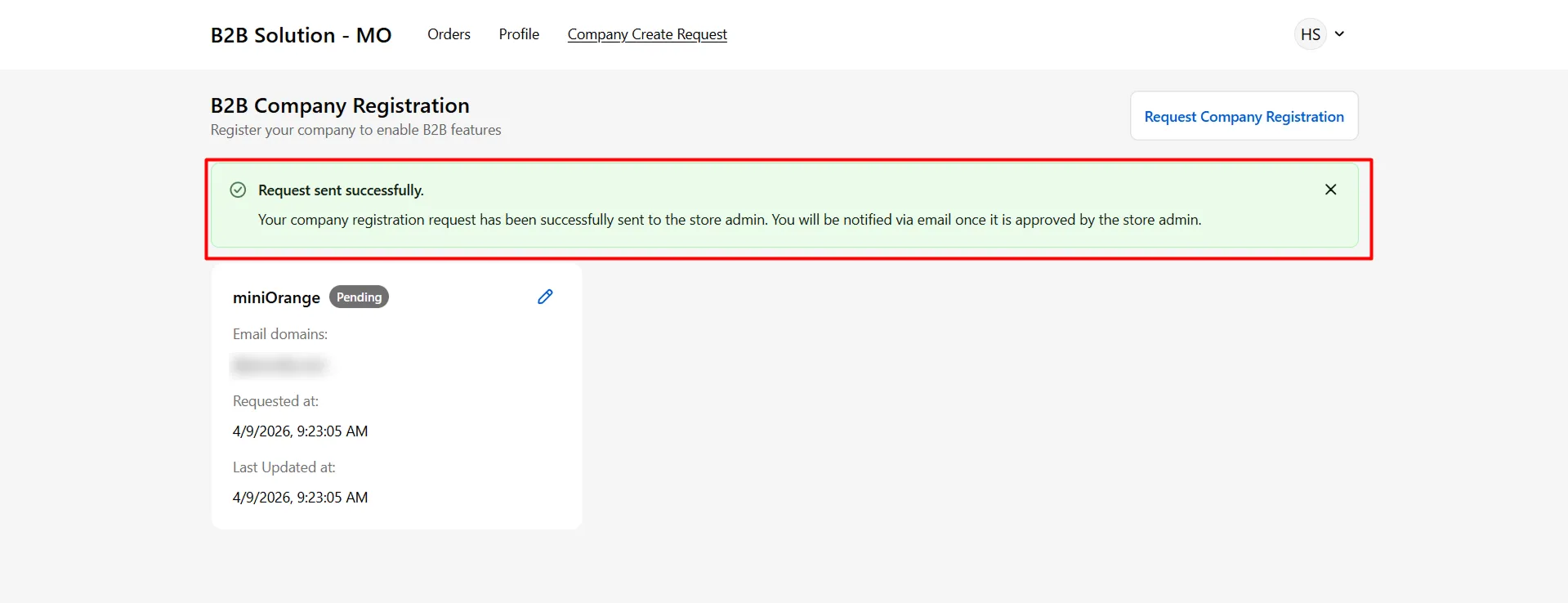
After submit, a success message “Request sent successfully” appears. The company creation request is sent to the store admin.
-
The end user receives an email notification once the request has been reviewed and approved.