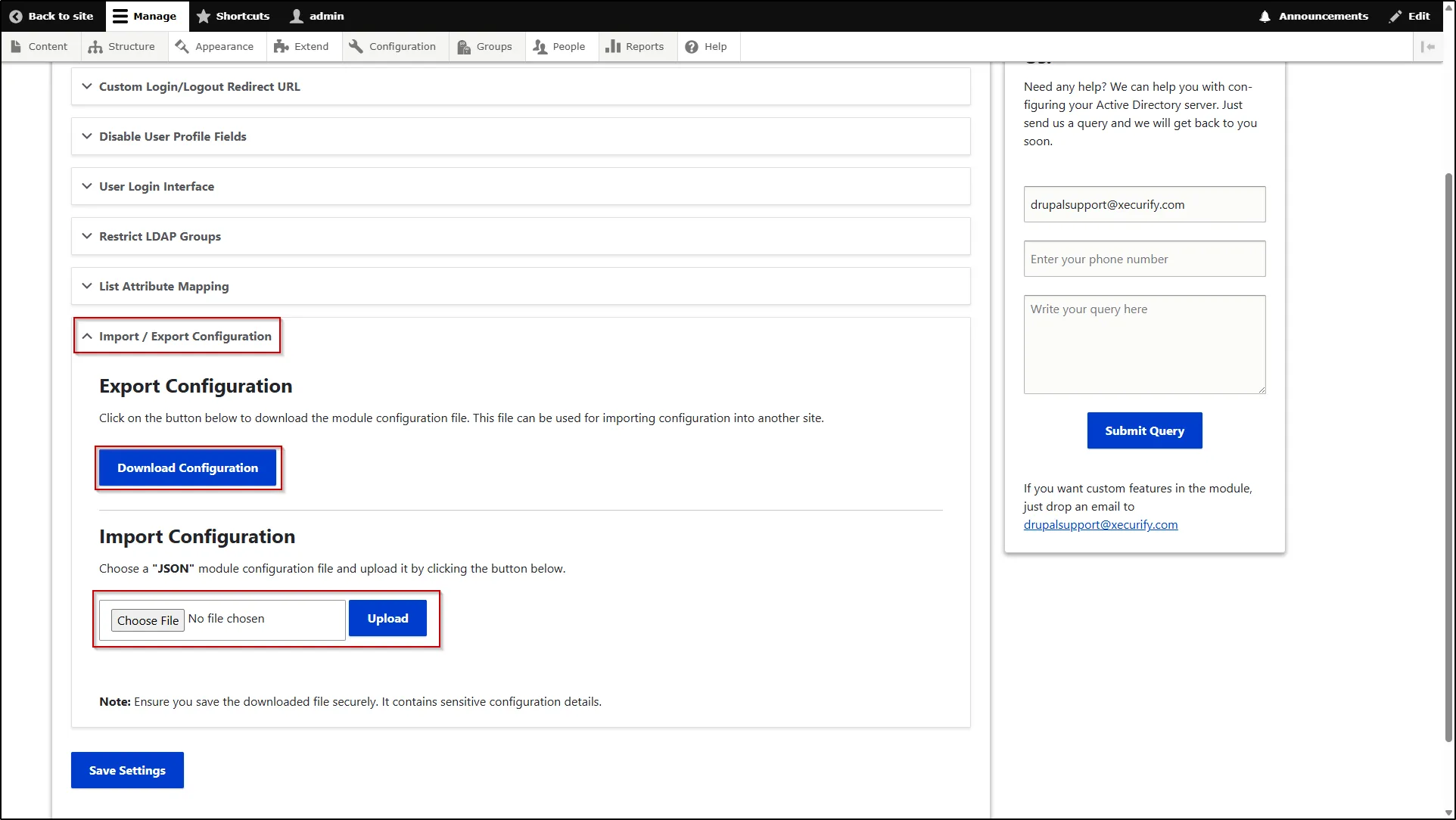
Import / Export Configuration
This feature allows you to easily transfer module configurations between different Drupal environments. You can export your current settings and import them into another setup, ensuring consistency and saving time during deployment or migration.
Export Configuration
- To export the configuration, go to the Advanced Settings tab, scroll down to Import / Export Configuration section and expand it.
- In the Export Configuration, click the Download Configuration button.
Import Configuration
- To import the configuration, go to the Advanced Settings tab, scroll down to Import / Export Configuration section and expand it.
- In the Import Configuration, upload JSON module configuration file in the Choose file field and click Upload button.