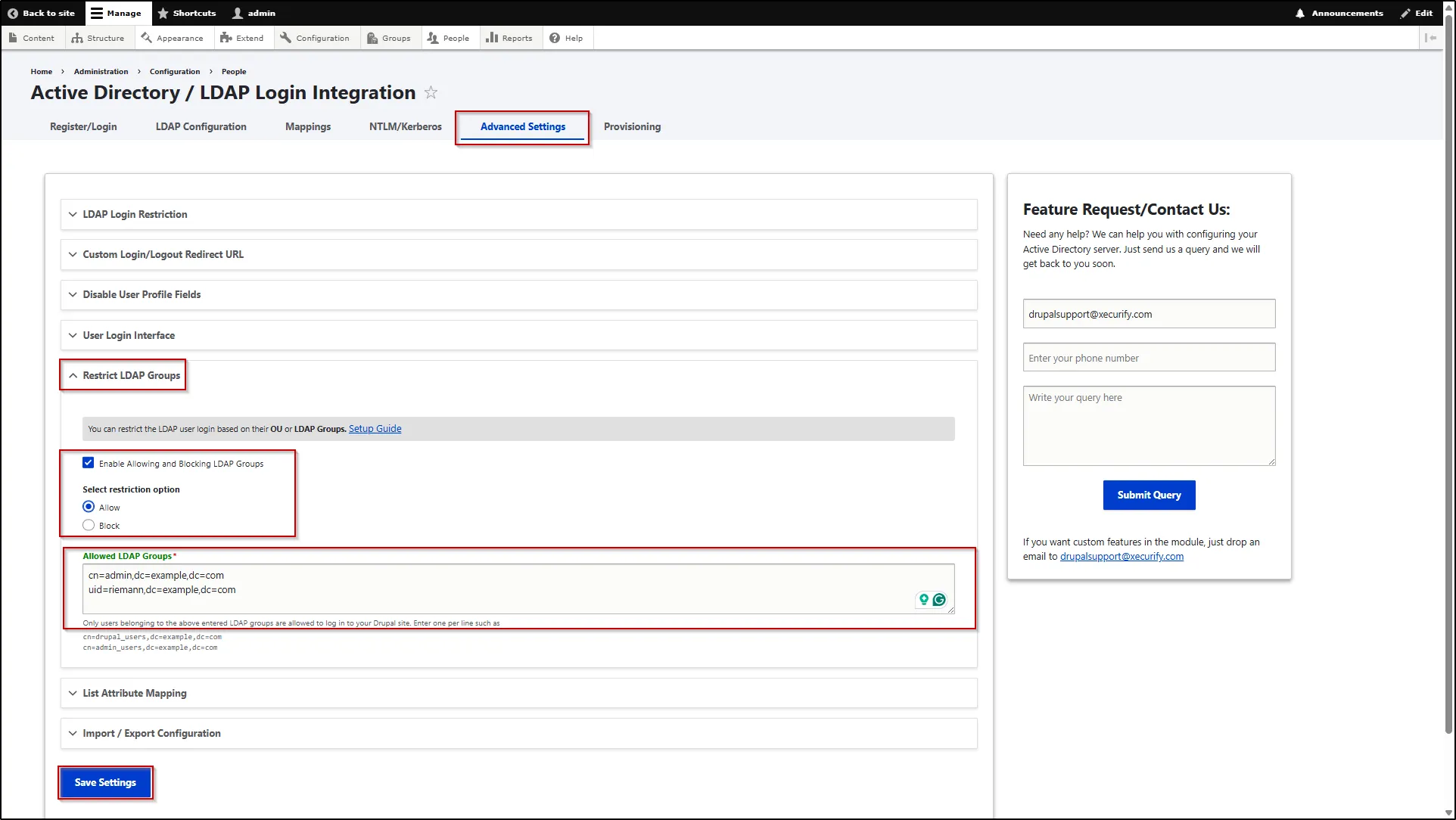
Restrict LDAP Groups
This feature allows you to restrict user login based on their Organizational Unit (OU) or LDAP group membership. Only users who belong to the specified OU or LDAP groups will be allowed to authenticate and access the Drupal site, helping enforce controlled and secure access.
- To configure this, navigate to the Advanced Settings tab.
- Scroll down and expand the Restrict LDAP Groups section.
- Select Enable Allowing and Blocking LDAP Group check box.
- Now, select Allow or Block for Select restriction option.
- Enter the LDAP Groups in the text box that you want to allow or block. You can enter multiple groups by entering one per line.