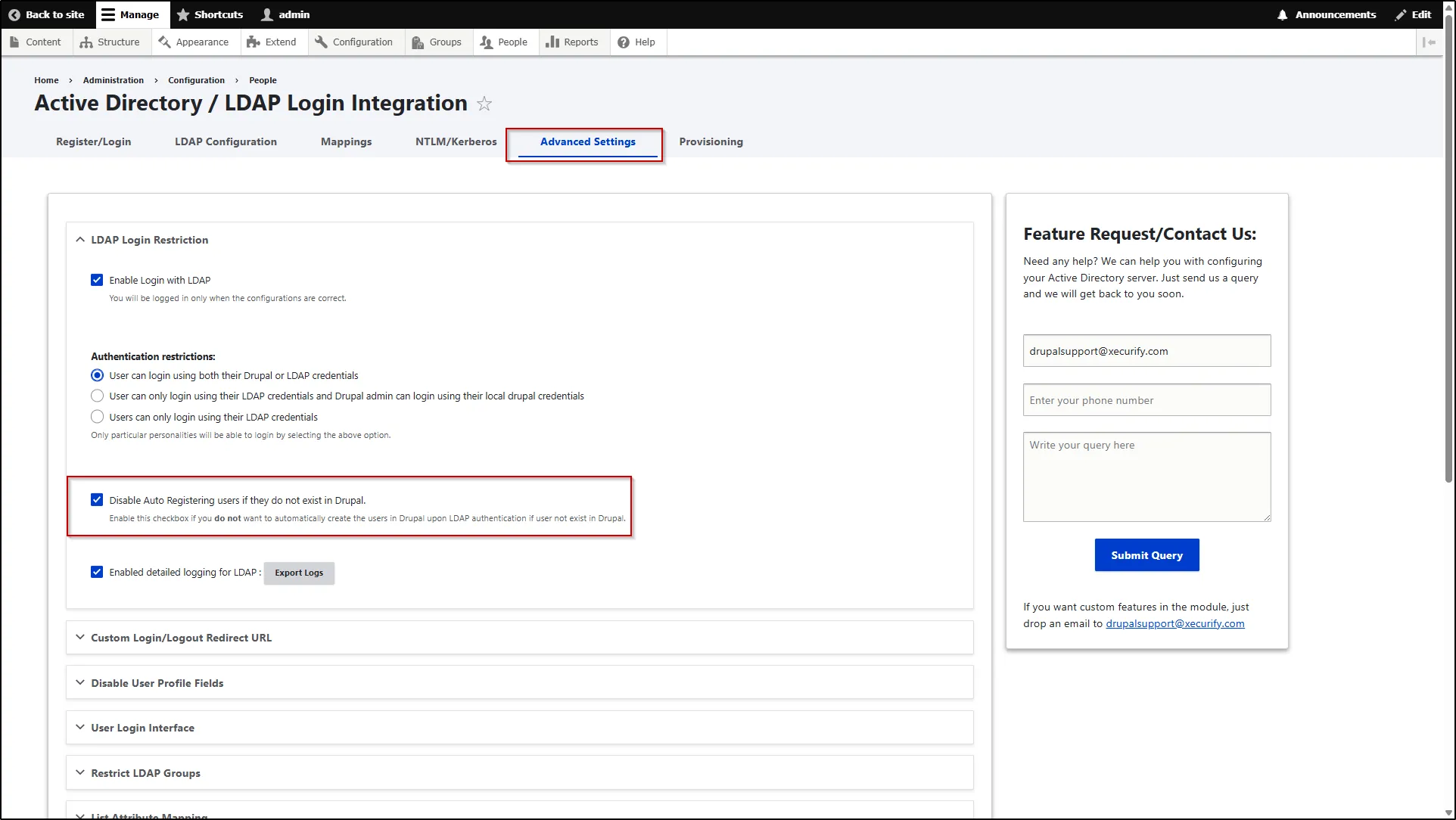
LDAP Login Restriction
This section includes essential features for managing user authentication and enforcing access restrictions across both the LDAP server and the Drupal site. It provides multiple configuration options that can be tailored based on your specific use case. By configuring the features within this section, administrators can control how users are authenticated and how access is regulated on each side.
Enable Login with LDAP
This feature automatically creates a user in Drupal if the user does not already exist. Users will be successfully logged in only if all configurations are set up correctly.
- To configure this, navigate to the Advanced Settings tab.
- Expand the LDAP Login Restriction section.
- Select the Enable Login with LDAP checkbox to activate the feature.
- Scroll down and click the Save Settings button.
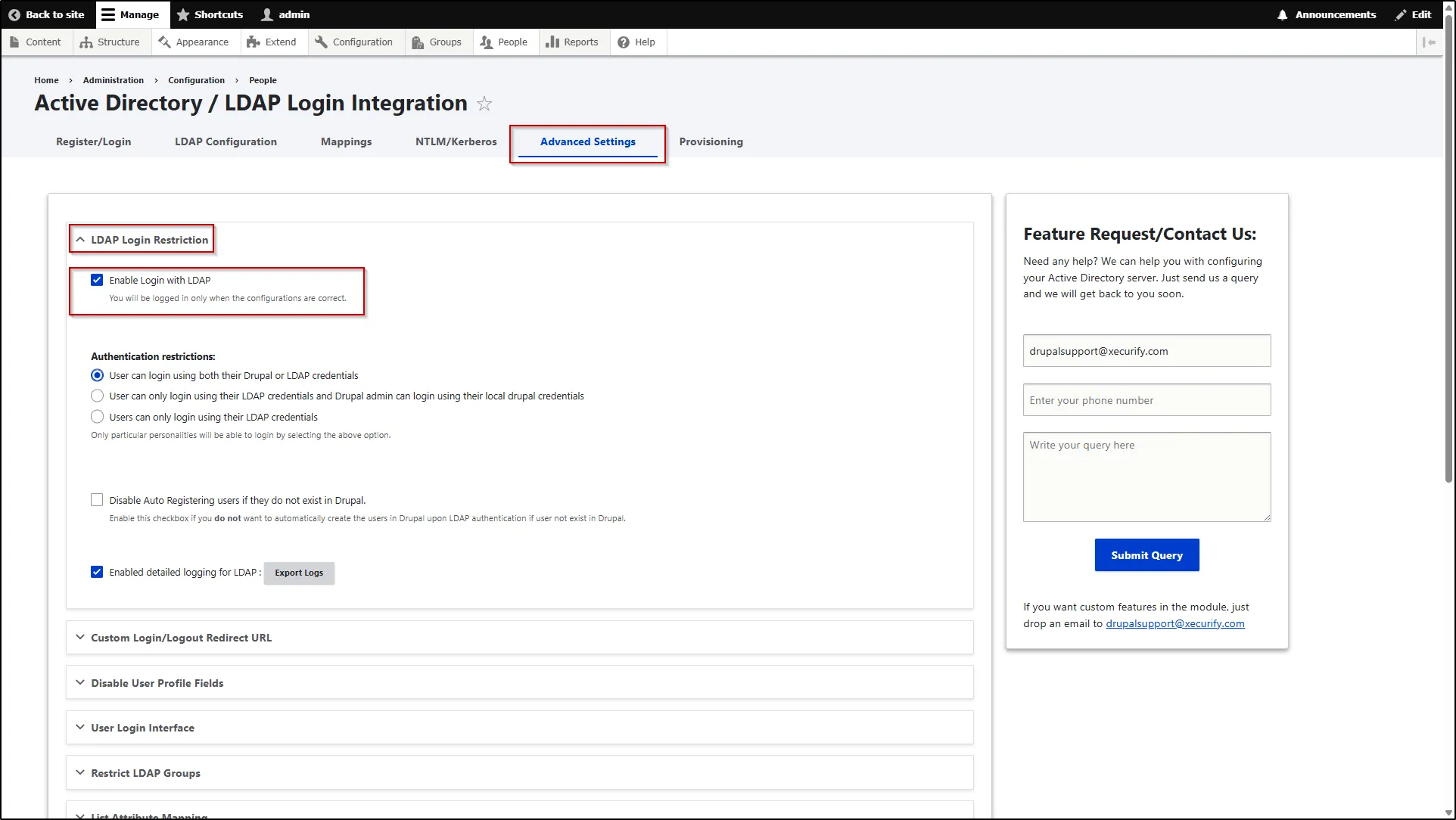
Authentication restrictions
This feature allows you to control how users log in to the Drupal site. It provides flexibility to define authentication methods and apply necessary restrictions based on your requirements.
- To configure this, navigate to the Advanced Settings tab.
- Expand the LDAP Login Restriction section.
- In the Authentication Restrictions section, you can view the available options and select the one that best fits your usecase.
- Scroll down and click the Save Settings button.
| Available Options | Description |
|---|---|
| User can login using both their Drupal or LDAP credentials | Users can log in using either their Drupal credentials or their LDAP credentials. This provides flexibility by allowing authentication through both local and external sources. |
| User can only login using their LDAP credentials and Drupal admin can login using their local drupal credentials | Users can log in only using their LDAP credentials, while Drupal administrators can still access the site using their local Drupal credentials. This ensures secure external authentication while retaining admin access. |
| Users can only login using their LDAP credentials | Users can log in only using their LDAP credentials, ensuring that authentication is handled exclusively through the LDAP server. |
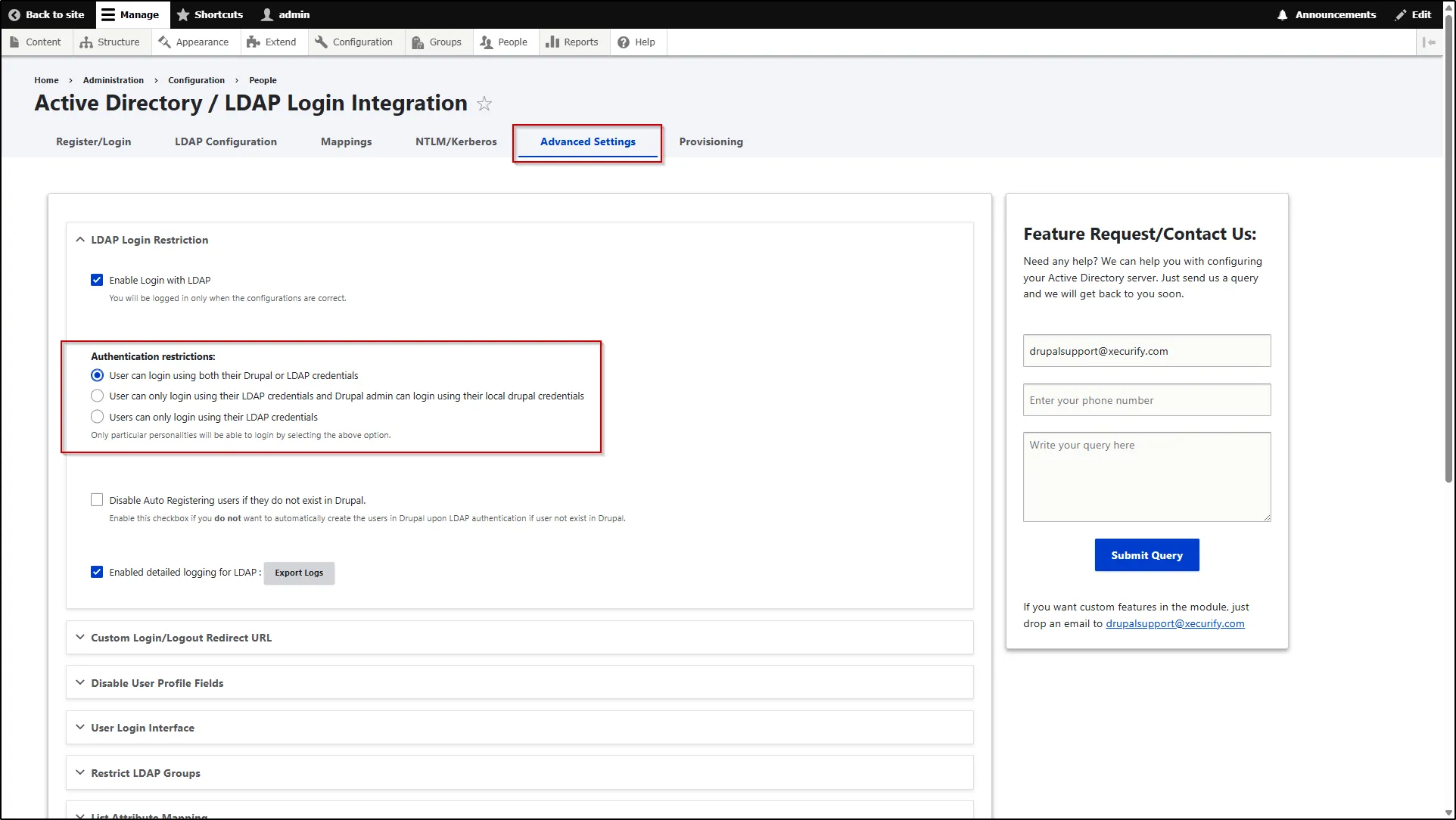
Disable Auto Registering users if they do not exist in Drupal
- This feature disables the automatic creation of users in Drupal if they do not already exist. Only pre-existing Drupal users will be allowed to log in.
- To configure this, navigate to the Advanced Settings tab.
- Expand the LDAP Login Restriction section.
- Select the Disable Auto Registering users if they do not exist in Drupal checkbox to activate the feature.
- Scroll down and click the Save Settings button.