Allow Alternate Login for SSO Users
Feature Description
When your store is connected to an identity provider (IdP) such as Okta, Azure AD, or AWS Cognito, customers can sign in through Single Sign-On (SSO). By default, a customer who has signed in through SSO can only log in using SSO. Even if Email OTP, Phone OTP, or Email & Password login is turned on for your storefront, those options are not available to SSO users.
With Allow Alternate Login for SSO Users turned on, customers who have already signed in through SSO can also log in using the other login methods enabled on your storefront, such as email OTP, phone OTP, or email and password. The customer keeps the same account, so their orders, company assignment, and account details stay the same whichever method they use.
Setup Instructions
-
Navigate to the Shopify Dashboard, and open the Customer Accounts Login application.
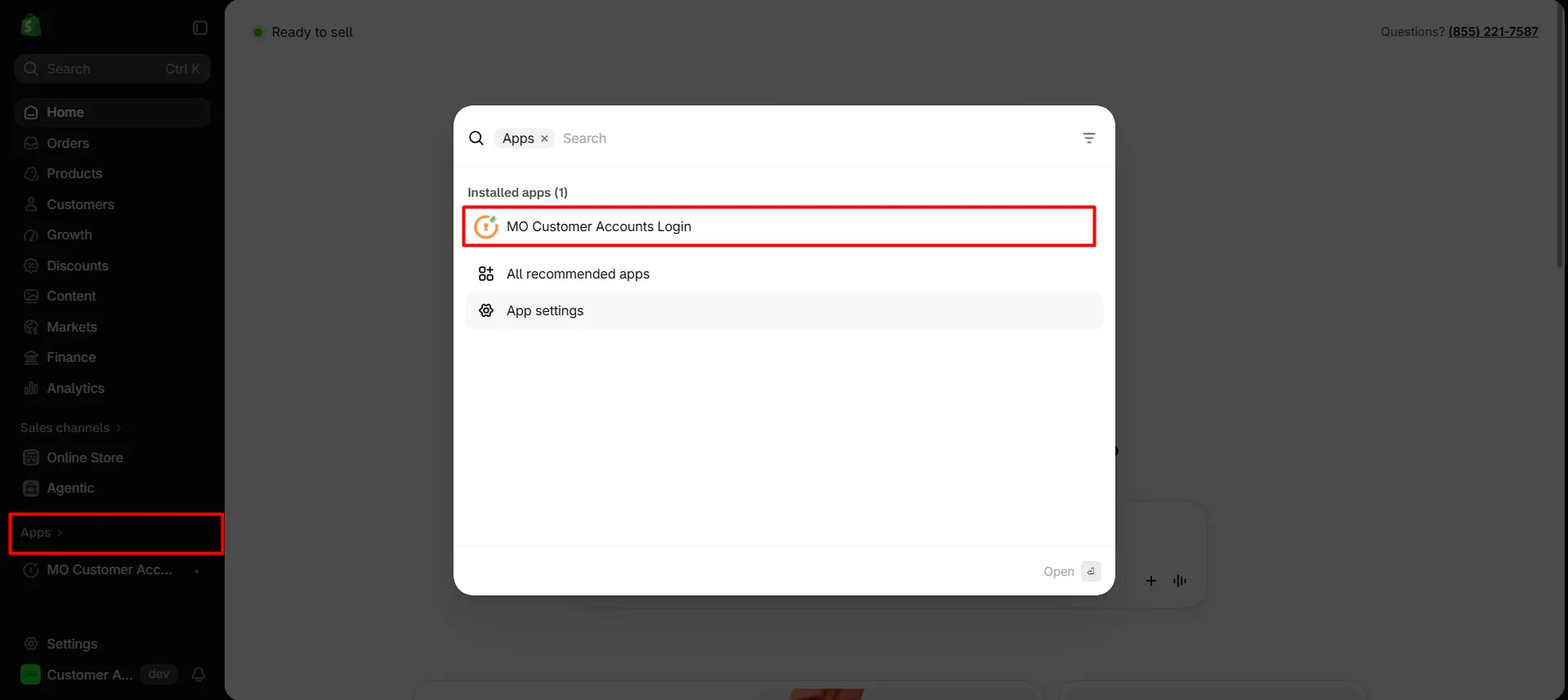
-
On the app dashboard, scroll down to the Storefront Login Options card and click Edit.
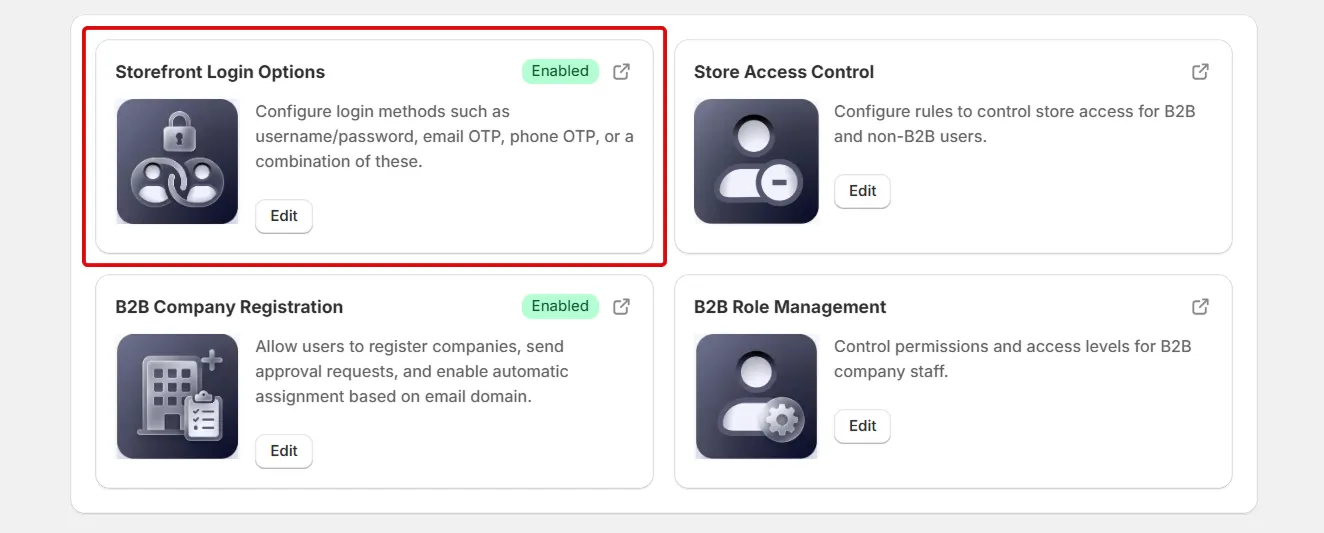
-
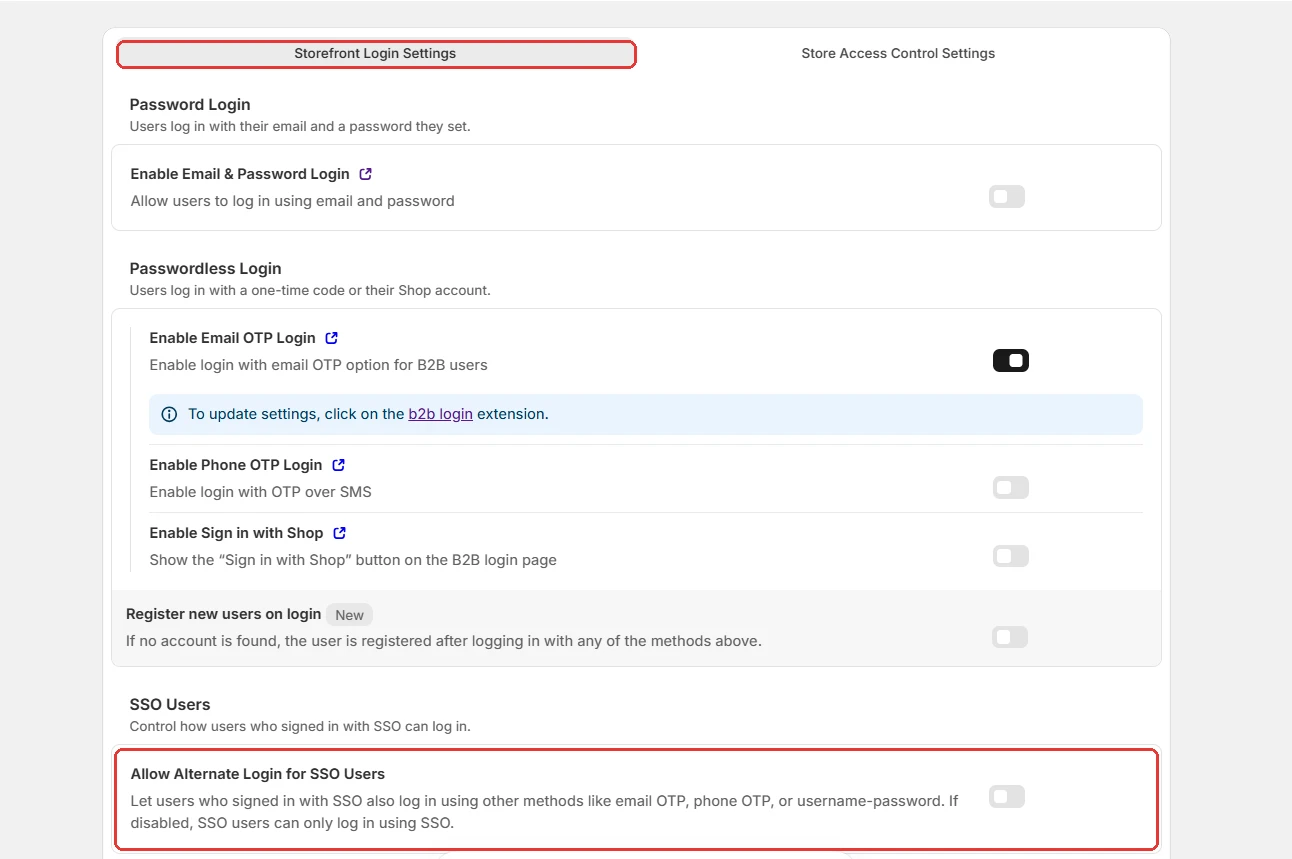
On the Login Options page, open the Storefront Login Settings tab.
-
Make sure at least one other login method is turned on, such as Enable Email & Password Login, Enable Email OTP Login, or Enable Phone OTP Login.
-
Under SSO Users, turn on Allow Alternate Login for SSO Users.
-
The setting is saved automatically.
-
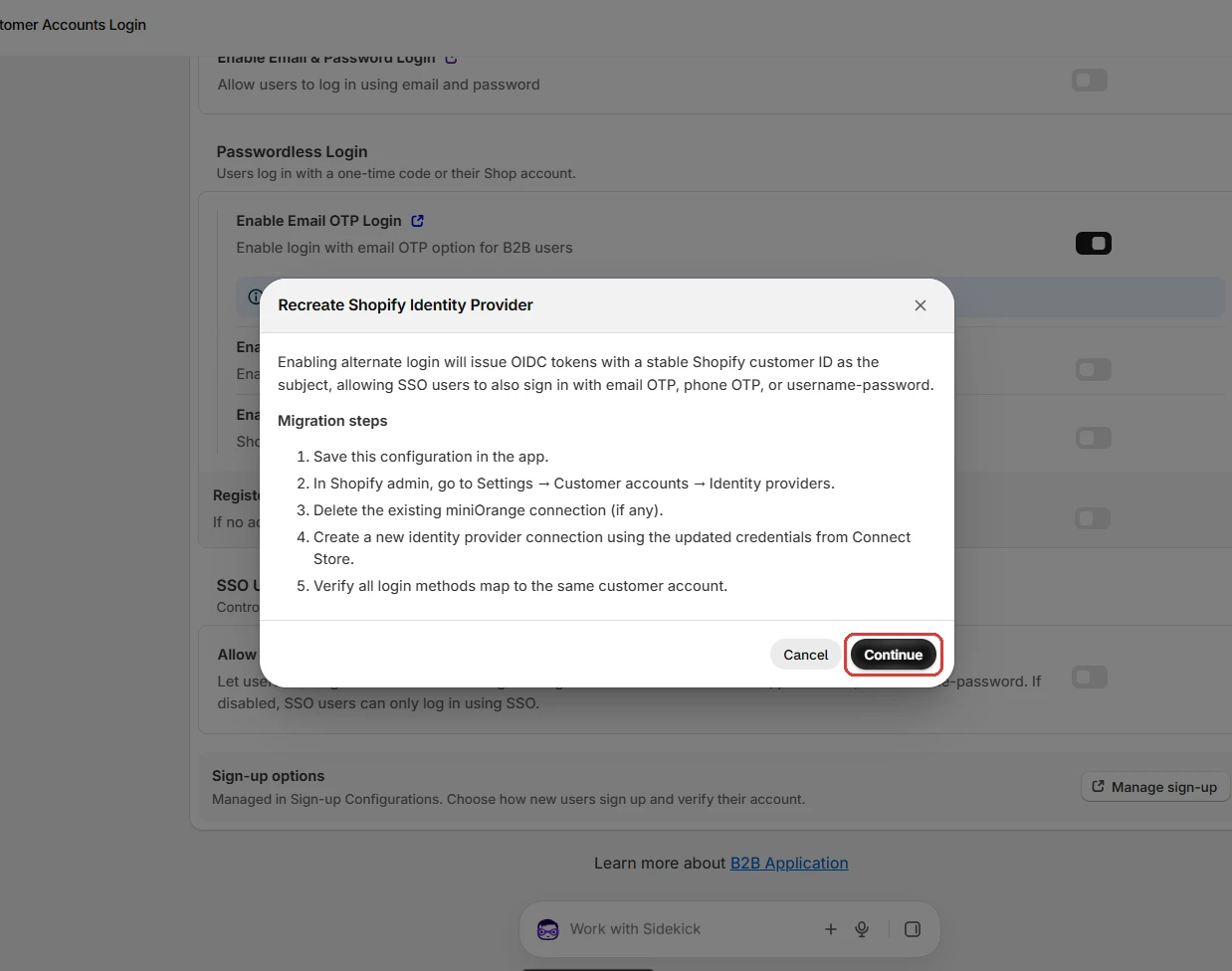
A Recreate Shopify Identity Provider window opens. It explains that alternate login issues OIDC tokens with a stable Shopify customer ID as the subject, so SSO users can also sign in with email OTP, phone OTP, or username and password. It also lists the migration steps.
-
Click Continue to save the configuration in the app.
-
Now, follow the same steps mentioned in the Connect Store via SSO guide to set up the identity provider in Shopify customer accounts again.