Restrict Login and Signup Based on Email Domain
Feature Description
B2B stores on Shopify often sell only to approved businesses, so not every visitor who reaches the login page should be able to sign in or create an account. By default, any customer with a valid email address can sign up on a Shopify store.
You can restrict login and signup based on email domain so only customers whose email belongs to a domain you trust can access your store. You can either allow only a list of domains, such as your partner companies, or block specific domains, such as free email providers, and allow every other domain. Customers using a domain that is not allowed see a message you set and cannot log in or sign up.
Setup Instructions
-
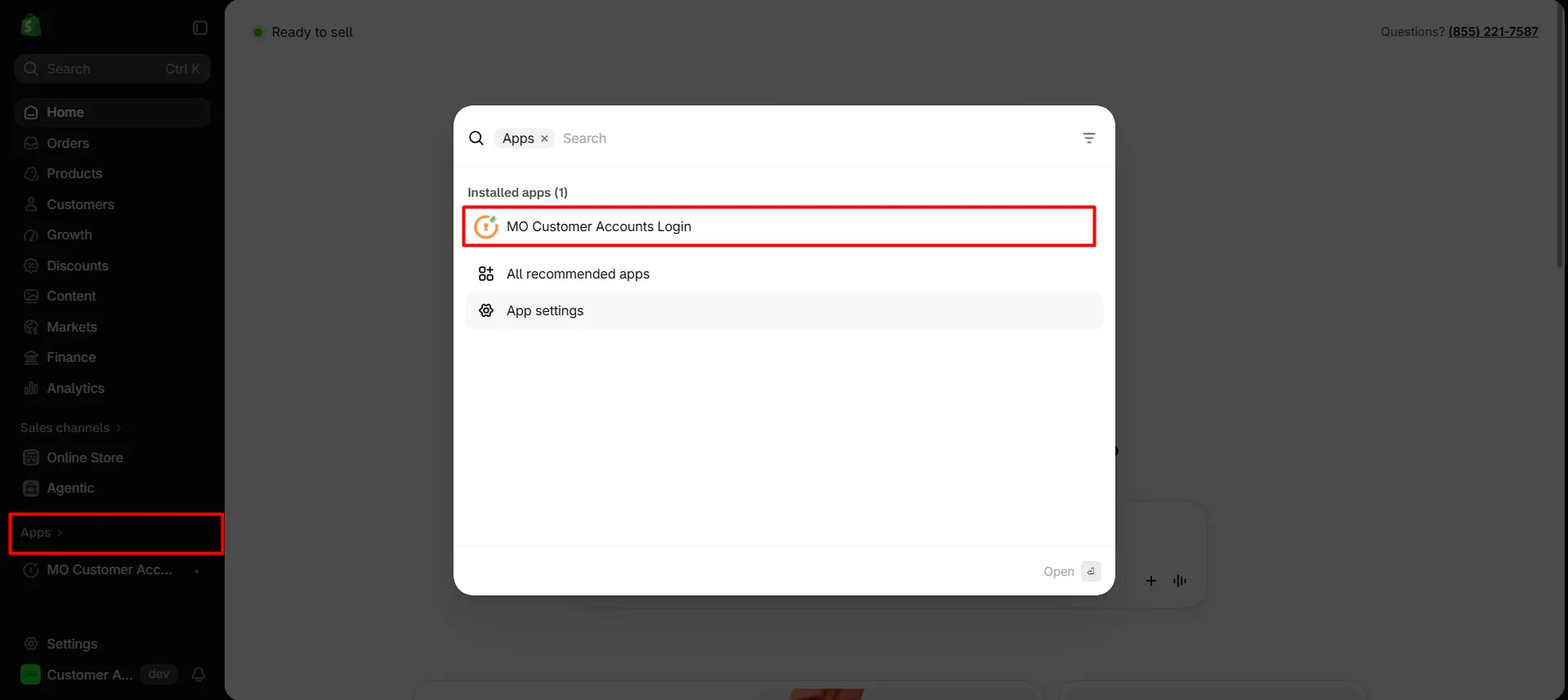
Navigate to the Shopify Dashboard, and open the Customer Accounts Login application.
-
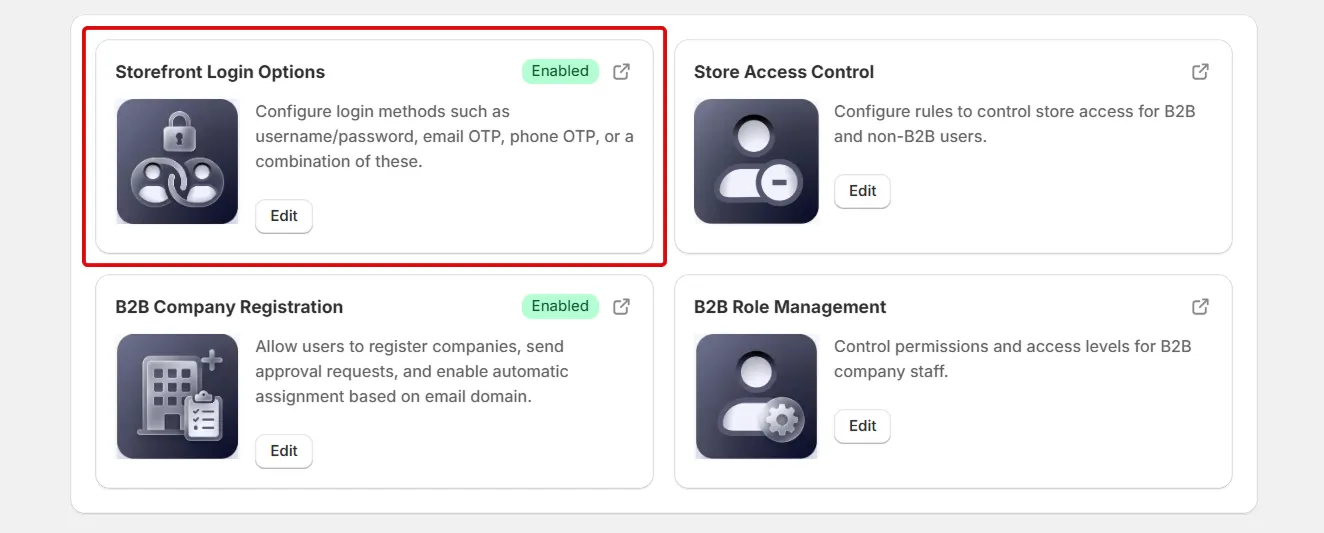
On the app dashboard, scroll down to the Storefront Login Options card and click Edit.
-
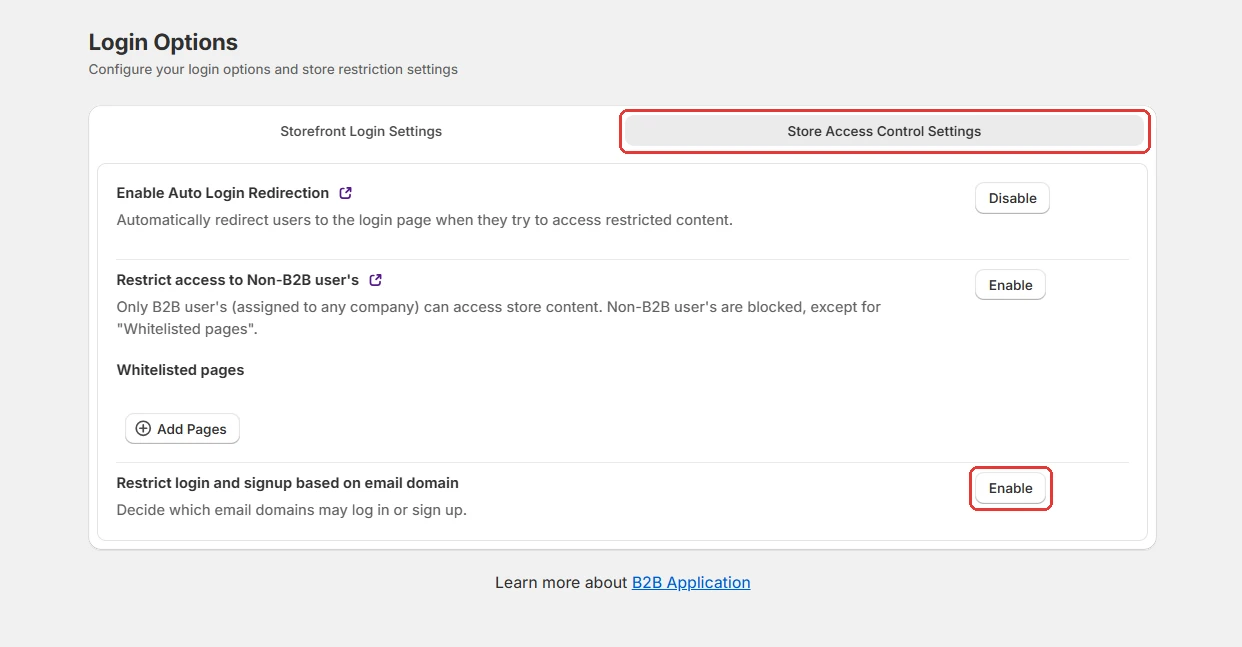
On the Login Options page, open the Store Access Control Settings tab.
-
Click Enable next to Restrict login and signup based on email domain.
-
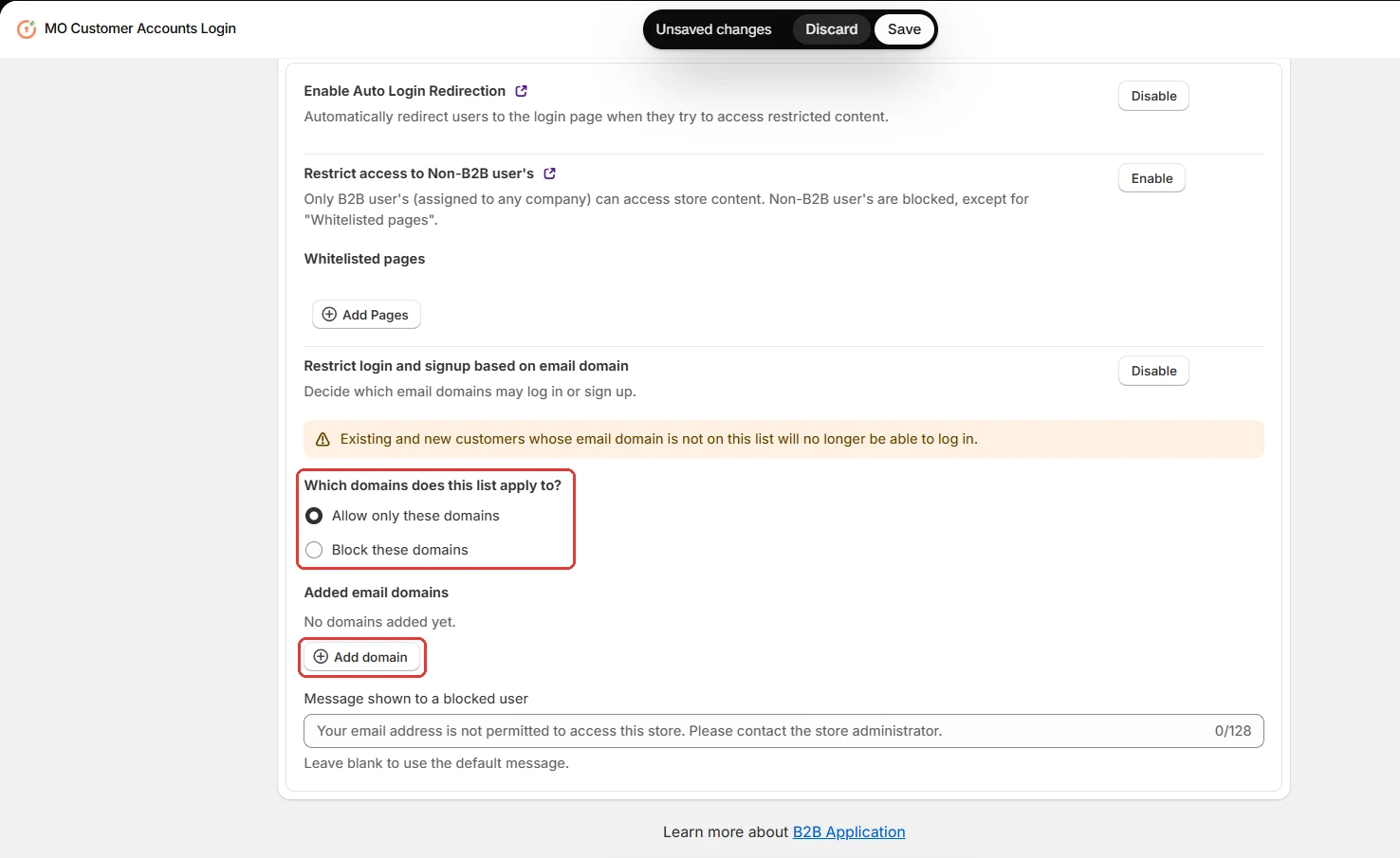
Select Allow only these domains to allow login and signup only for the domains you add.
-
Select Block these domains to block the domains you add and allow every other domain.
-
Click on Add domain.
-
Add the email domains you want to allow or block from logging in or signing up. For example,
company.com,gmail.com.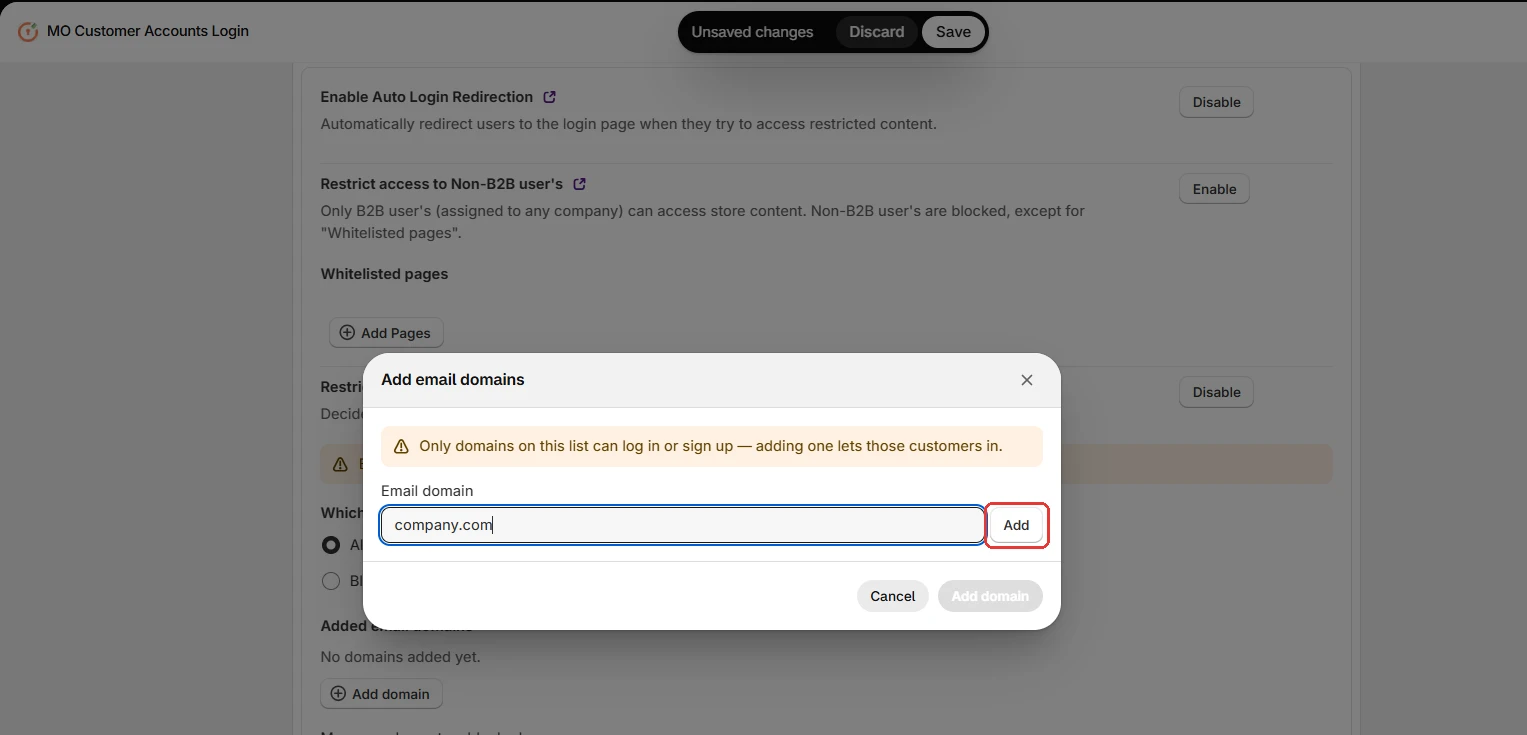
-
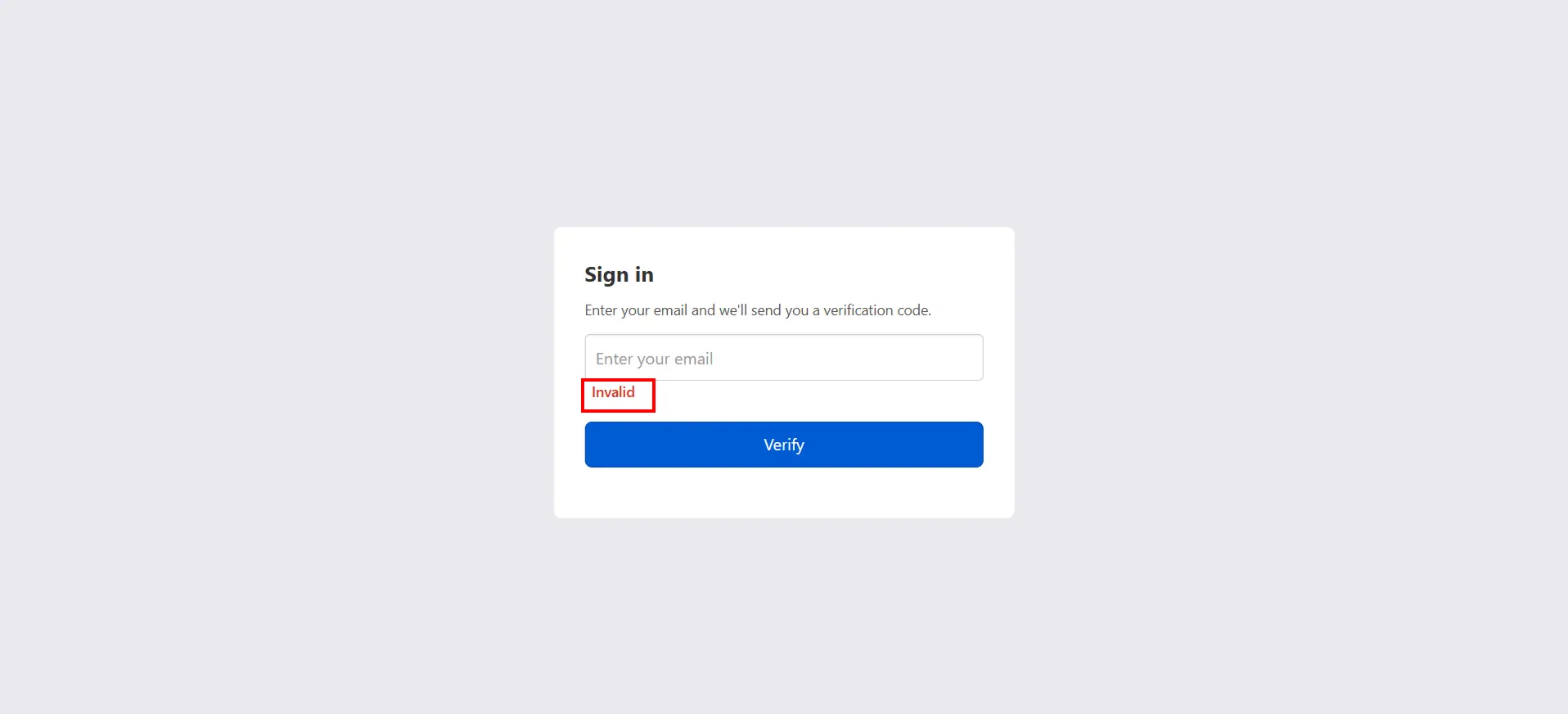
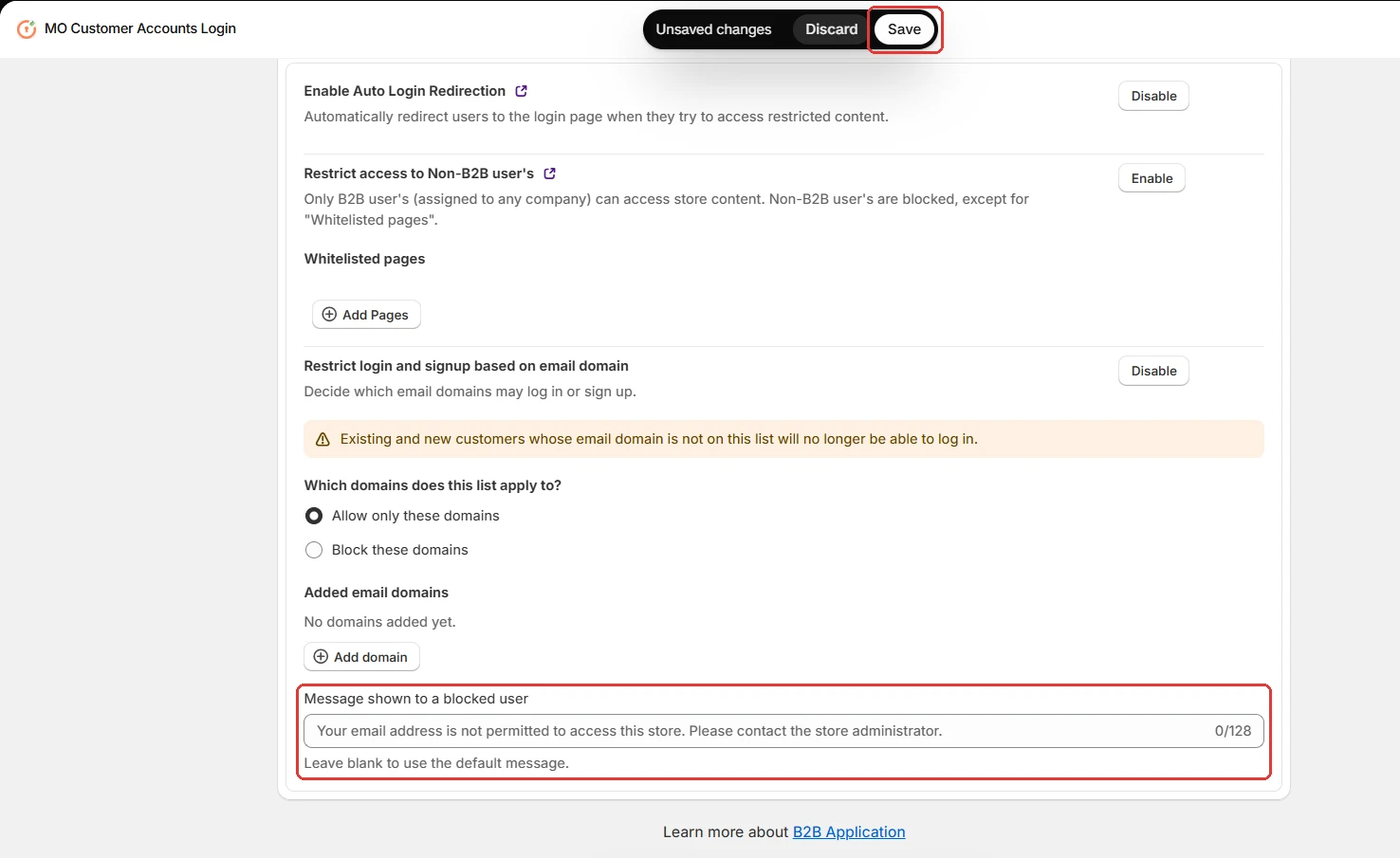
You can customize the disclaimer message shown when a customer tries to sign in with a domain that is not allowed. For example,
invalid. -
Click Save at the top of the page.
-
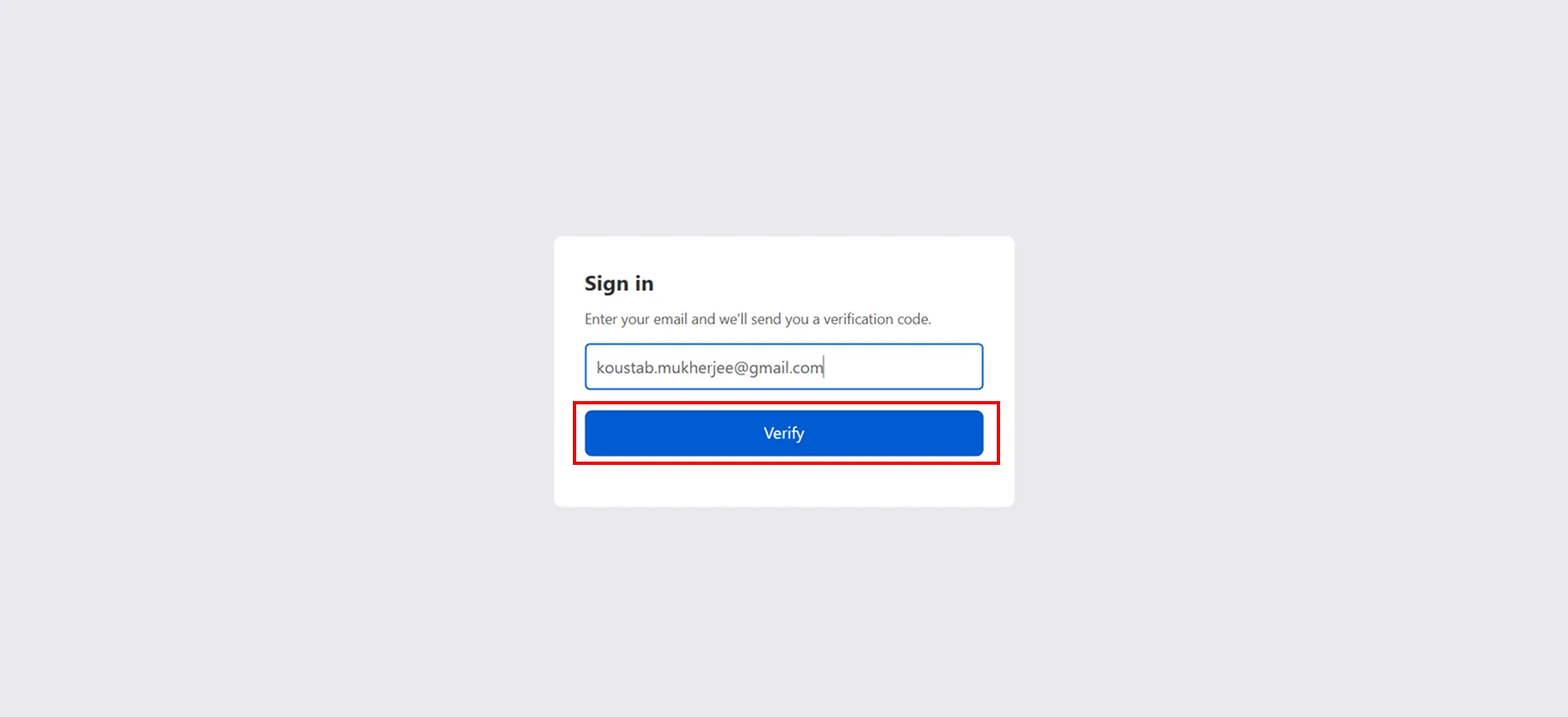
Enter an email address from another domain and click Verify to check whether that domain can sign in.
-
If the domain is not allowed, a disclaimer message is shown and the customer cannot sign in.