Enable Login with Shop App
Feature Description
You can offer Login with Shop alongside other authentication methods such as email-password login, email/phone OTP, and Single Sign-On (SSO) for more tailored B2B customer login experiences. When enabled, the B2B storefront login page shows a Continue with shop button. Customers authenticate through their Shop account in a secure popup without needing a separate B2B password for that path. Returning customers who are already signed in to Shop app can log in faster without repeating email or phone OTP verification.
Setup Instructions
-
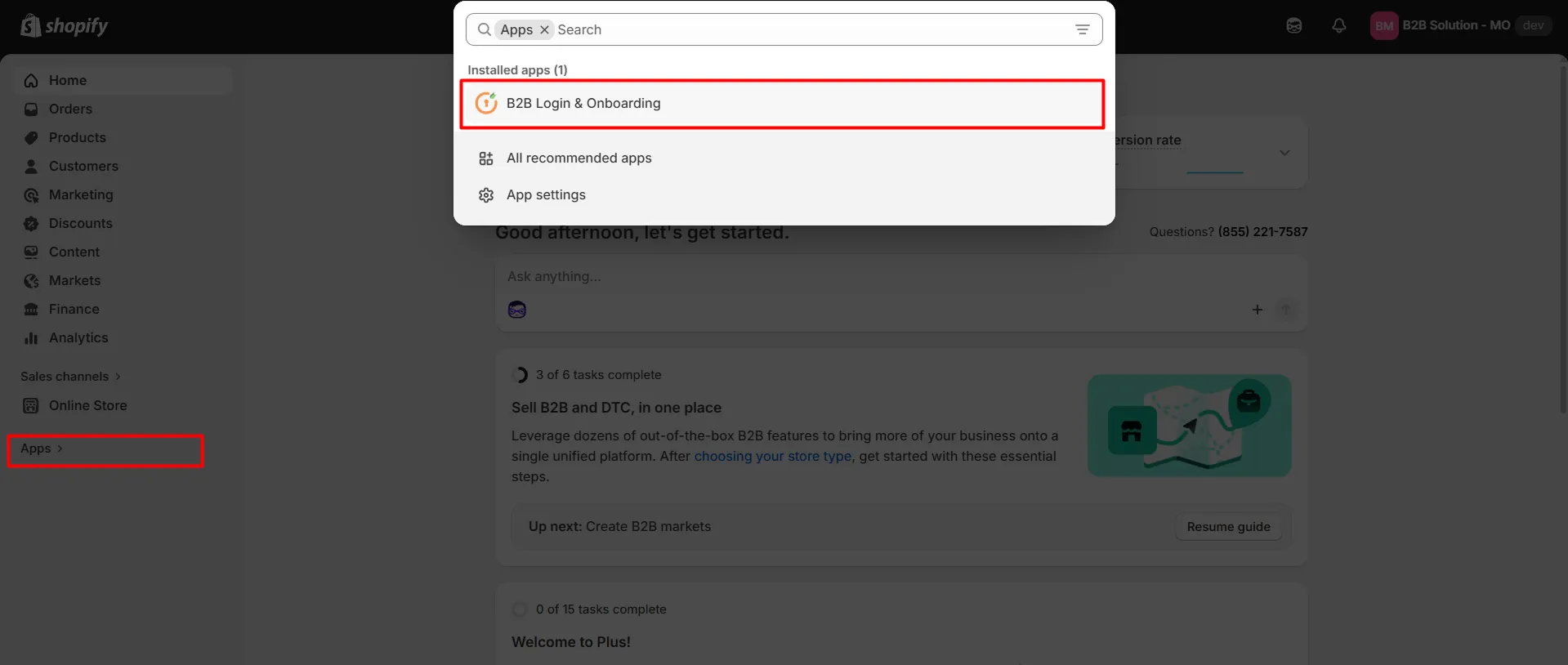
Navigate to the Shopify Dashboard, and open the Customer Accounts Login application.
-
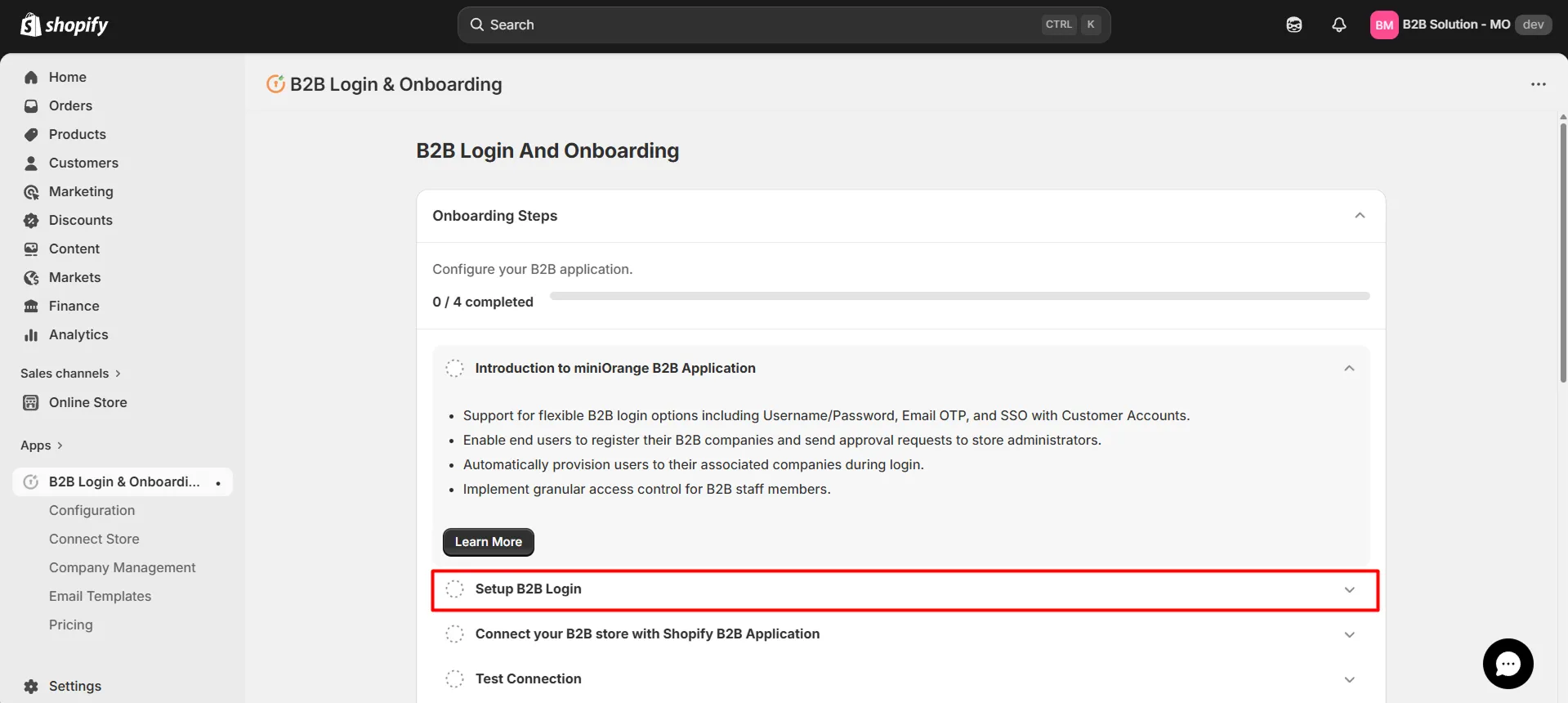
Click on the Setup B2B Login tab as shown below.
-
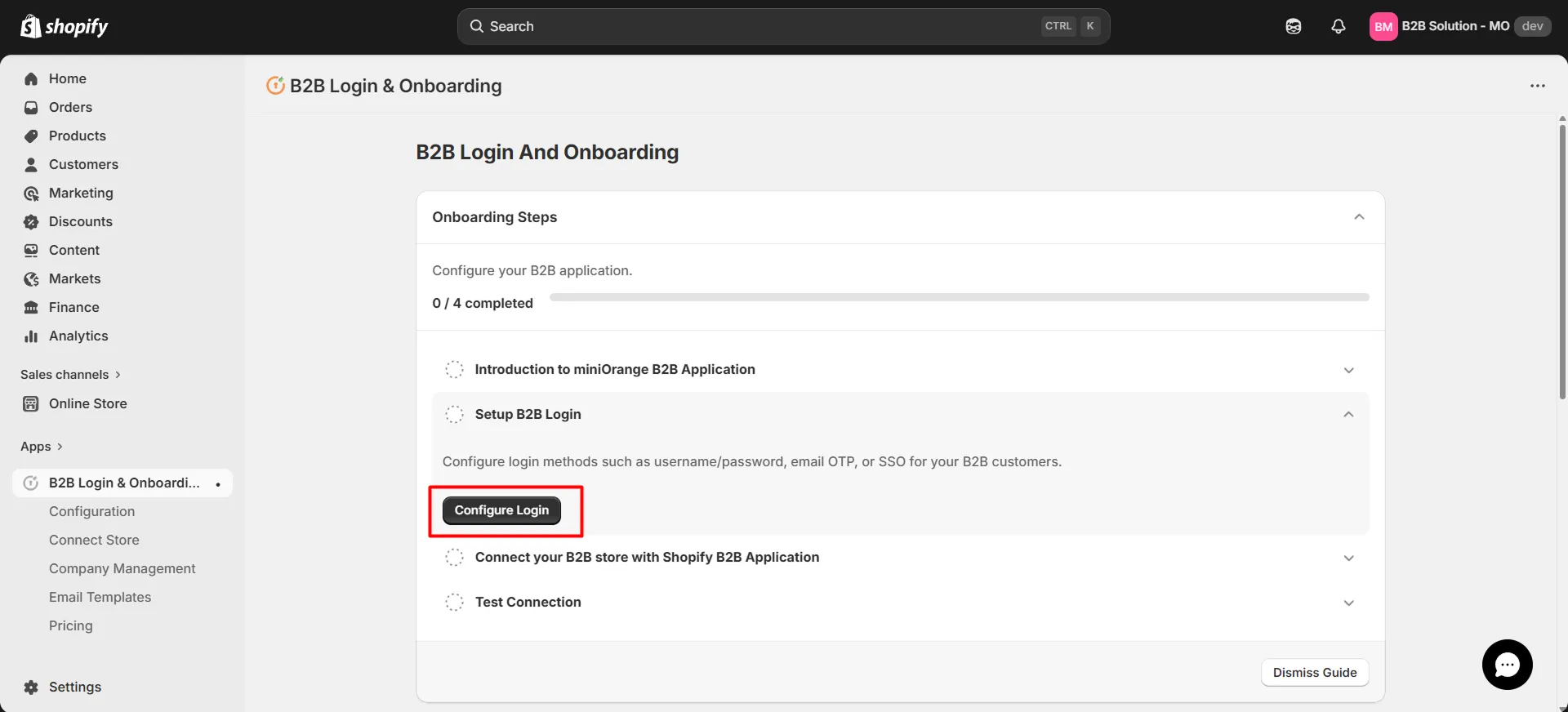
Now, click on the Configure Login button.
-
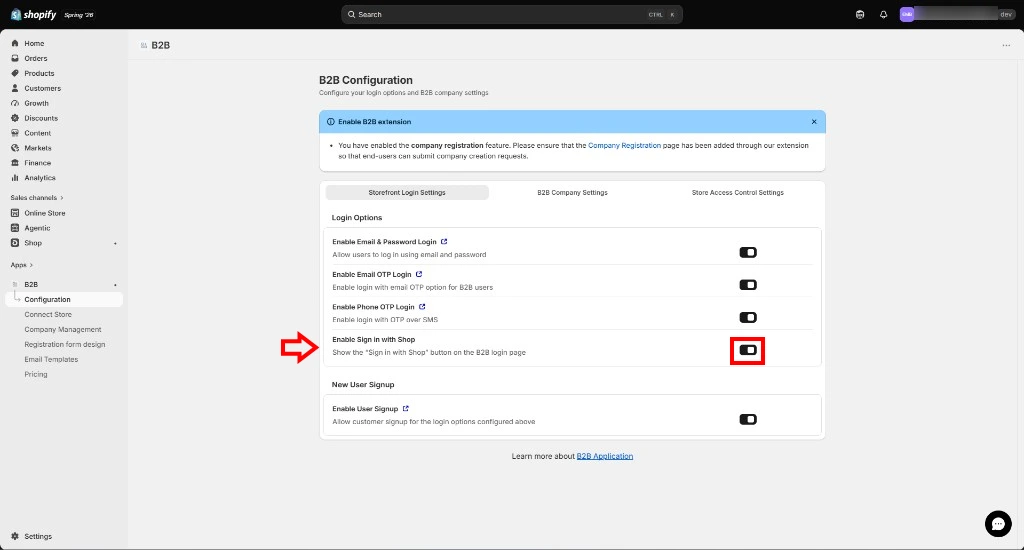
You will be redirected to the B2B Configuration page.
-
Open the Storefront Login Settings tab. Under Login Options, activate Enable Sign in with Shop to show the Sign in with Shop button on the B2B login page.
-
Click on Save.
-
After saving, a confirmation message such as "B2B configurations saved" will appear.
-
The end user will see Continue with shop (and other login options if enabled) on the Shopify B2B Store login screen.
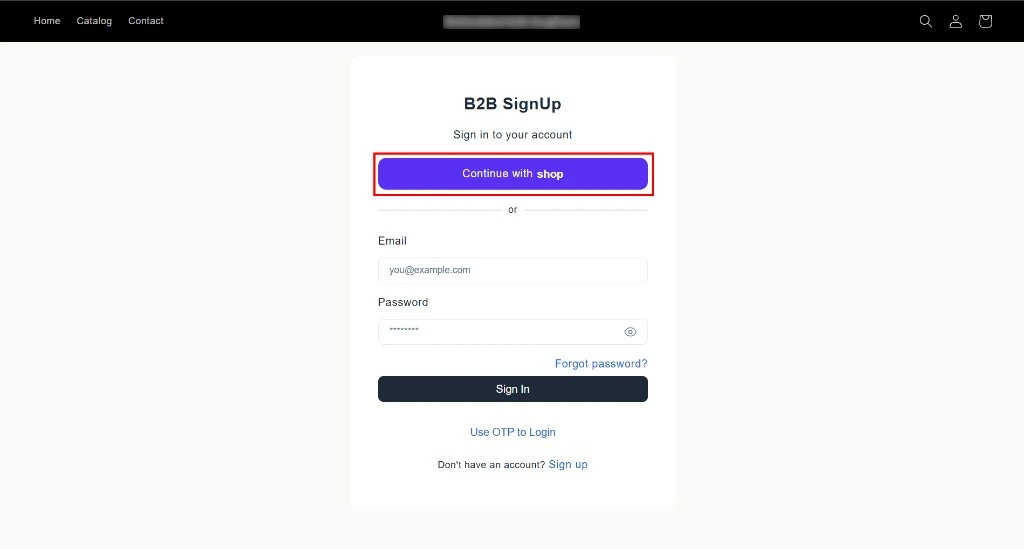
-
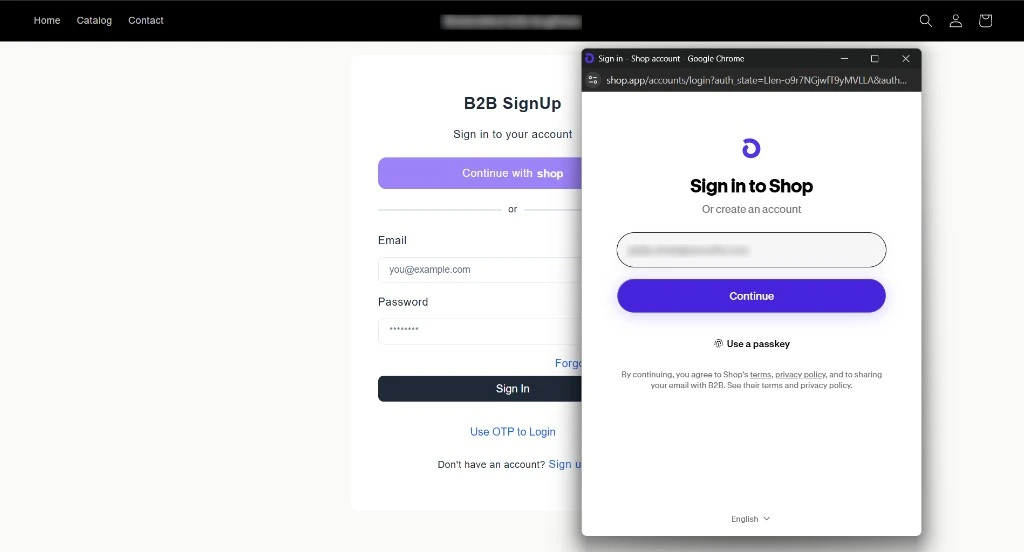
Click Continue with shop on the B2B login screen. A Shop sign-in popup opens.
-
On Sign in to Shop, enter the customer's Shop app account email and click Continue.
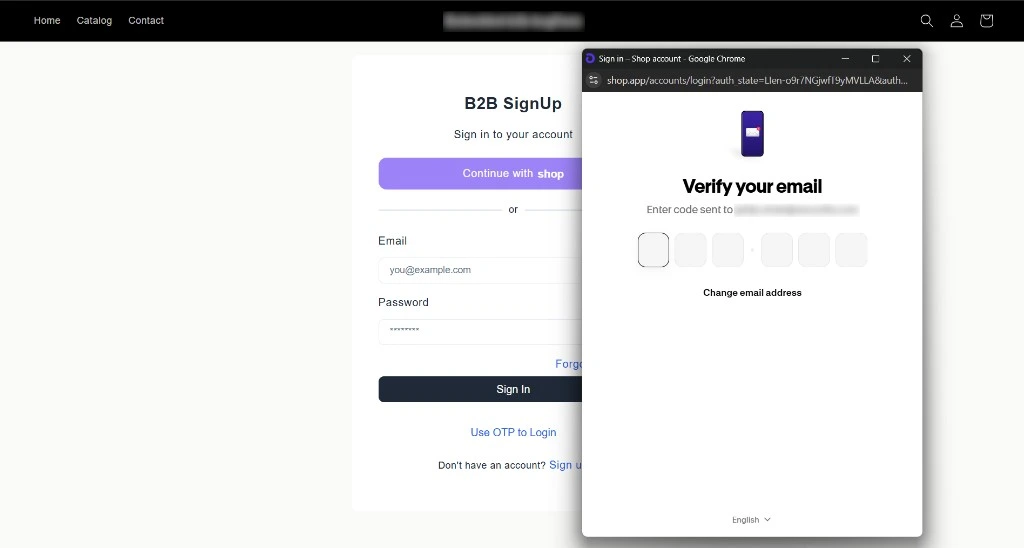
- Enter the 6-digit verification code sent to the registered email address.
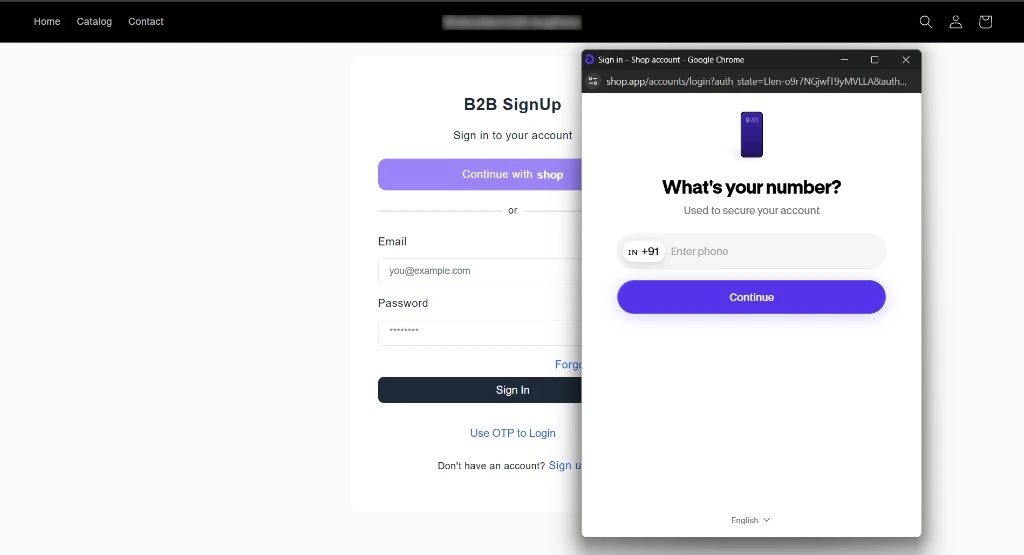
- Enter the phone number (including country code) and click Continue.
- Enter the 6-digit verification code sent to the phone number.
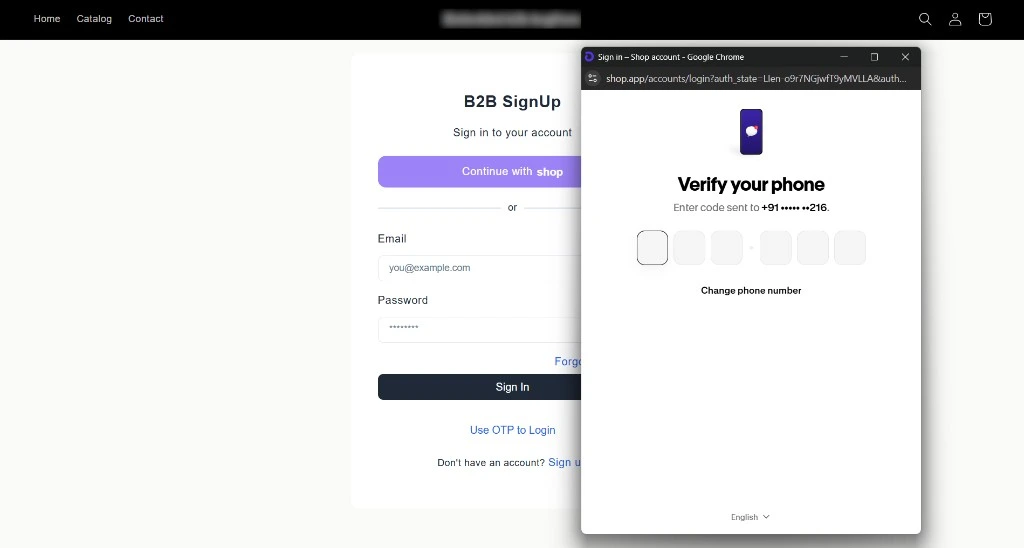
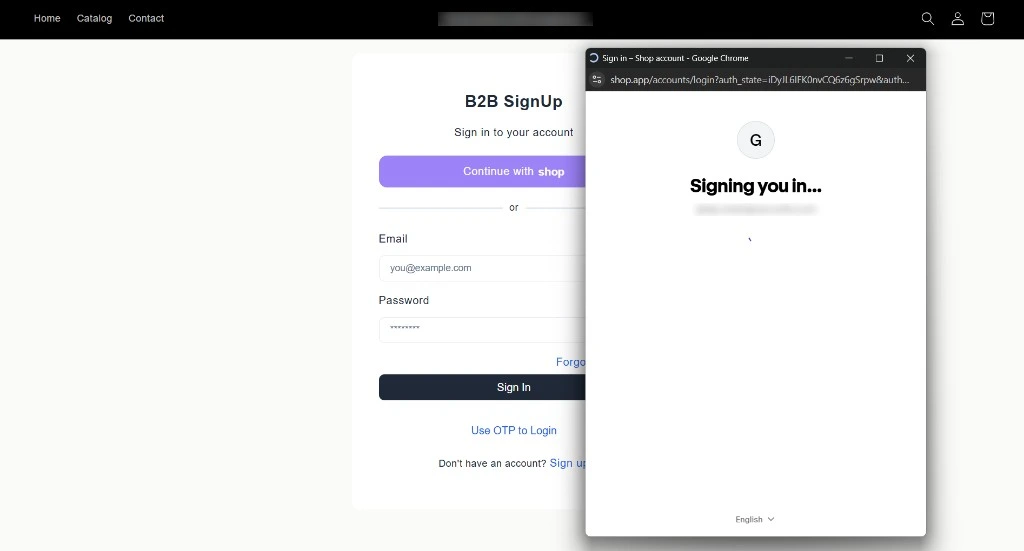
- Shop app completes authentication and returns the user to the B2B storefront. A Signing you in... message appears while the login finishes.
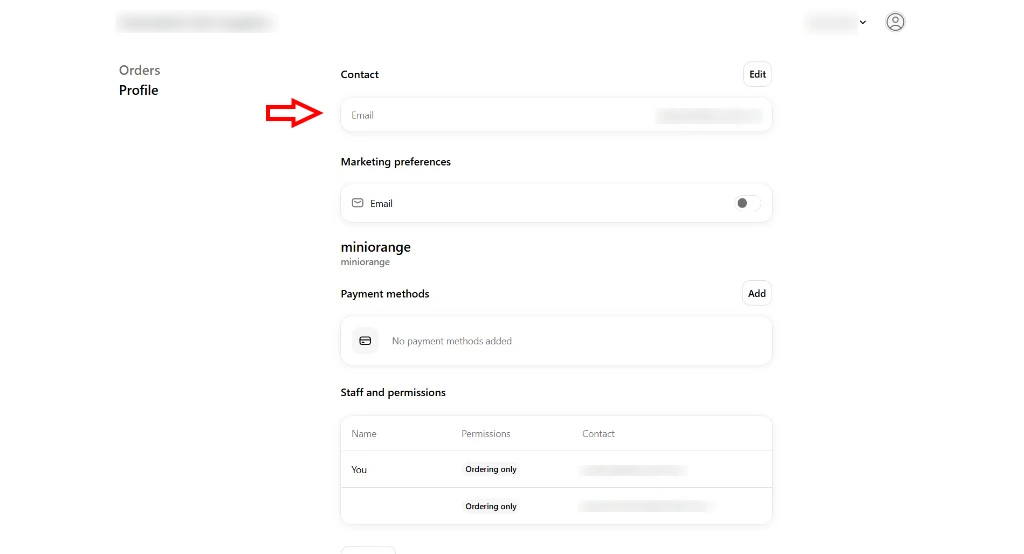
- After authentication completes, the customer is redirected to the B2B Profile page with their contact details and company permissions.
-
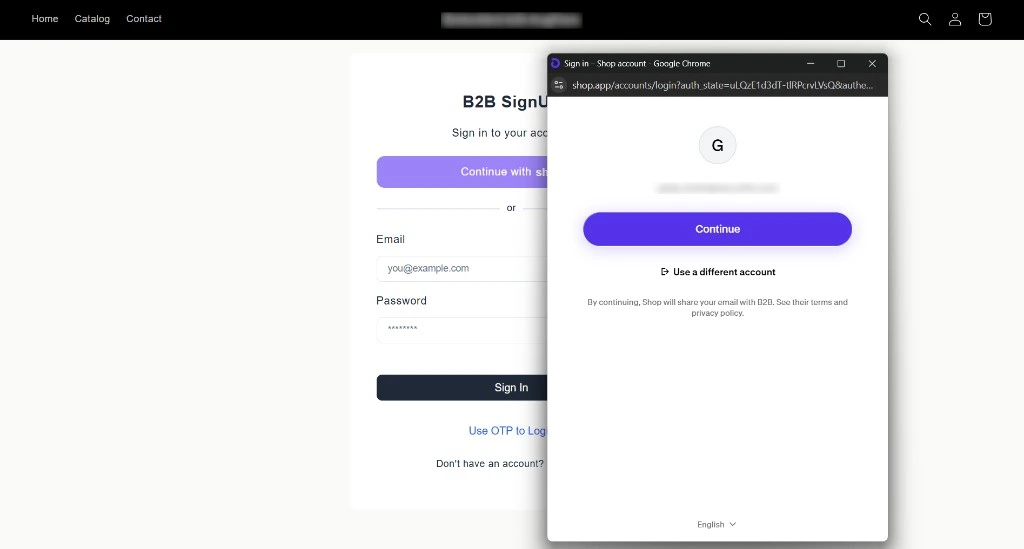
On a later visit, if the customer is already signed in to Shop app, the popup automatically fetches their Shop account.
-
Click Continue to proceed.
-
When the same Shop account is recognized, the user is logged in directly without OTP verification.
-
After the second login completes, the customer returns to the profile page.