Restrict Access using Purchase History
Applies to : Scale plan
Feature Description
The restrict access using purchase history feature allows store owners to grant or restrict access to store content based on a customer's past purchases. Access is unlocked automatically depending on whether the customer has previously bought the selected products. This is ideal for post-purchase content, upsells, loyalty rewards, and exclusive access for existing buyers.
Setup Instructions
-
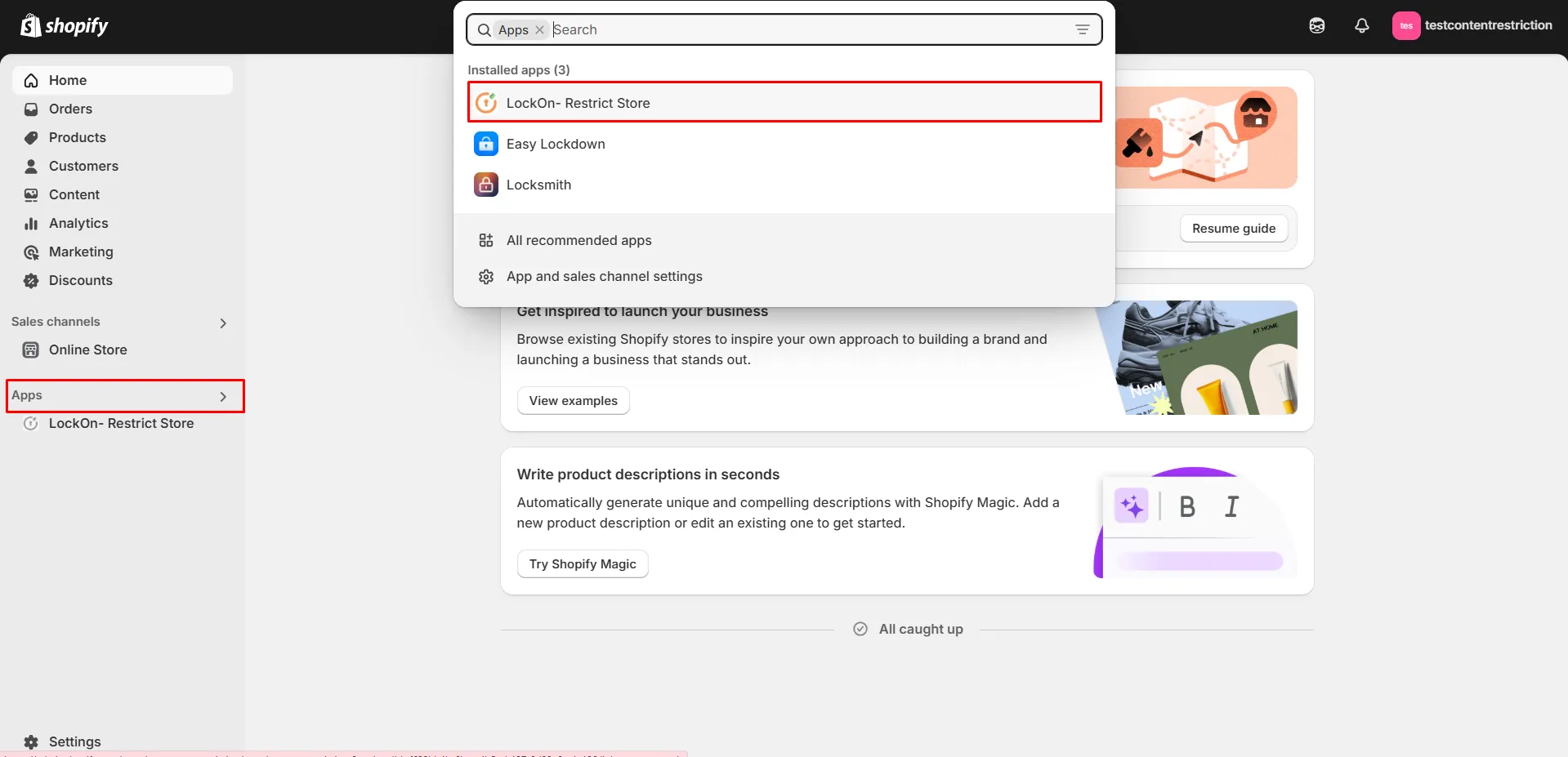
Navigate to the Apps >> LockOn - Restrict Store application.
-
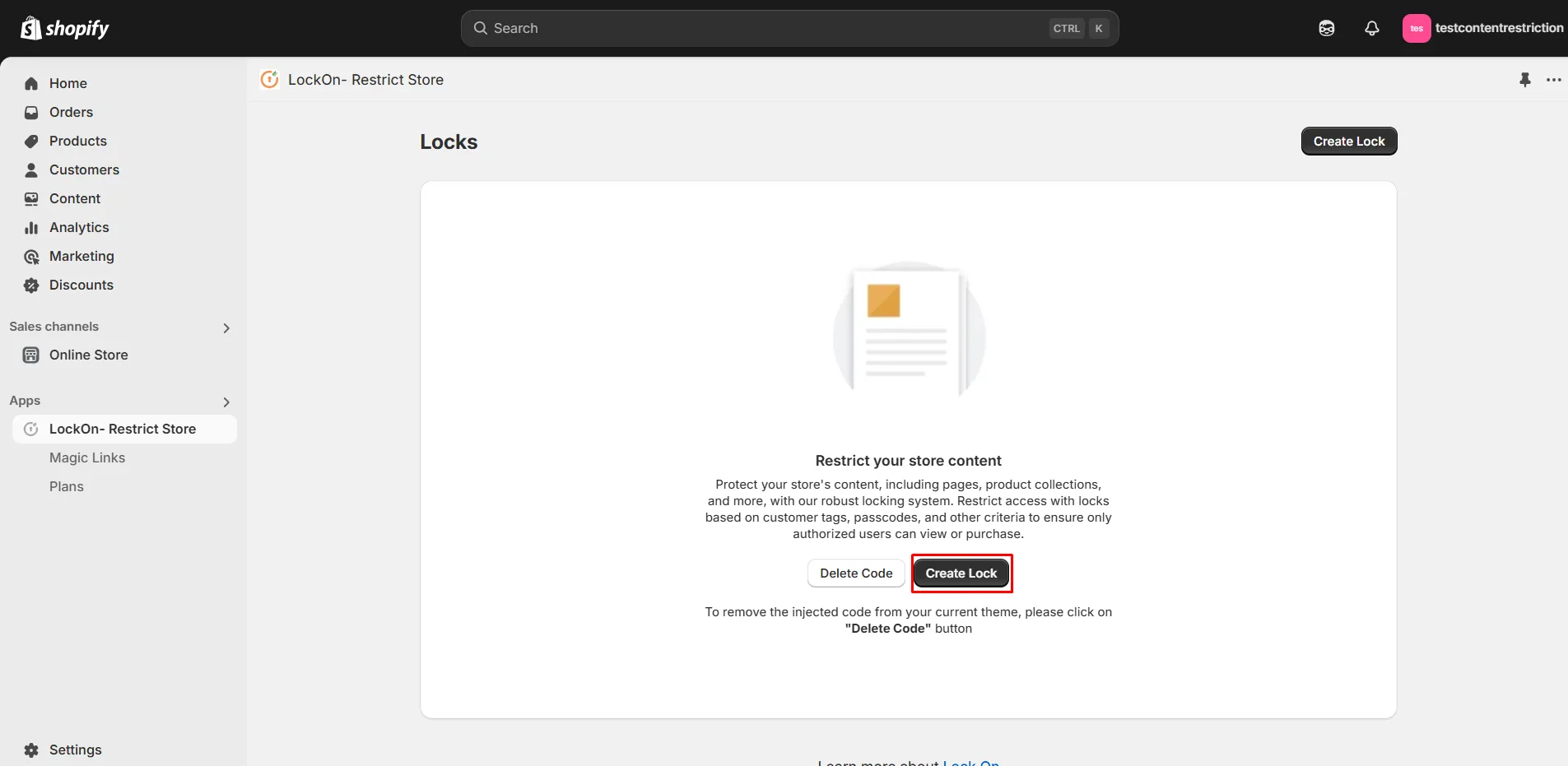
Click on the Create lock button.
-
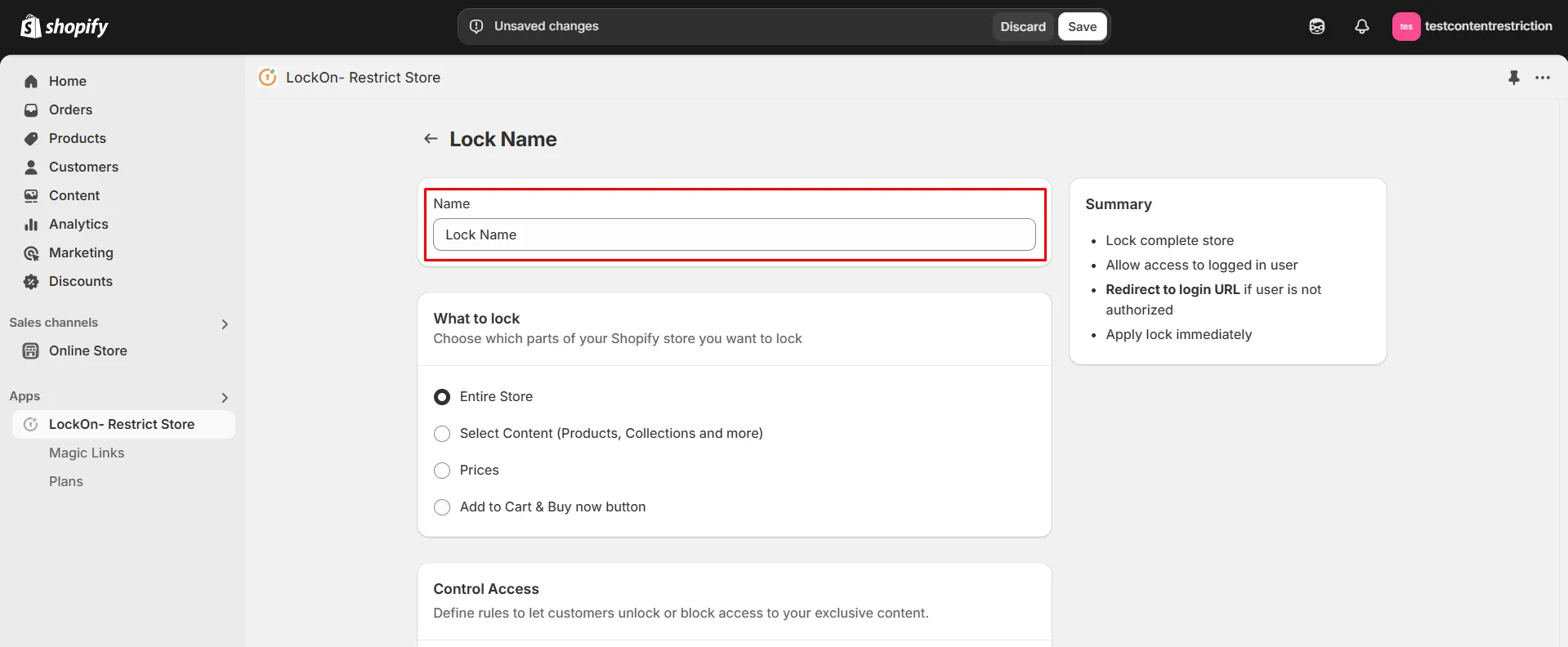
Provide a name for your lock.
-
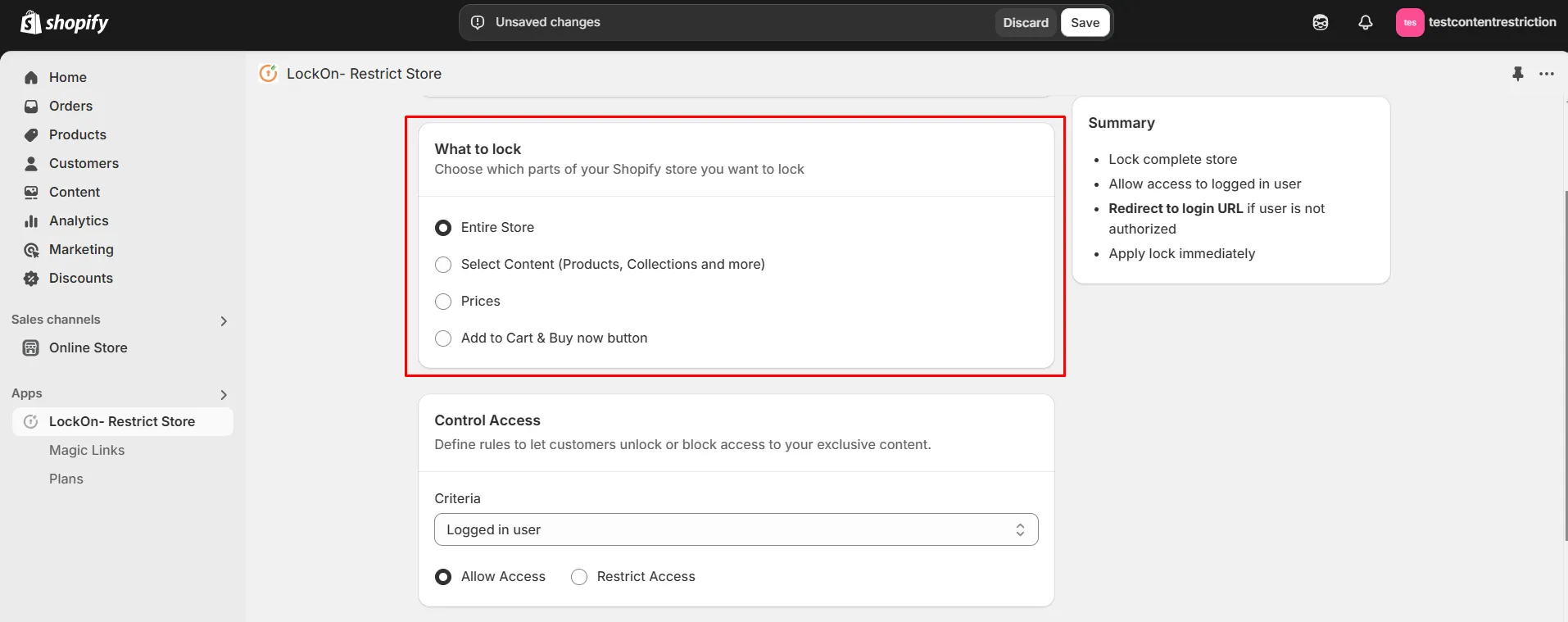
Choose which parts of your Shopify store you want to lock from the options provided.
-
In the Control Access section, select Purchase History as the lock criteria. Click on the Pick Products button to choose the products whose purchase will determine access.
-
Finally, choose whether to Allow or Restrict access based on the customer's purchase history.
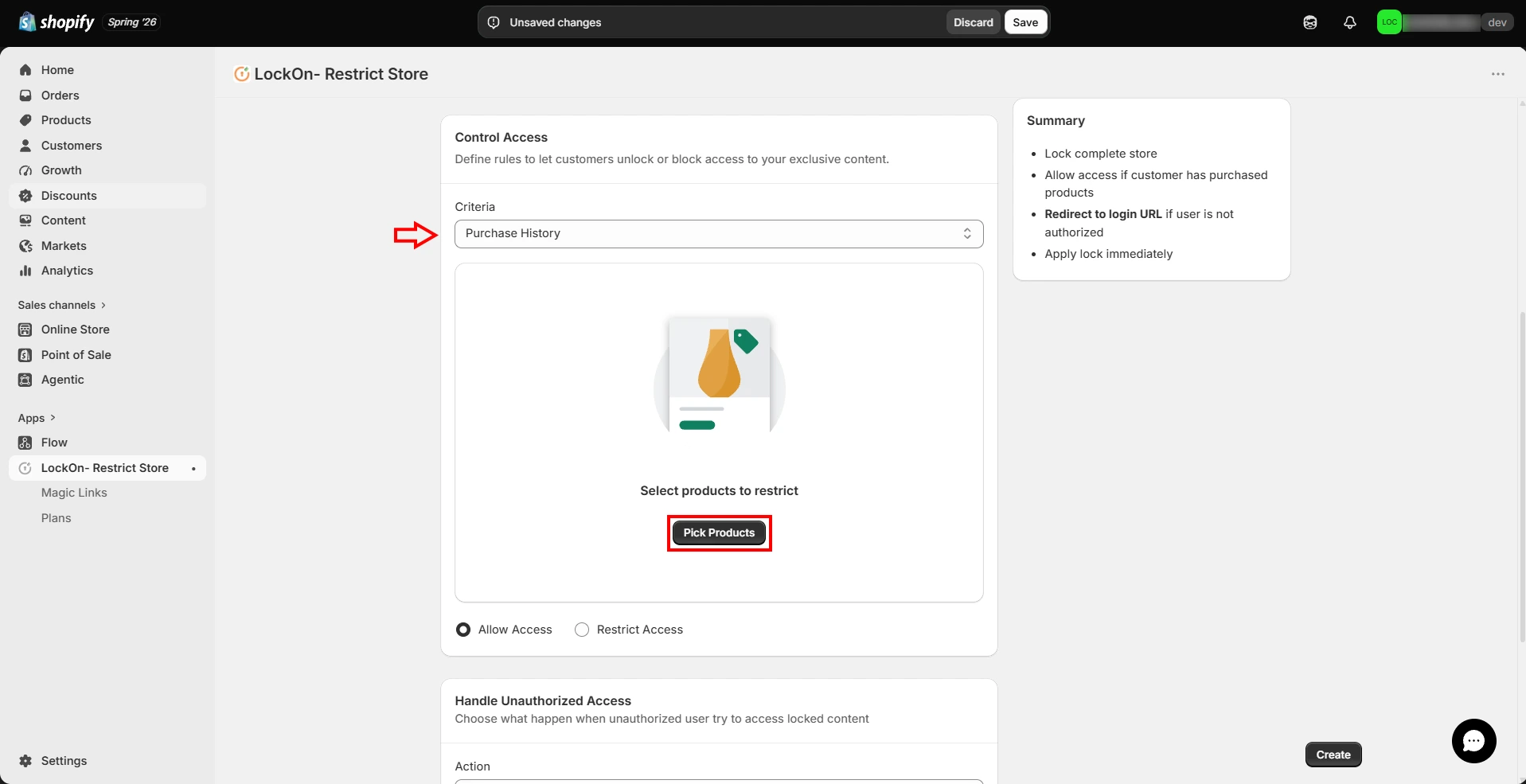
-
Search and select the products you want to base the access rule on, then click on Select.
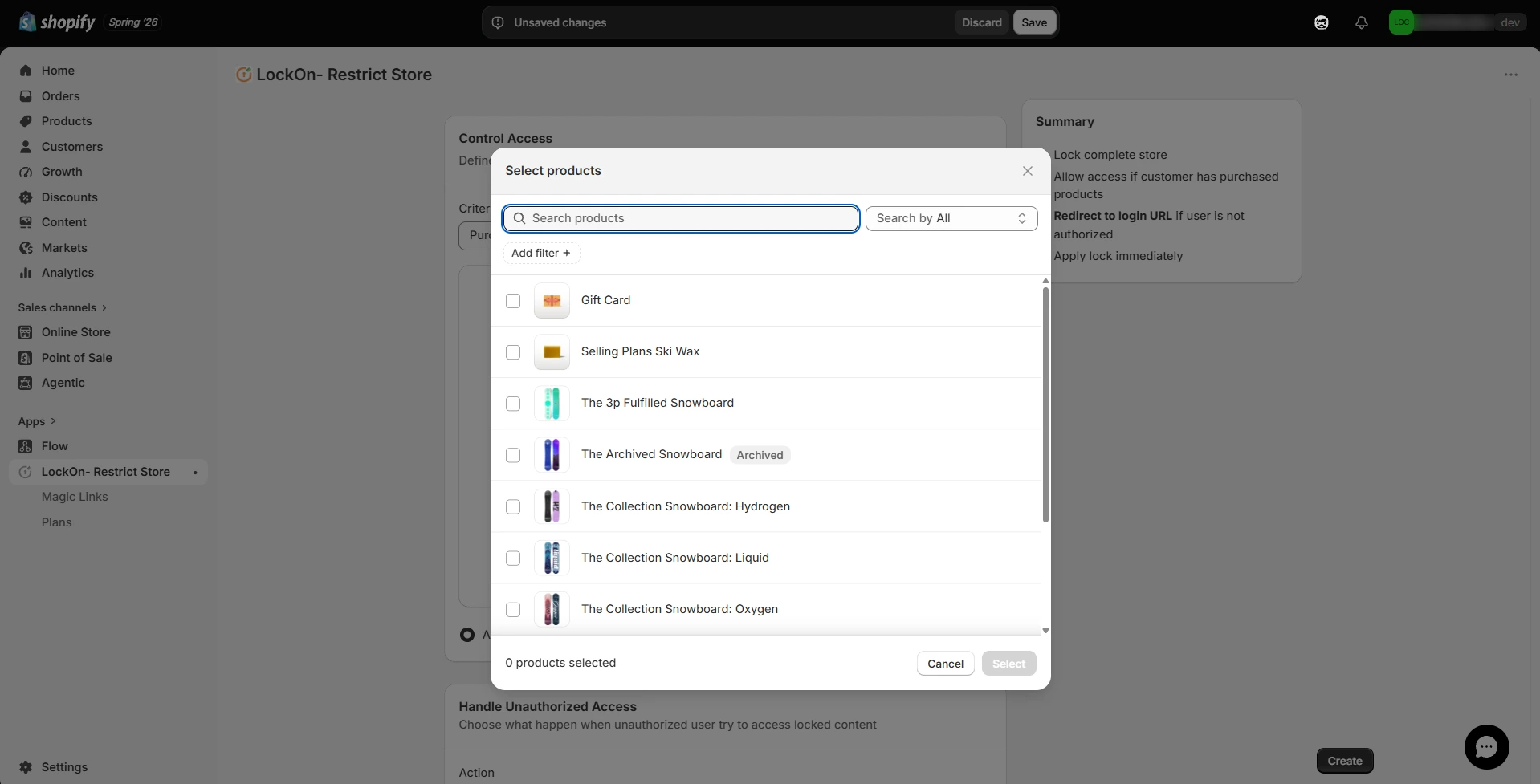
-
Choose what happen when unauthorized user try to access locked content. You can either Hide content or show them custom HTML code.
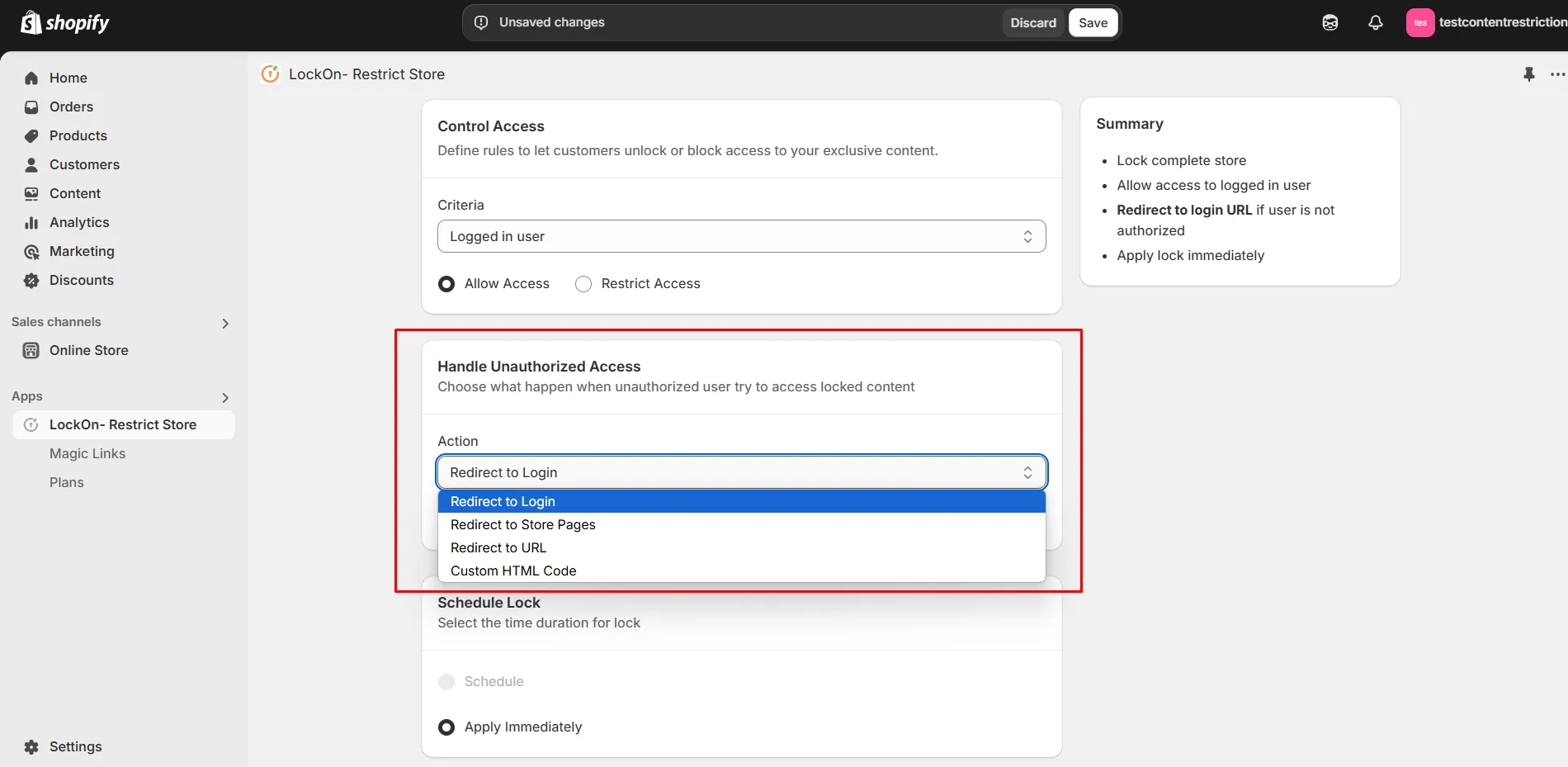
-
You can apply the lock immediately or schedule it to activate at a specific time. Set a custom duration for the lock to automatically restrict or reopen access based on your store's needs.
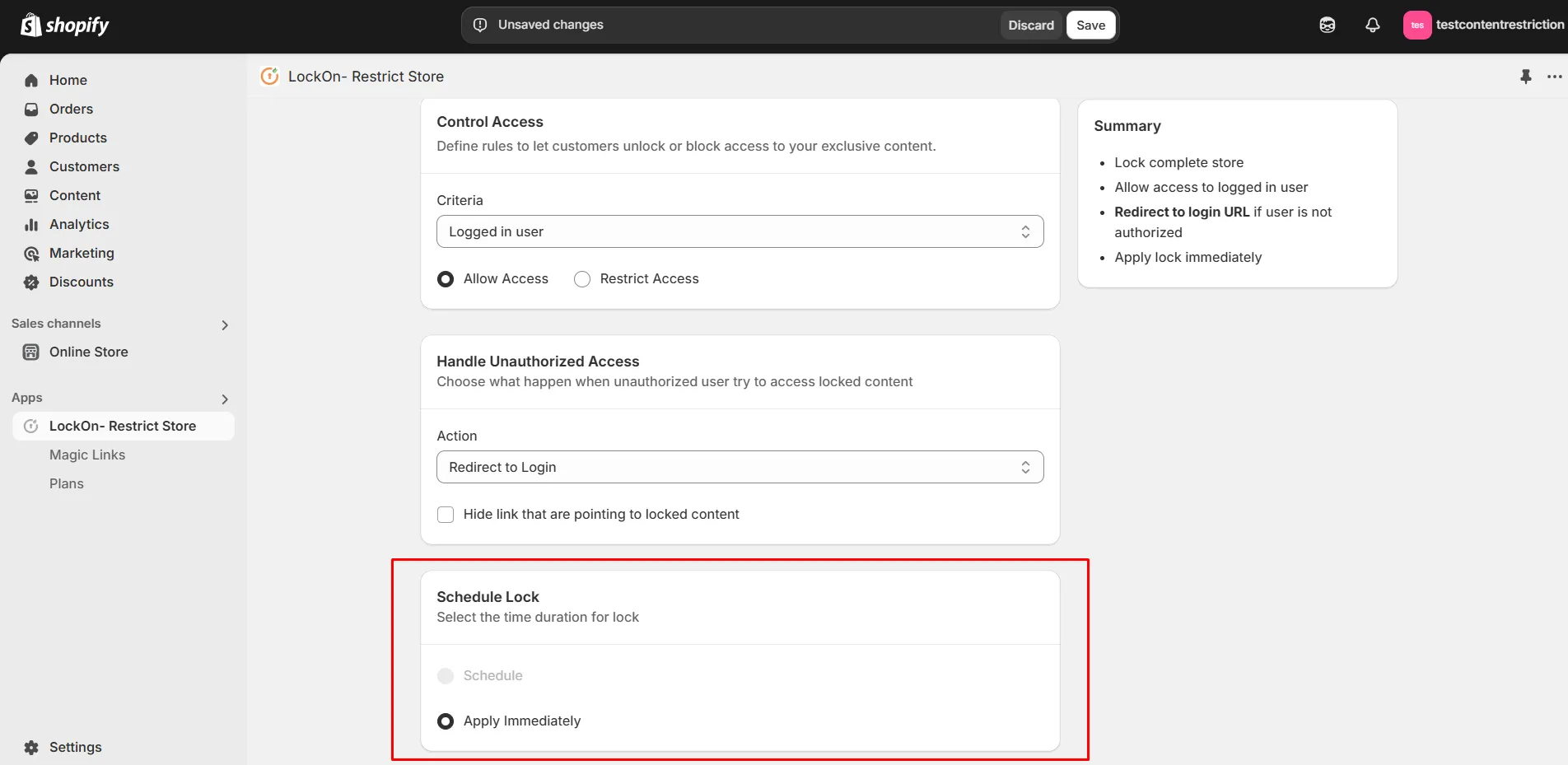
-
Click on Save.
Contact us at shopifysupport@xecurify.com to enable this feature on your Shopify Store.