Configure JWKS URI Endpoint
Applies to : Identity providers compatible with OAuth 2.0, OpenID Connect & JWT protocol
Feature Description
The JWKS URI (JSON Web Key Set URI) is the endpoint exposed by your identity provider that publishes the public keys used to verify the signature of the tokens it issues.
During SSO, the miniOrange app fetches these keys from the JWKS URI to validate the JWT / ID token returned by your IDP, ensuring the token is authentic and has not been tampered with. Because the keys are retrieved directly from this endpoint, you do not need to manually upload or rotate certificates when your IDP rolls its signing keys.
Setup Instructions
-
Navigate to Apps >> miniOrange Single Sign On – SSO application and click on Add Identity Provider. Select your SSO protocol, based on your identity provider.
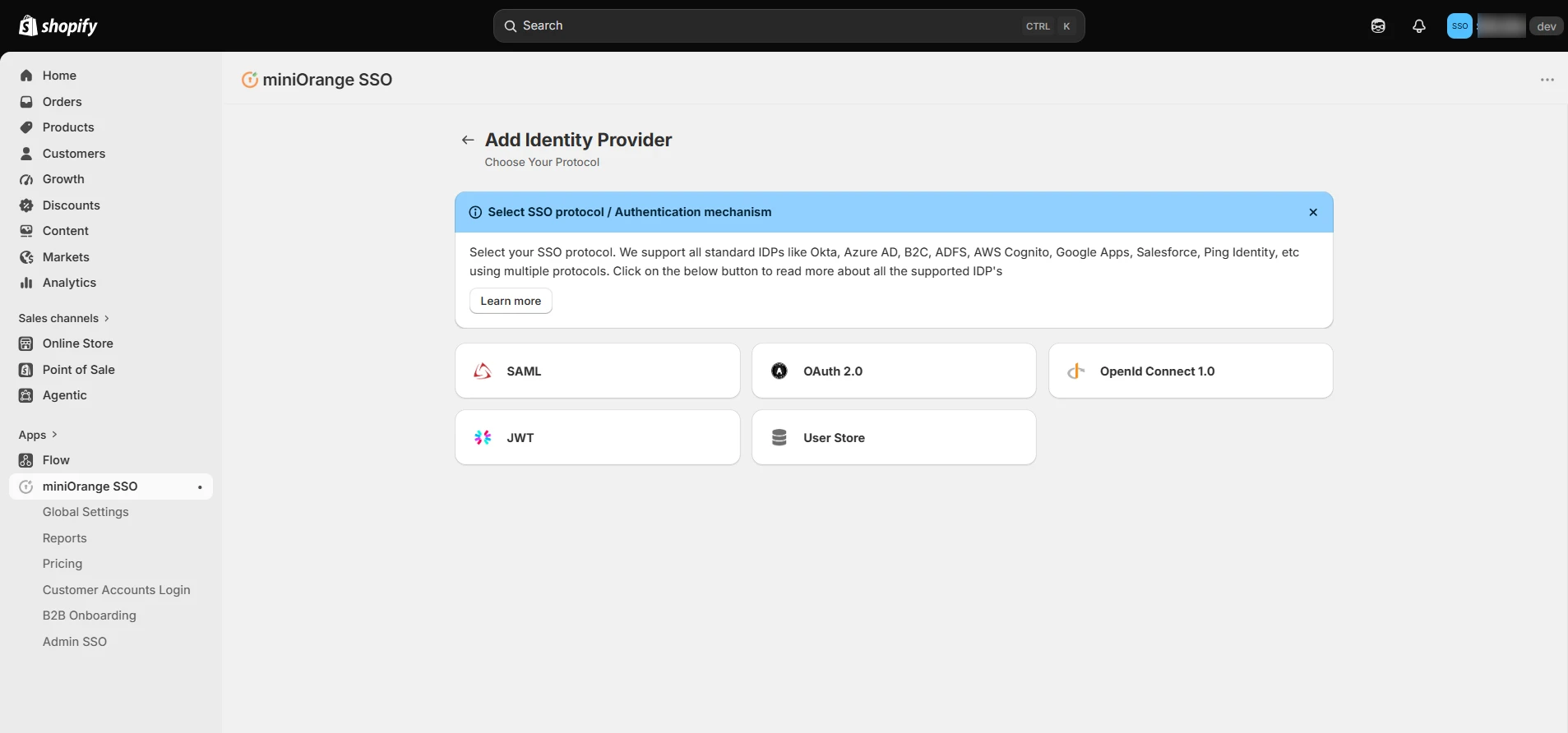
Configure JWKS URI for OAuth 2.0 & OpenID Connect
-
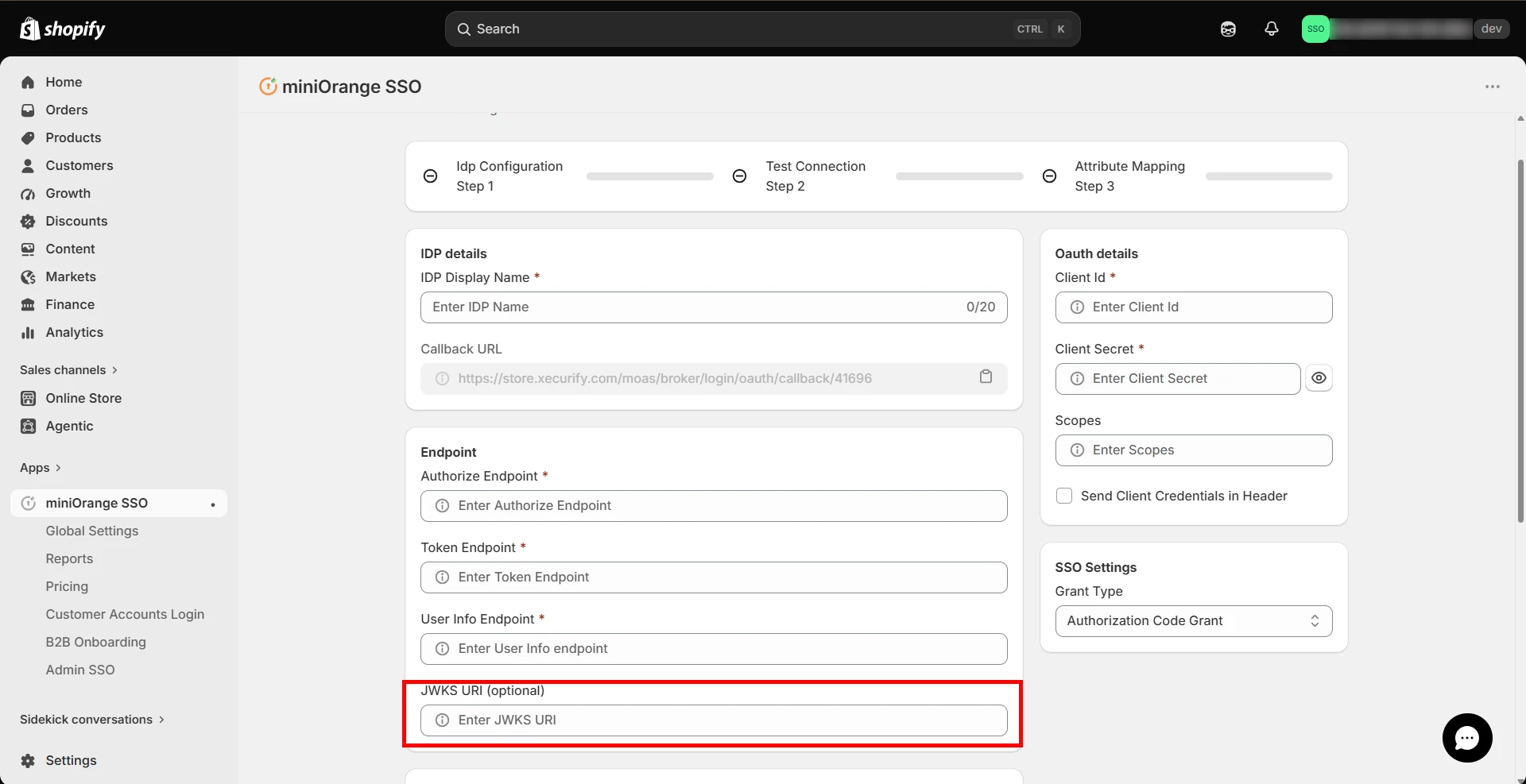
Scroll down to the Endpoint section.
-
Enter your identity provider's JWKS URI in the respective field. This field is used to validate the ID token signature when provided.
-
Click on Save.
-
For OpenID Connect, the field appears in the same location. Enter your identity provider's JWKS URI in the respective field.
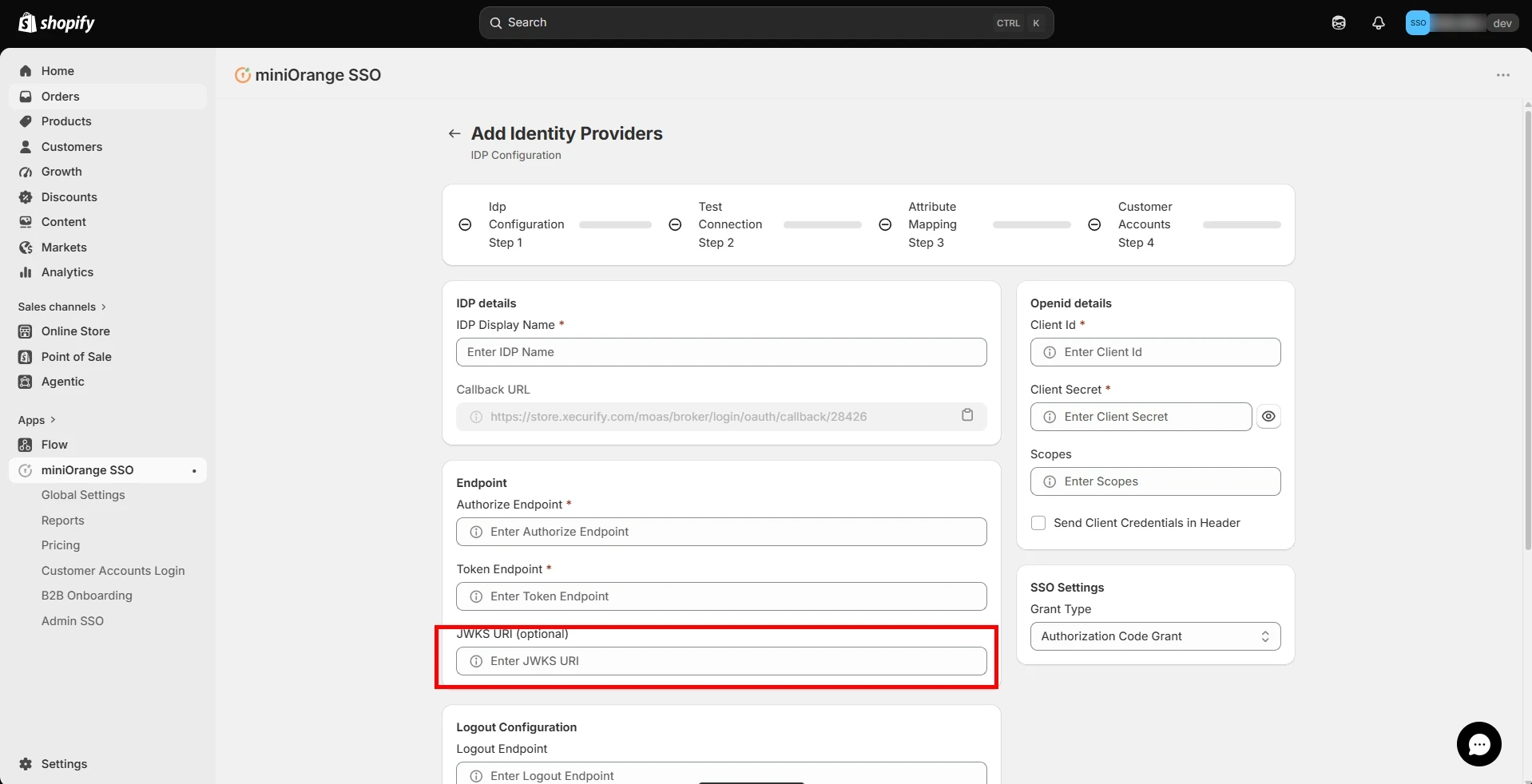
Configure JWKS URI for JWT
-
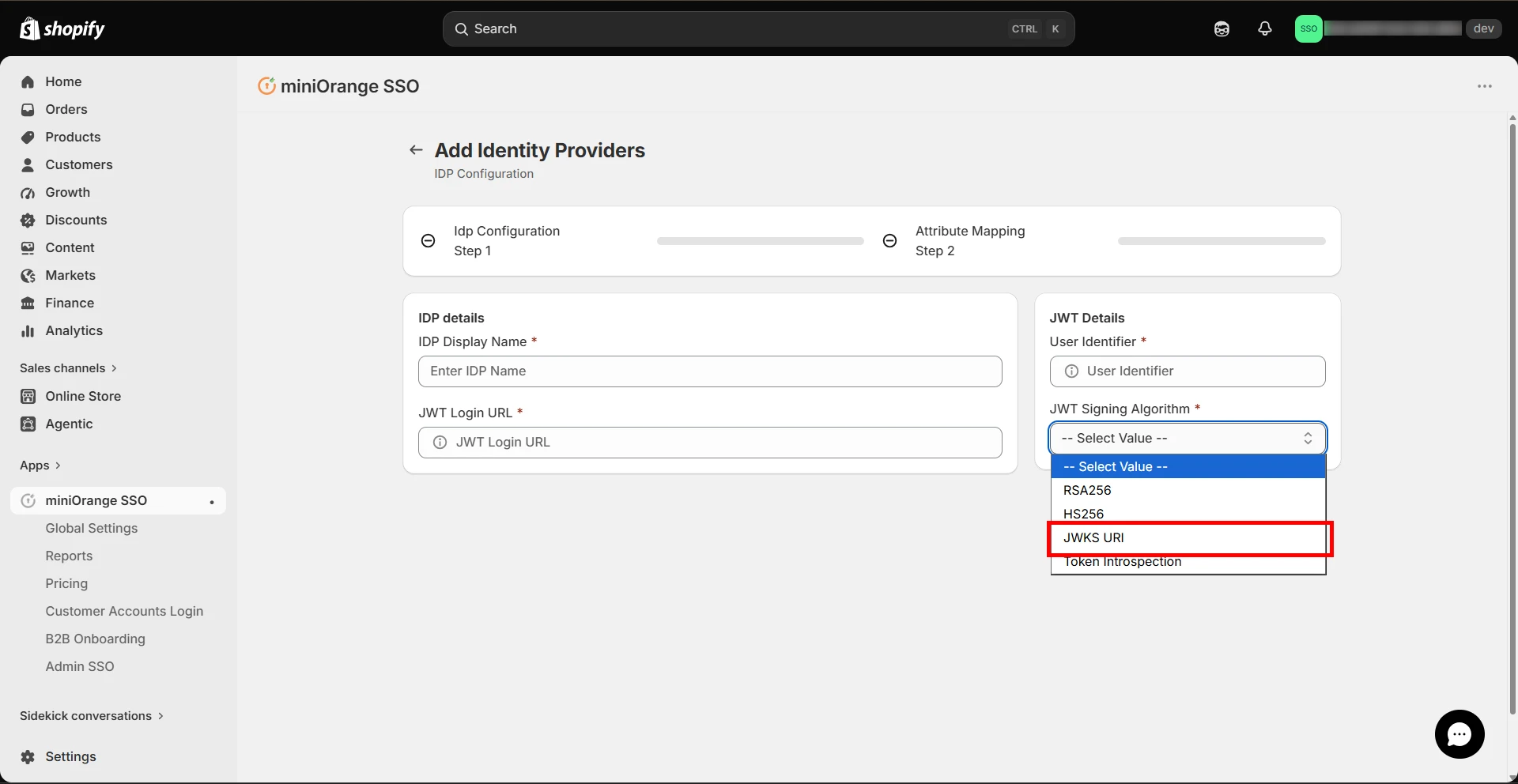
Under the JWT Details section, set the JWT Signing Algorithm dropdown to JWKS URI.
-
A JWKS Endpoint section will appear. Enter your identity provider's JWKS URI in the respective field.
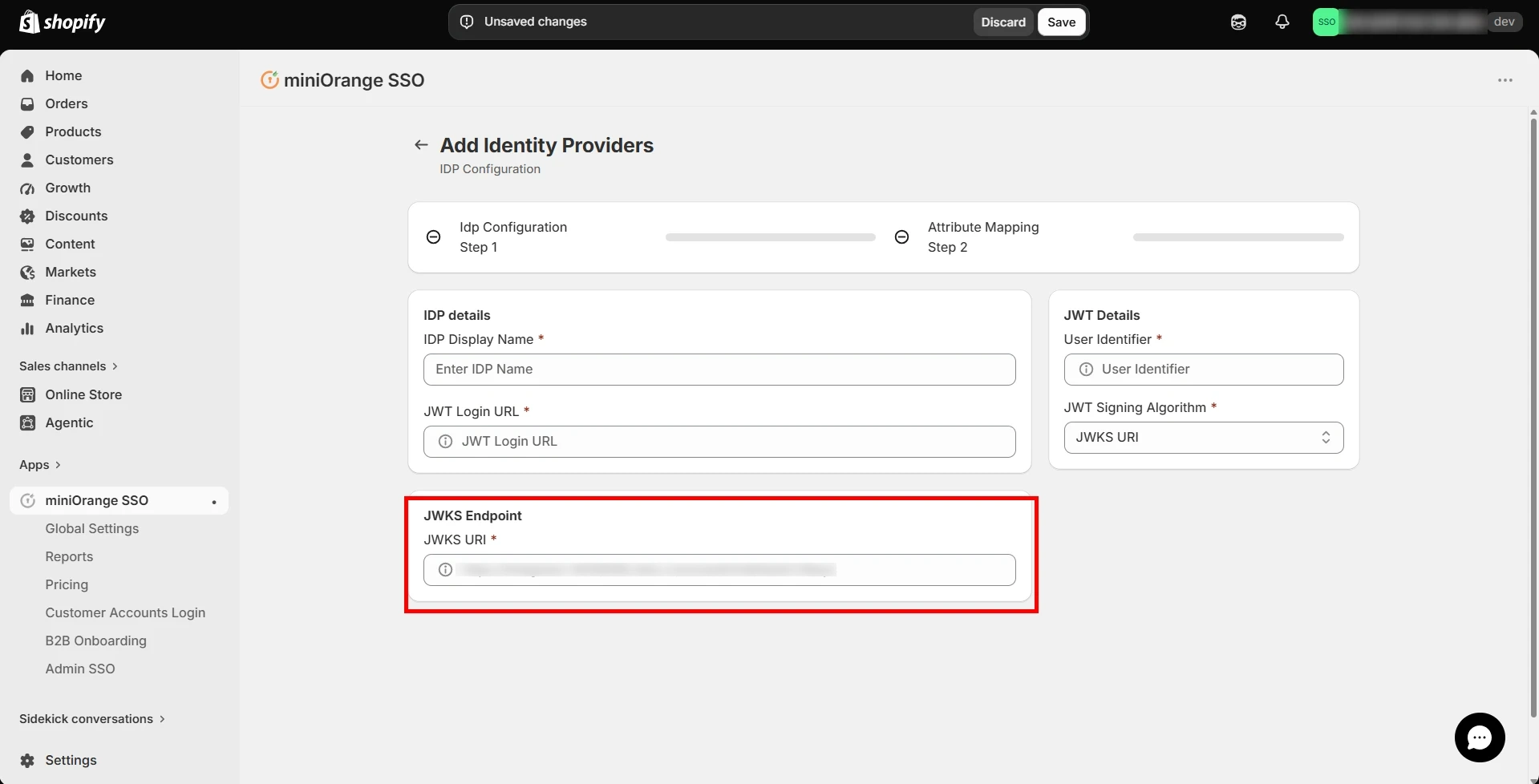
-
Click on Save.
For example, if you are using Okta as your identity provider, the JWKS URI would be in the format https://{yourOktaDomain}/oauth2/default/v1/keys. Once saved, miniOrange will use the keys published at this endpoint to verify the token signature every time a user performs SSO into your Shopify Store.